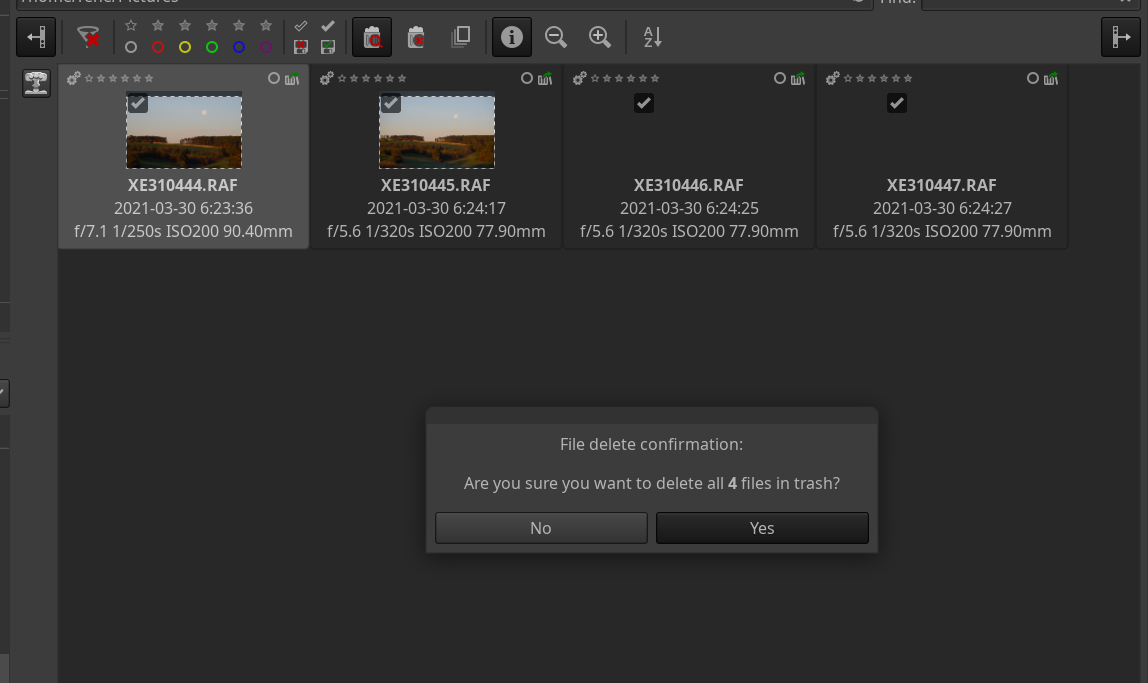
I’m not sure if this issue has been introduced recently, but i experience an application freeze when i try delete files with the builtin delete function:
I’ve marked the files as “to be deleted”, switch to the “show only files marked for deletion” and hit the “delete files” button. ART is then stuck after i confirmed my decision on the state shown above.
This happens on 2 different machines running ArchLinux:
Branch: makepkg
Commit: c65a3f50d
Commit date: 2021-03-29
Compiler: cc 10.2.0
Processor: x86_64
System: Linux
Bit depth: 64 bits
Gtkmm: V3.24.4
Lensfun: V0.3.95.0
Exiv2: V0.27.3
LCMS2: V2.12
Build type: Release
Build flags: -D_FORTIFY_SOURCE=2 -march=x86-64 -mtune=generic -O2 -pipe -fno-plt -std=c++11 -march=native -Werror=unused-label -fno-math-errno -Wall -Wuninitialized -Wno-deprecated-declarations -Wno-unused-result -fopenmp -Werror=unknown-pragmas -O3 -DNDEBUG -ftree-vectorize
Link flags: -Wl,-O1,--sort-common,--as-needed,-z,relro,-z,now -march=native
OpenMP support: ON
MMAP support: OFF
Build OS: Linux
Build date: 2021-03-30T10:47:32Z
Maybe it’s some sort of configuration issue on my side - tough it happens on 2 different machines that do not share configs. I found that ART creates an filename.ext.xmp file for very file i’ve touched in ART although no data that would reside in the XMP is modified.
I’ve completely deleted the “.cache/ART” folder on my machine, but the behaviour stays the same, ART freezes when the dialog is confirmed with “yes”. Strange. I’ll try to do some further investigation later.
Yep, number of files doesn’t matter…it’s really strange, i use this workflow all the time, it started a few days ago, hadn’t time to look at it till now. It only happens when i try to delete the RAF raw files of my fuji - when i just add some jpegs the deletion works as expected. As soon as i add a RAF as well ART freezes after the confirmation dialog and no files are deleted. So this may be related to the raw files.
Addendum: its not only the deletion dialog, as soon as i mess with one of the RAF files - e.g. flag for deletion - i can’t close ART anymore. I don’t even need to try to delete them. The close button in the title bar or Alt-F4 won’t work, ART freezes and i need to kill it.
Additional, potential unrelated finding:
When a RAF raw file is marked for deletion, after closing and reopening ART, the file is marked for deletion and rated with 5 stars - although i’ve never set any star rating.
It doesn’t seem to happen with my older Pentax DNGs, but i just found out that it does also not happen with all RAF, only some are affected.
There may be another coincidence:
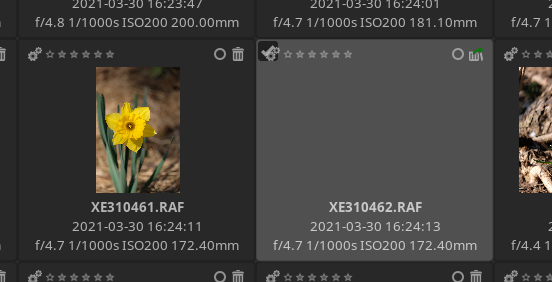
When i open a folder with the raw for the first time, the previews are shown in the file explorer. I than open a RAF file and do some edits, which works fine. Afterwards the file browser does not show the updated preview but only a blank image box:
Some sort of caching issue?
@elGordo
Files are processed from locally installed ssd with ext4.
I’ve attached the RAF and the sidecards created by ART shown in the picture above,
Never used the prebuilt binary before, but just checked: ART-1.8.3-linux64.tar.xz works as expected, no freeze. Only needed to fake /usr/lib/x86_64-linux-gnu/gdk-pixbuf-2.0/2.10.0/loaders.cache cause the file is somewhere else on ArchLinux.
As the prebuilt binary works, this may be caused by some dependency or is a result of the build params used?
I started both version (self-built and the prebuilt one) from the console and there’s one difference:
The self-built binary sometimes shows a Glib:error e.g. when switching to another folder in the file browser or when enabling the “Show files in trash” filter.
ART

** (ART:24876): CRITICAL **: 22:05:43.190:
unhandled exception (type Glib::Error) in signal handler:
domain: g-io-error-quark
code  : 15
what  : Operation not supported
As far as i currently investigated the freezes only occur when this error has previously been logged to the console.
Will do some more tests tomorrow.