Use a Lua script. Trigger on darkroom-image-loaded and the adjust the settings accordingly
4 Likes
I, like @elstoc said, use shortcuts. The Lua way is also possible. There’s an initial workflow script, maybe it could be extended. Initial workflow lua script
In addition to the checkbox, I’m thinking about adding a button to actually copy the settings over. Rationale: someone enables the checkbox, likes the effect, but wants to tweak it. After unchecking the checkbox, it’d take 6 slider adjustments to copy the settings before tweaking can start.
It may make sense to keep this button visible even when the checkbox is ticked. Clicking the button could then also untick the checkbox automatically, the intent being to copy but then alter the settings. This would make operation faster, at the cost of keeping more UI elements visible even when the checkbox is ticked.
Your last chance to vote on a feature for a while.  Also, no config parameter. If less than 50% want the button, I won’t add it. Otherwise, I’ll implement the more popular visibility option.
- don’t add the button
- add but hide when the checkbox is ticked
- add and keep it visible + auto untick
0
voters
What about just copy the settings automatically after unchecking the checkbox? 
2 Likes
Going in to feature freeze might be a really good move
You can’t make everyone happy, and most won’t even know what they want for now (and until they have had some experience with the finalised V1 module).
If the central code is stable, interface changes like the last few proposals won’t matter all that much. As long as they don’t change the module parameters, no version changes for the database/metadata should be needed, either.
7 Likes
I am writing the article for LinuxUser. I think it will be finished in one or max two weeks, but it wouldn‘ t be nice if all the slider names are different when the article is out in november or so. So please finally stop renaming the sliders and rearranging the gui. At least until dt 5.6.
Btw, I want to make a big compliment to @kofa for the democratic way he managed the development of this tool. Others have already done so but I want to do this once again.
7 Likes
Anna, no offense but isn’t darktable master considered unstable? Thus things will change until the versioned release is made. As a developer myself, we shouldn’t ask developers to stop making changes to a development environment 
As far as I know, no distro(or windows and mac) follows darktable master, so users won’t even have access to AgX until the release is made, giving you time to adapt the article to the new GUI item names, etc
7 Likes
The point of IT media is bringing news, like new things, things that are being developed. It is not unusal to bring articles about things that are still in the dev build, especially if they are close to a new stable release. If I would want to publish it around or shortly after the release, i d still have to send them the text early november. If I write an article, I usually work with the development version. There is no point in writing the article after the release. Old news is no news.
I am not asking not to make any changes at all. Just dont change everything so the readers wont understand the text. Linux readers can deal with twoe or three minor changes espeicall if I write that into the article.
Well actually the article should have been out the moment agx was merged.
2 Likes
While I appreciate the presence of publication delays (heck, I had to deal with delays of months, up to a year…), the whole idea of a development version is to develop code, and interfaces.
With FOSS, writers are in the lucky position that they have acces to all stages of development. But it’s still the developers that decide on feature and string freezes (which are needed also for translators!).
sounds a bit aggressive in that context. The more as we are 5-6 weeks from “early november”.
4 Likes
Ok maybe I chose the wrong words/style but in this case it is especially difficult to write the article because agx is constantly changing and very quickly. I just wanted to ask for a bit slower pace.
1 Like
I agree, I think it might be time to let some extended use drive the UI deletions, modifications, additions…rather than a poll of people that have been following the process.
@kofa Its also still your work too so I would hate for you to end up with a tool that doesn’t align with your vision and use by trying to hit all the buttons…no pun intended
1 Like
I think feature and string freeze are in late November or early December. I have already informed the community about the planned feature freeze for the module itself (will probably add the last UI change with the checkbox this weekend). However, smaller modifications may still occur, e.g. if someone can come up with shorter / more descriptive UI labels. And there’s the issue of the QAP, too.
I think if the article mentions that it was created using a pre-release version and small discrepancies may occur, you should be good. DPreview and similar sites often post images mentioning ‘they were taken with a pre-production camera’.
6 Likes
Suggested shortcuts for agx (add them to your shortcutsrc):
e - pick relative exposure points (both black and white)
b - pick black; b + scroll: adjust
w - pick white; w + scroll: adjust
d + scroll: adjust dynamic range scaling
c + scroll: contrast adjustment
p: pick the pivot
p + shift + scroll: adjust pivot shift
p + scroll: adjust pivot output
s + scroll: adjust shoulder power
t + scroll: adjust toe power
g + scroll: adjust gamma
You could of course use different / more, e.g. toe/shoulder start with t + shift / s + shift, or pivot controls (you may not need gamma, then g + scroll could be green attenuation, g + shift + scroll the green rotation, g + control + scroll the green purity boost, g + control + shift + scroll the green rotation reversal, and similarly for r red; b is taken for black, but you can figure something out.
I’m attaching my config (only the agx lines). Note that if the sections are renamed or removed (because of QAP), those bindings will have to be updated, too. Also, if the shortcuts clash with what you currently use, there may be problems. Use at your own risk (setting up the shortcuts takes only a minute or two using the GUI, so that’s probably the safer option).
shortcutrcs-for-agx.txt (773 Bytes)
5 Likes
My suggestion for what it is worth would be to make in clear your article, that the module remains under active development until feature freeze
1 Like
@Eary_Chow the ‘reverse all’ checkbox (plus the button)
unchecked
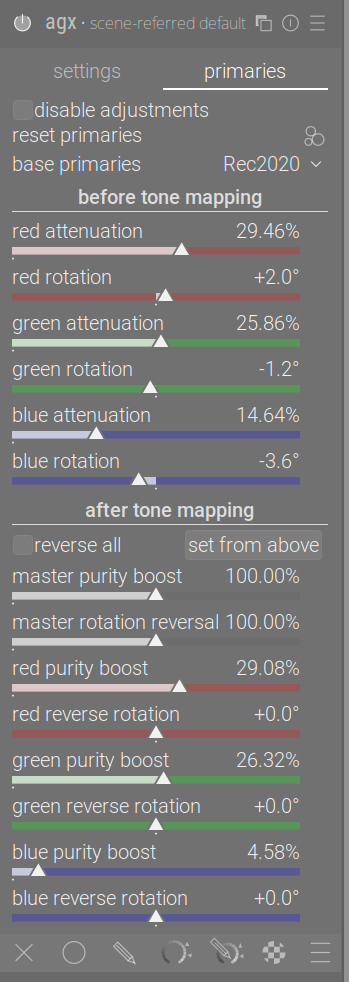
tooltip
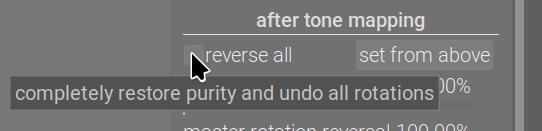
checked
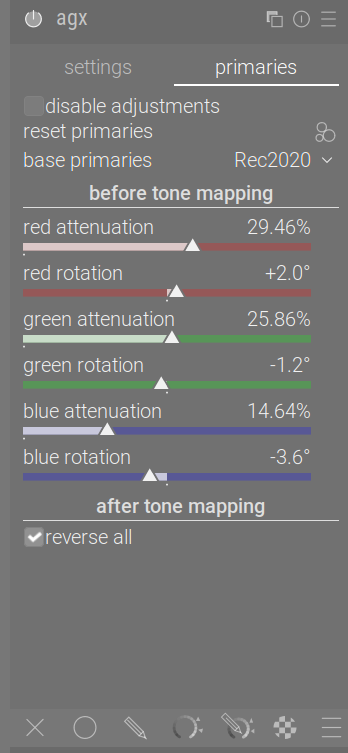
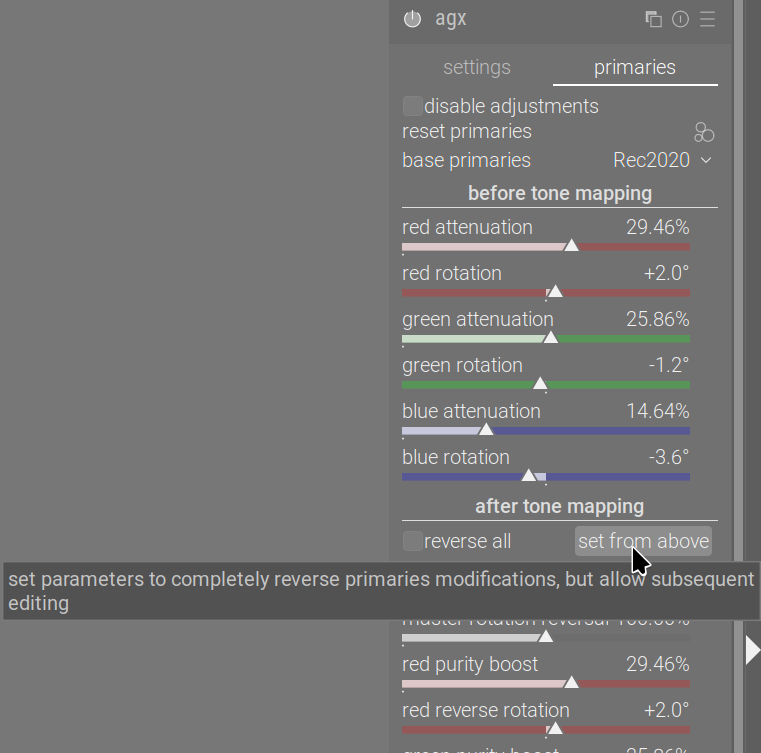
(@epeeist is investigating the tooltip width, stay tuned)
2 Likes
I posted this already to the wrong thread, but I’ll try again here.
Is there any way with this module to apply technical changes separately from artistic changes? I normally work by doing a technical grade first to deal with shot to shot variation between images, and then I apply artistic changes to get the look I’m after. Is there any way to copy and paste just the artistically relevant controls without upsetting the technical grade?
Please do not cross-post.
What you ask is not not possible from the GUI. There is no way to copy/paste partial settings.
You may be able to do this via a Lua script. The initial workflow script (see your original post, it’s referenced directly above it) may be adapted to apply the exposure picker; for the contrast, a script could be created.
The other post was a mistake (I posted in the wrong thread). I’ve just found out I can delete it, so it’s now gone.
Would it make sense to have the function in two modules rather than one so as to avoid the need for a script, or is that technically difficult?
We cannot just split out the exposure range adjustment from those modules, sorry.
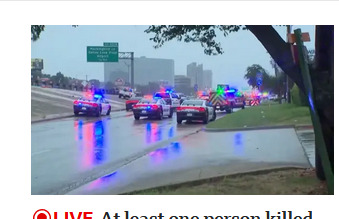
I saw this image on the front page of BBC.com this morning, and I was immediately struck by how horrible the police car lights looked.
I think the BBC needs AgX!
7 Likes