The PR was merged an hour ago; you’ll have it with the next nightly build (or you can build it from master right now, if you wish). Thanks, @Pascal_Obry!
3 Likes
Yes, I’ve tried, and it works.
- Initiate definition mode:
- Hover over the tab, and press Ctrl+p (for example):
- Selection is confirmed:
- End selection mode
- Check by hovering:
- Check prefs:
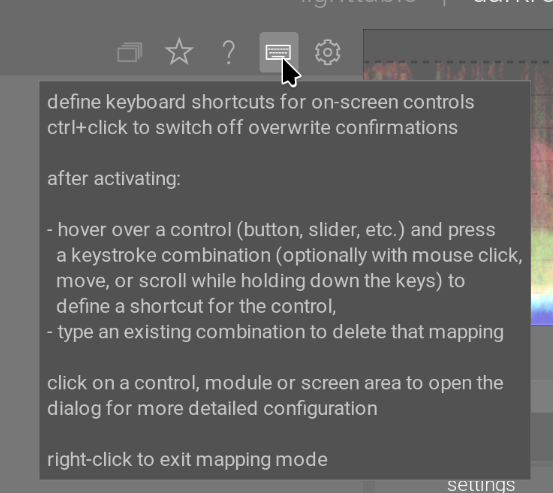
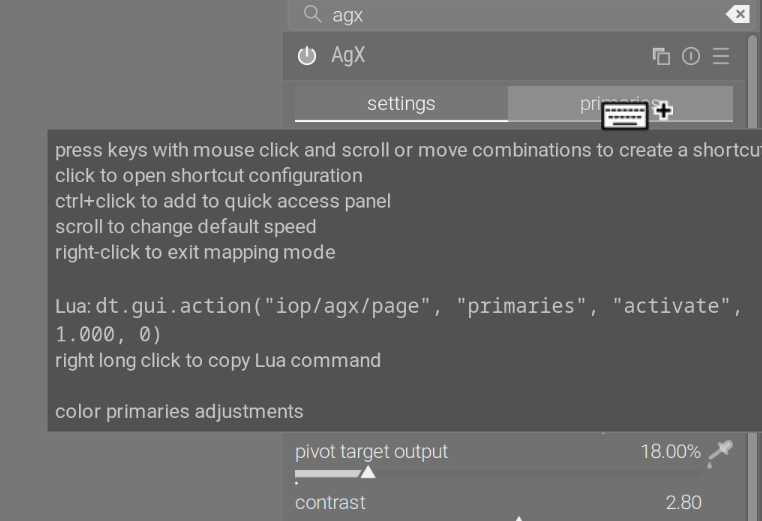

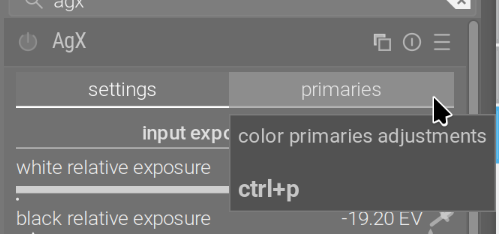
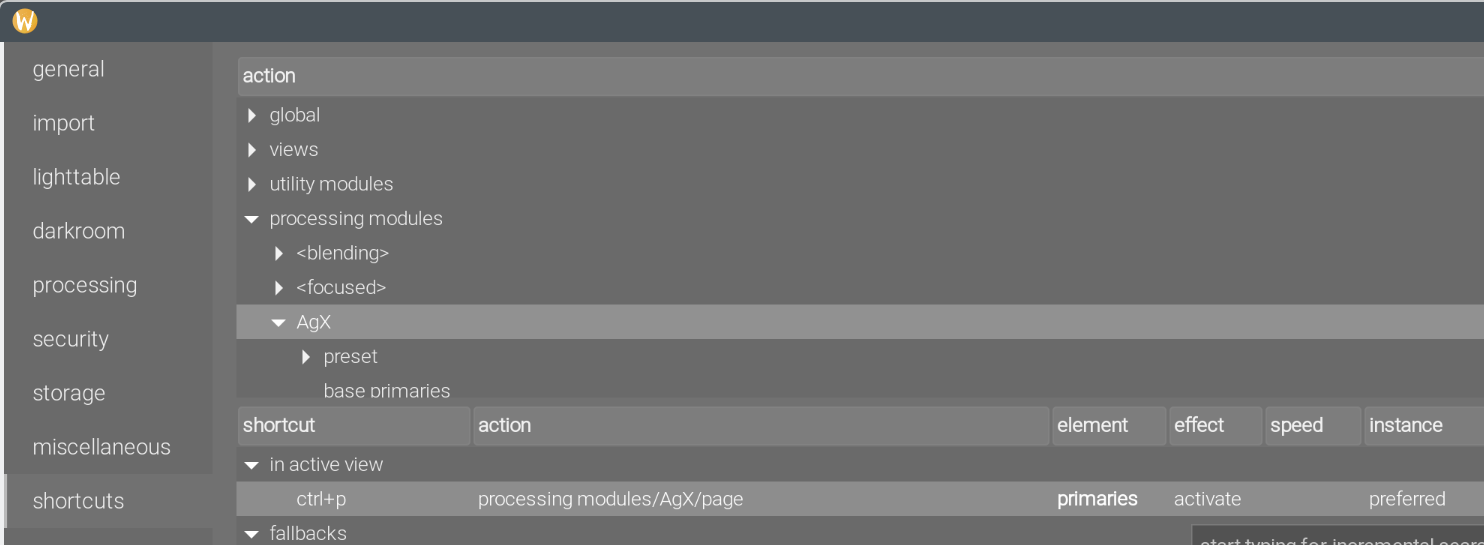
Unfortunately, while this switches to the tab, it won’t automatically activate the module if it is not active (on/off), and won’t switch to it. But I tested this with filmic rgb’s reconstruct tab, and the behaviour is the same.
It does work, if the module is currently active, expanded, and you are one one of its other tabs (settings or curve (only in 3-tab mode)), but is not very useful, I believe.
2 Likes
I created a script which sometimes does what I want :-D.
1 Like
Hi, quick question: Is AgX in master expected to be reasonably stable by now? I.e. are no further changes like Blender AgX in darktable (proof of concept) - #2330 by kofa expected/planned?
Of course I’m not asking for any binding statement… Just curious whether this is already a good moment to switch for someone like me, who is curious, but unfortunately does not have the free cycles to tinker along.
We are basically in feature freeze, only bugfixes are allowed. There aren’t any bugs that I’m aware of.
2 Likes
With colourrbg primaries module, I get round that problem by assigning C to toggle open the main module, then CC and CCC to switch to the other tabs. Not ideal, but it works.
I’ve been playing a bit with AgX. When strong highlights are present (e.g. a flame, or light source) filmic is very sensitive to the correct setting of the white point. Set it too high, and the inner parts of the highlights would look weird (not pure white).
AgX seems to be handling this in a more robust way, but it also desaturates highlights much more than filmic (color science v7). This might be part of the design, but what are some recommended ways for bringing back some of that saturation if one wants? See for example this HDR shot of a street in Toulouse. The second edit (by @TonyBarrett, with AgX) is overall nicer, but features an almost white sky.
For me the problem here was the HDR nature of the scene coupled with the fact that the shadows have been lightened way too much. The sky is going to blow, yes.
For me, I brought the exposure way down, to -1.5 EV, then used AgX to tonemap, the foreground is dark, but the sky still has a gradient. Then I used tone eq to lighten the shadows.
Not a great or finished edit, but hope it illustrates what you were asking.
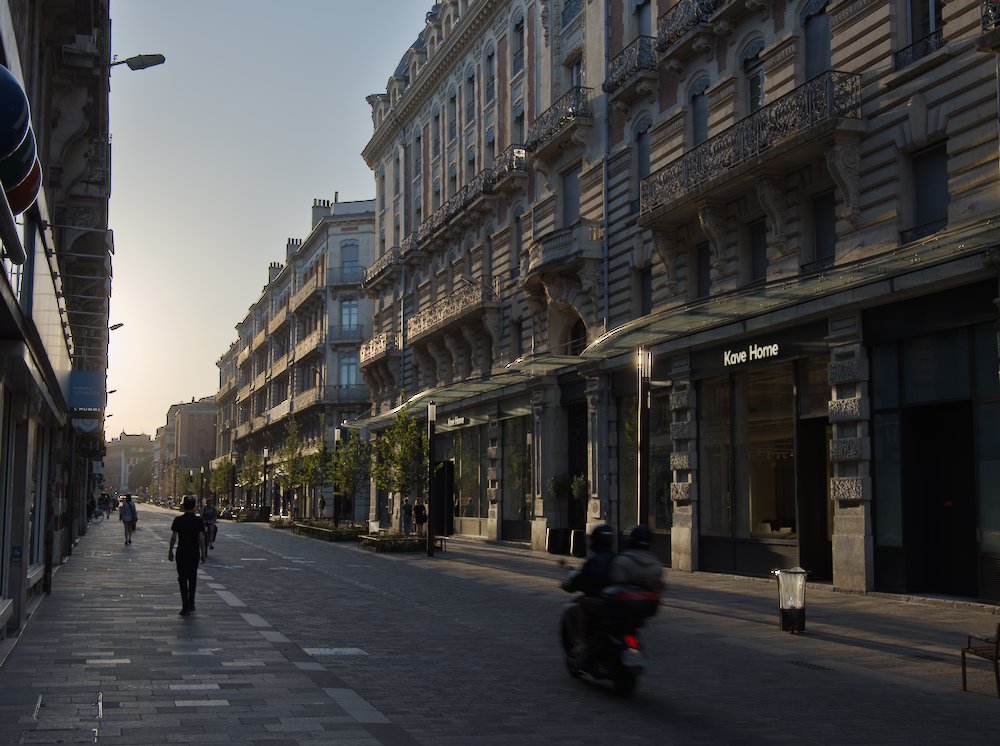
250919_191313.dng.xmp (13.1 KB)
The other thing you could do is fake the blue using the tinting in Color Balance RGB and a mask.
8 Likes
Also not great edits but echoing what you suggest… and its easy to tune to taste…
1 Like
Yeah, that’s totally me. I can’t resist seeing how much can be recovered but I realise it’s not a good trait.
I do notice in some of the other edits that the sky seems close to banding, at least on my screen. Maybe that’s just compression artefacts.
2 Likes
I’m not sure whether I should open a new thread for this question. Since all kinds of subtopics have been debated in this super-thread, I opted to add to it once more.
I read the available documentation, but a question remains to which I haven’t been able to find an answer: What “contrast” value in AgX results in neutral midtone contrast?
In filmic, the default contrast value is 1.0 and this value results in neutral midtone contrast. That means that with contrast set to 1.0, two patches that fall into the midtones, and are 1 EV apart at the (scene-referred) input side of the tone mapper, will be 1 EV apart on the (display-referred) output side.
I see that the AgX module default is a contrast value of 2.8. The preset “blender-like smooth” has 2.45 but seems otherwise identical.
I understand that the value of contrast is an artistic choice, but coming from filmic my understanding has been that
- Neutral midtone contrast is a reasonable default
- Since we are typically reducing dynamic range when tone mapping, it is usually not a good idea to increase midtone contrast (much) beyond 1.0 in filmic, since this leads to unnaturally contrasty midtones.
I’ve added 3 pickers to a grey ramp. I’ll show Lab values, and Lab is not linear, but as long as contrast is 1, we expect those values not to change significantly.
Without AgX, the samples are at L=49 (48.99), 50 (49.95) and 51 (50.96):
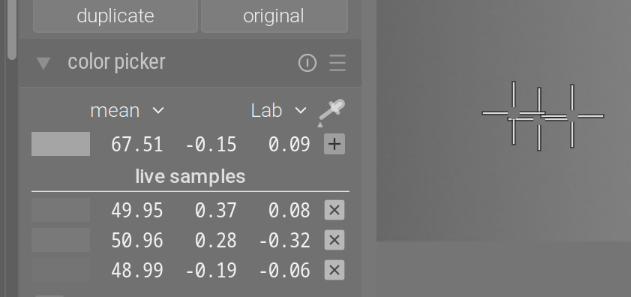
With AgX on, using the default values (gamma 2.2, contrast 2.8, -10 to 6.5 EV):
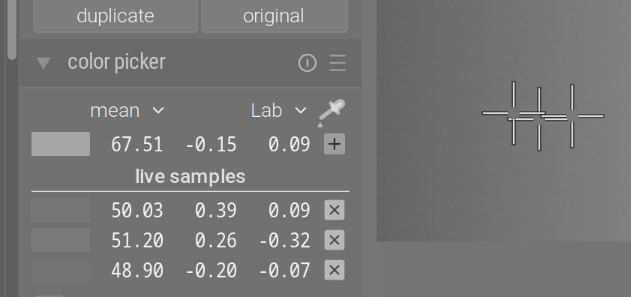
With Blender-like defaults: (gamma 2.4, contrast 2.45, -10 EV to 6.5 EV):
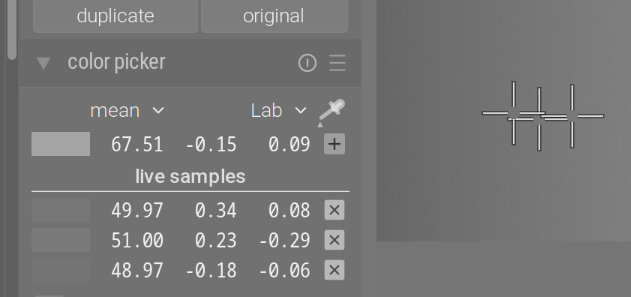
Based on the defaults, tweaked a bit: gamma 2.2, contrast 2.45, -10 to 6.5 EV:
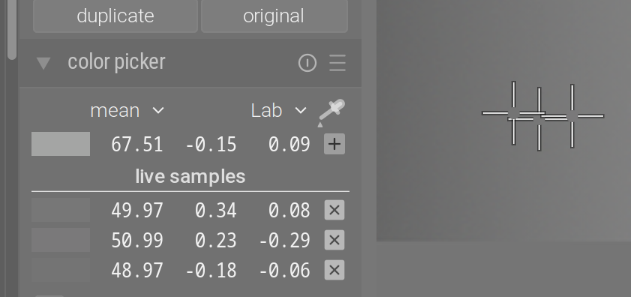
Don’t care too much about the contrast, it’s a parameter of the curve, and is adjusted (just like in filmic) internally to stay constant with exposure value range. For example, with -3 EV to 4 EV:
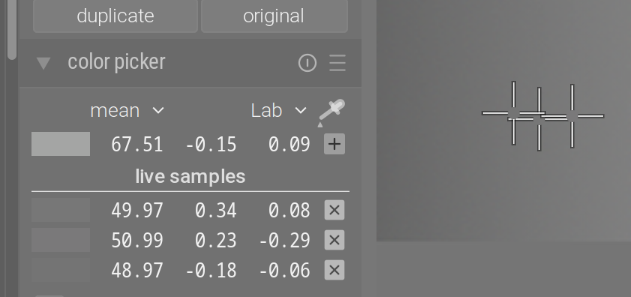
Then keeping those, but jumping to gamma = 5:
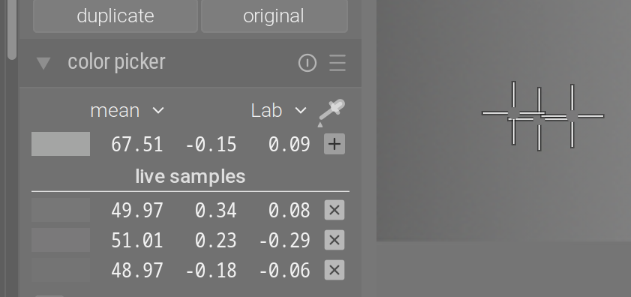
Even though visually the curve went from:
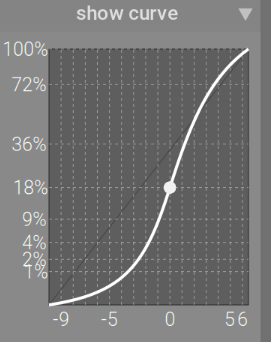
To:
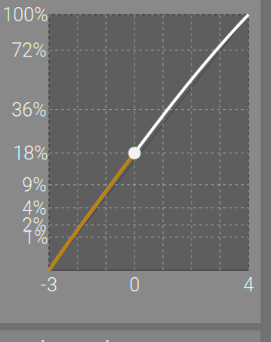
And then to:
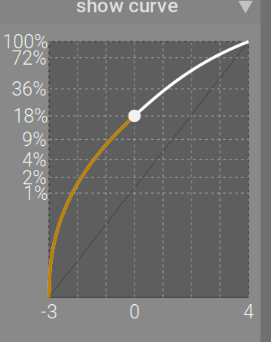
2 Likes
Thnaks a lot, @kofa. If I understand you correctly you mean that contrast 2.8 with gamma 2.2 is similar to contrast 2.45 with gamma 2.4. I kind of understand that, but I’m still confused. I hope that someone here will have the patience to explain, or point me to some external source.
My understanding it that the gamma exponent is just a technical detail of how luminance values are encoded in a non-linear color space. For example sRGB uses a gamma value of 2.2 (approximately). Macintosh computers used to encode RGB with a gamma value of 1.8, etc.
But at the point in the Darktable pipeline where the tone mapping occurs, I thought that the pixel values are still linear: scene-referred before the tone mapper, and display-referred (but still linear) after the tone mapper. That’s why filmic never has to introduce any gamma exponent.
Here is a histogram of a gray wedge in Darktable, without any tone mapping:
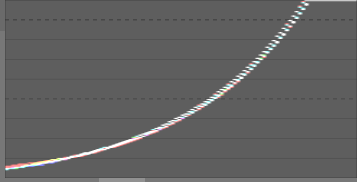
When I enable filmic with contrast=1, the slope of the white curve at the point where it crosses the middle black dashed line (i.e. the midtones) does not change. This is what I mean with neutral midtone contrast. That central slope does change for any other contrast value.
Now it seems to be that whether AgX is neutral to midtone contrast or not (i.e. whether it changes that central slope or not) depends on two parameters: “contrast” and “gamma”. I would like to understand the rationale behind this choice. And how to know which values of these parameters are neutral to the midtones?
PS.
The test image I use is from Trying to figure out RGB (filmic) workflow - #72 by jandren. If someone knows where to find better/alternative ones, I’m very interested.
Perhaps the right way to understand things is that while the input (a) and output (b) of AgX are linear in luminance (the encoding into e.g. sRGB occurs only later), the tone mapping curve of AgX is particularly easy to express as a mapping from x to y, where
- x = \log \mathrm{a} (i.e. the horizontal axis of the curve),
- y = b^{1/\gamma} (i.e. the vertical axis of the curve).
As such, the gamma value of AgX has nothing to do with the gamma value of sRGB. It’s just a property of the curve.
Does the above make sense? If yes, isn’t it still a problem that it’s no longer obvious when midtone contrast is not modified by AgX?
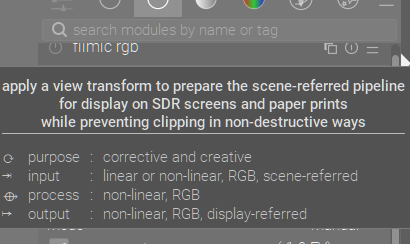
Someone please correct me if necessary, but I believe that the above is wrong. (It used to be a source of profound confusion for me!) The output of filmic is linear, RGB, display-referred. It is the result of a non-linear transform, but its encoding is linear in luminance.
Here is what the AgX tooltip says (it’s the same for sigmoid):
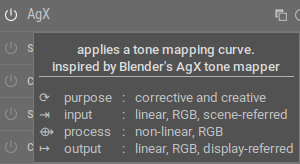
The pipeline does not treat the output of AgX differently from the output of filmic, right? So the outputs of both modules live in the same color space. (Again, I’m very grateful for being corrected if I’m wrong.)
Not quite.
hardness (previously target power factor function)
Known as the target power factor function slider in older versions of filmic rgb, this slider is hidden by default, and is adjusted automatically based on values in the scene tab. To make this slider visible, you need to uncheck auto adjust hardness in the options tab.This parameter is the power function applied to the output transfer function, and it is often improperly called the gamma
(darktable user manual - filmic rgb)
gamma and keep the pivot on the diagonal are similar to, and inspired by, hardness and auto-adjust hardness in filmic rgb .
Yes, that’s correct.
Originally, the curve used in Blender was fit to a gamma of 2.4, its output could be sent directly to a display with such a gamma. As you correctly wrote, in darktable, the output has to be linear, because that’s what we use in the pipeline. This linearisation is done by applying a power function. ‘Gamma’ is a more familiar term, even though it actually means the inverse.
You will find that changing the gamma in AgX changes the distance between the x-axis and the pivot (visually), but does not change the linear output value (indicated on the Y axis).
By setting a custom value for gamma, but compensating in contrast, you can sometimes make the pivot easier to handle (it’s easier to keep the curve S-shaped, and retain the toe/shoulder power functionality, if the pivot is on the diagonal).
It’s a bit more involved than that, as values < 1 would result in negative log values, so there is a shift involved, and the range, independently of the selected black and white relative exposure, is mapped to 0…1, and the pivot x is moved according to where 0.18 falls in that range, but it’s basically log and those scaling/shifting operations, yes.
In:
Out is really just a power function:
The contrast compensation for gamma starts at darktable/src/iop/agx.c at 323ff0234d478740f555d55ec89b0de44253a9ed · darktable-org/darktable · GitHub, for exposure range at darktable/src/iop/agx.c at 323ff0234d478740f555d55ec89b0de44253a9ed · darktable-org/darktable · GitHub, if you are really curious.
2 Likes
Yes, it’s correct. I have no idea what those are actually meant to convey. Once you apply a curve to linear data, it’s not linear. Its encoding may be linear (no ‘gamma’ is applied, for example). I don’t know which sense ‘linear’ in the output specification is supposed to express: the encoding or the data itself. Since whether the data is linear or not depends on the preceding modules (e.g. if you apply tone equalizer, the data is no longer linear, but its encoding is), I don’t think it makes sense to say the output of any module is guaranteed to be linear (maybe up to input color profile it can be guaranteed), so it could only mean the encoding; but then, until output color profile, all of them are in linear encoding, so it makes no sense to specify that. To make things even more confusing, some modules use ‘quasi-linear’ to describe the process and the output (sharpen, tone equalizer, color equalizer). 
sigmoid says:
- input: linear, RGB, scene-referred
- process: non-linear, RGB
- output: linear, RGB, display-referred
I just copied that.
1 Like
Thanks! I’ll try to open an issue on GitHub about his, since I found this terribly confusing when I tried to understand how the pixel pipeline works. Like: If filmic’s input is linear, and it’s output is non-linear, how can it be that I can apply several filmic instances in sequence?
It’d be easier to just ignore that pop-up.