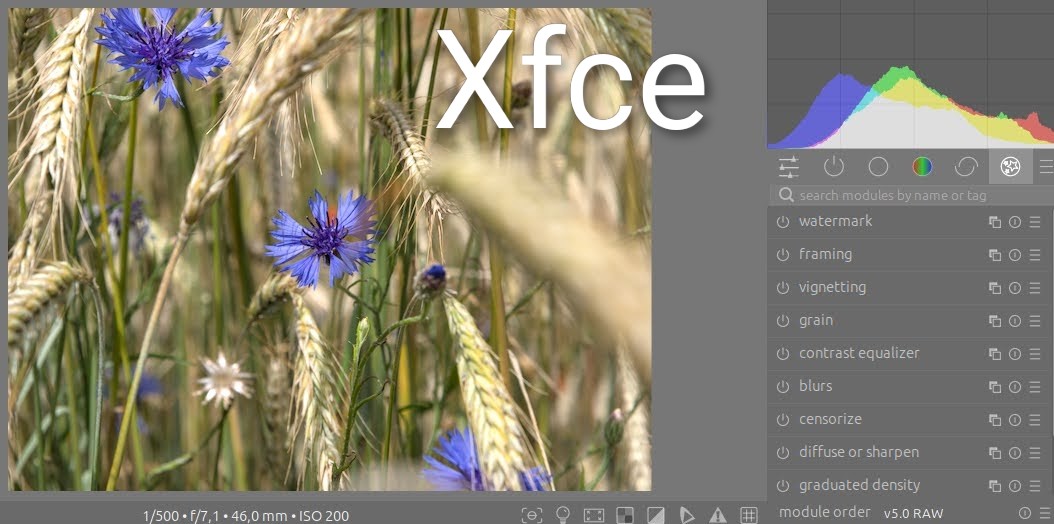
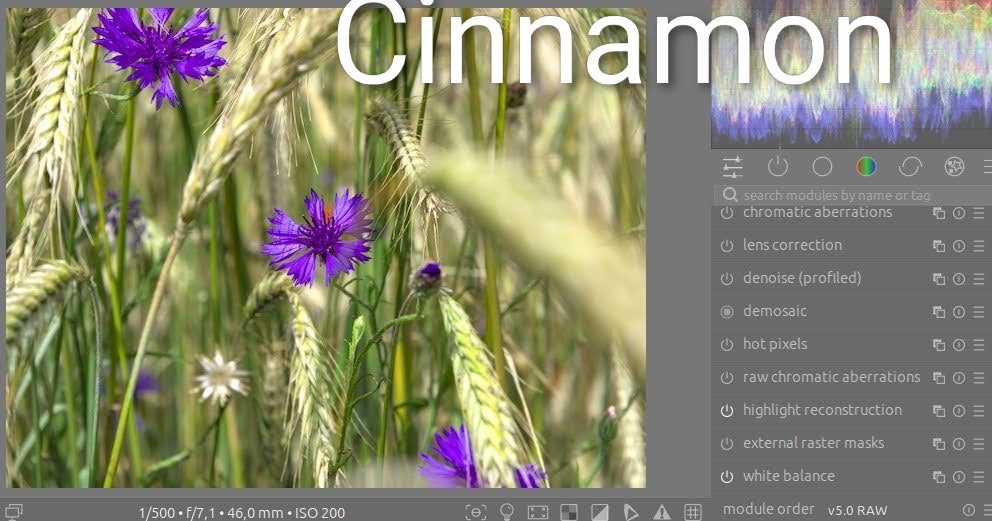
Most probably a display colour profile issue, and/or you have some gamut check indicator enabled. You should open a new topic, though: this thread is for the release announcement, not for general tech support. @paperdigits@afre , could you please split this out to a new topic?
A good way to test if it is a display issue (wrong display profile or some darktable indicator turned on) is loading a known-good JPG into darktable (that won’t be processed at all by default). If that has the shift as well, then you’ll know it’s not a processing but a display (profile) issue. Once you have the result of that test, we can help you further.
So either something is wrong with your Cinnamon setup, or your darktable setup is wrong in a way that doesn’t show up under Xfce. As you keep on claiming you didn’t change a thing, without providing more specific information (like your darktablerc, or the requested screen shot), that’s about all I can say…
I am just a regular computer user and don’t know much about software, so I can’t give you the exact settings for Darktable.
I am currently switching from Windows 10 to Linux and am looking for the right version for me.
I have noticed that Darktable and Rawtherapee work best in the MX KDE environment.
I am also testing Mint XFCE and Cinnamon, and that is where I noticed the incorrect blue color when editing in Darktable.
Perhaps the program was installed with errors. However, after reinstalling, the problem still persists.
This is not a big problem for me, as I will be using MX kde or Mint XFCe.
Nevertheless, I asked on the forum, because maybe I will find the cause and learn something new.
Darktable comes with a tool called darktable-cmstest. Open a terminal (console), and run it, then submit its output. It would be great if you could paste the output here between 3 ` marks, like so:
```
paste the output here
```
Also, what version of darktable? Native package (deb or from a repository), snap, flatpak, appimage? That influences how you launch darktable-cmstest.
Please run this command under both environments: flatpak run command=darktable-cmstest org.darktable.Darktable
and paste the output as requested above.
Probably so, but we need untouched edit for the two envs otherwise we cannot tell what’s wrong. And furthermore as I have asked we need the picture (RAW).
And of course what you’ve asked @kofa (the darktable-cmstest).
Double-check your Color Profile system settings in your desktop environment. I recently realized that, sometimes, automatically generated color profiles get applied, with potentially weird results. This recently drove me insane.