Experiments with a scene-referred local contrast module - proof of concept

I’m still a bit curious about this. Do you think that we will have a feature extractor at some point that does not have these kinds of issues, or is this the kind of thing that is inherently very difficult to address with this particular methodology?

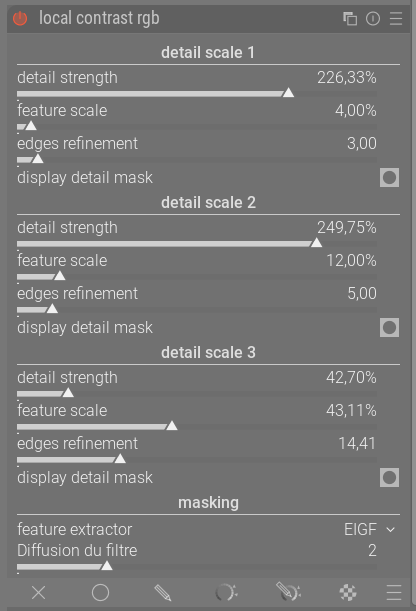
When I look at the output of the local contrast RGB module with the difference mask, it becomes clear that for specific photos, these kinds of subtle “contrast halos” (where the local contrast is not increased in a halo around a subject) exist for pretty much every choice of detail boost, feature scale, edge refinement, filter diffusion and feature extractor that we have currently. At excessively low edge refinement, they smoothly transition towards actual halos. To be honest, as with many other post-processing artifacts, I probably wouldn’t notice it in actual images if I didn’t already know what to look for, but they are noticeable once you know what to look for.

Examples

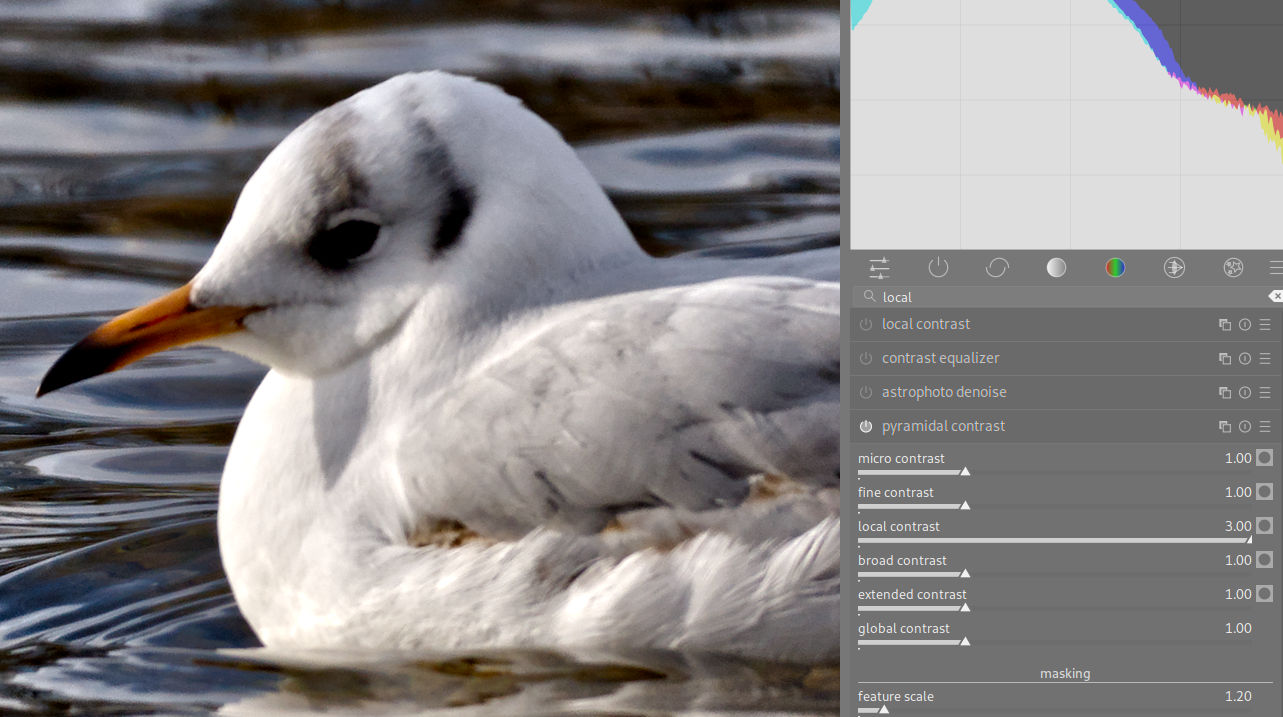
For example, here is a strong instance of micro contrast using EIGF:
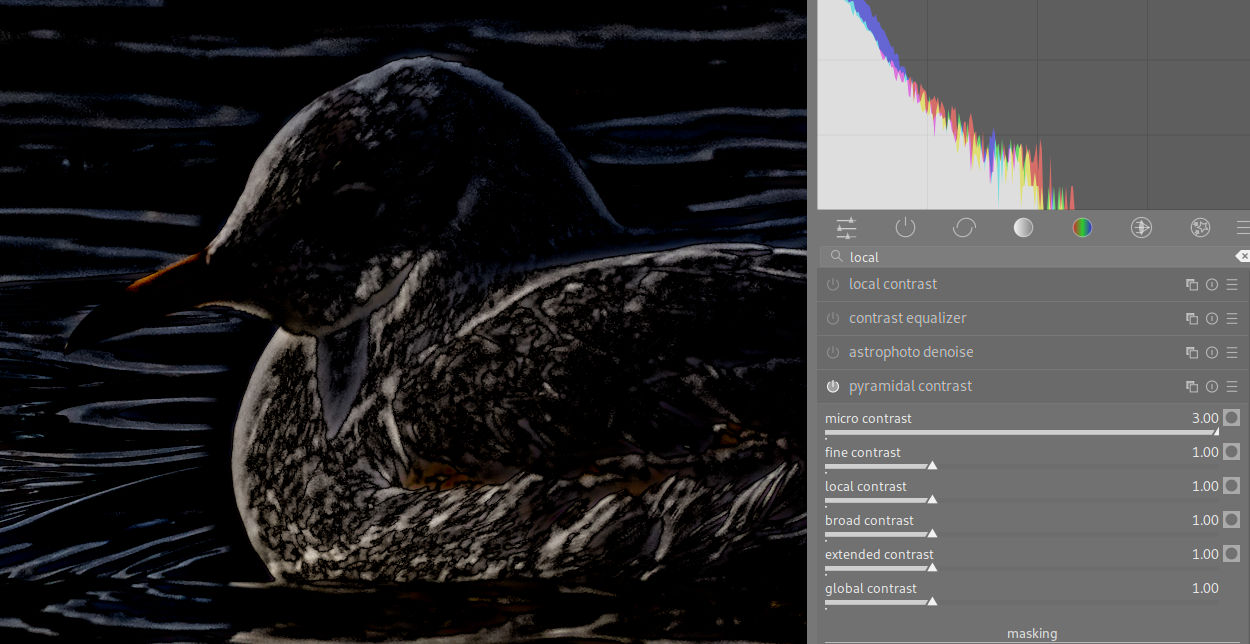
Micro contrast RGB with difference mask

(Given that it is a feature of the mask used by local contrast rgb, when displaying the difference mask, the “contrast halo” is visible at pretty much every level of detail boost that becomes visible in the difference mask, though its intensity relative to the rest of the actual picture will obviously vary depending on choice of detail boost.)

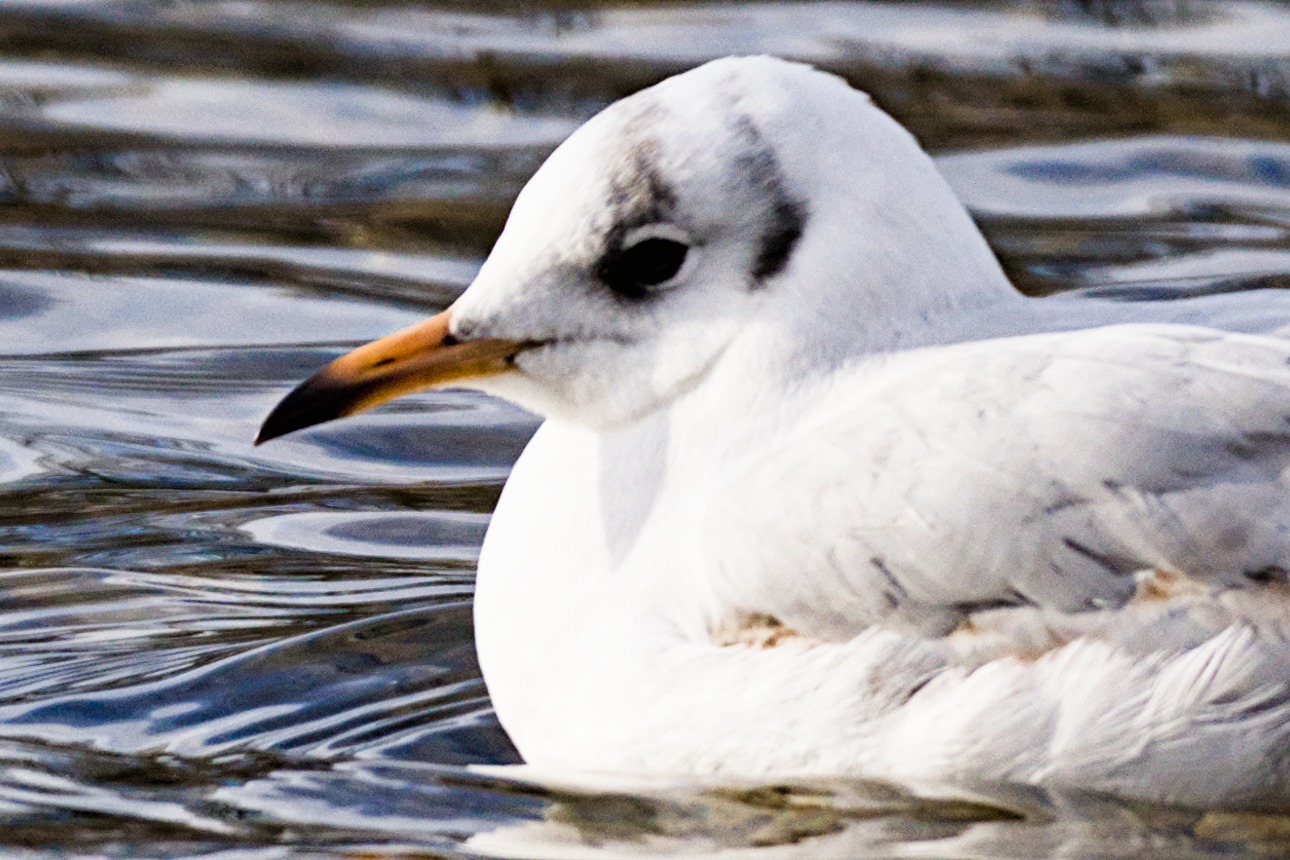
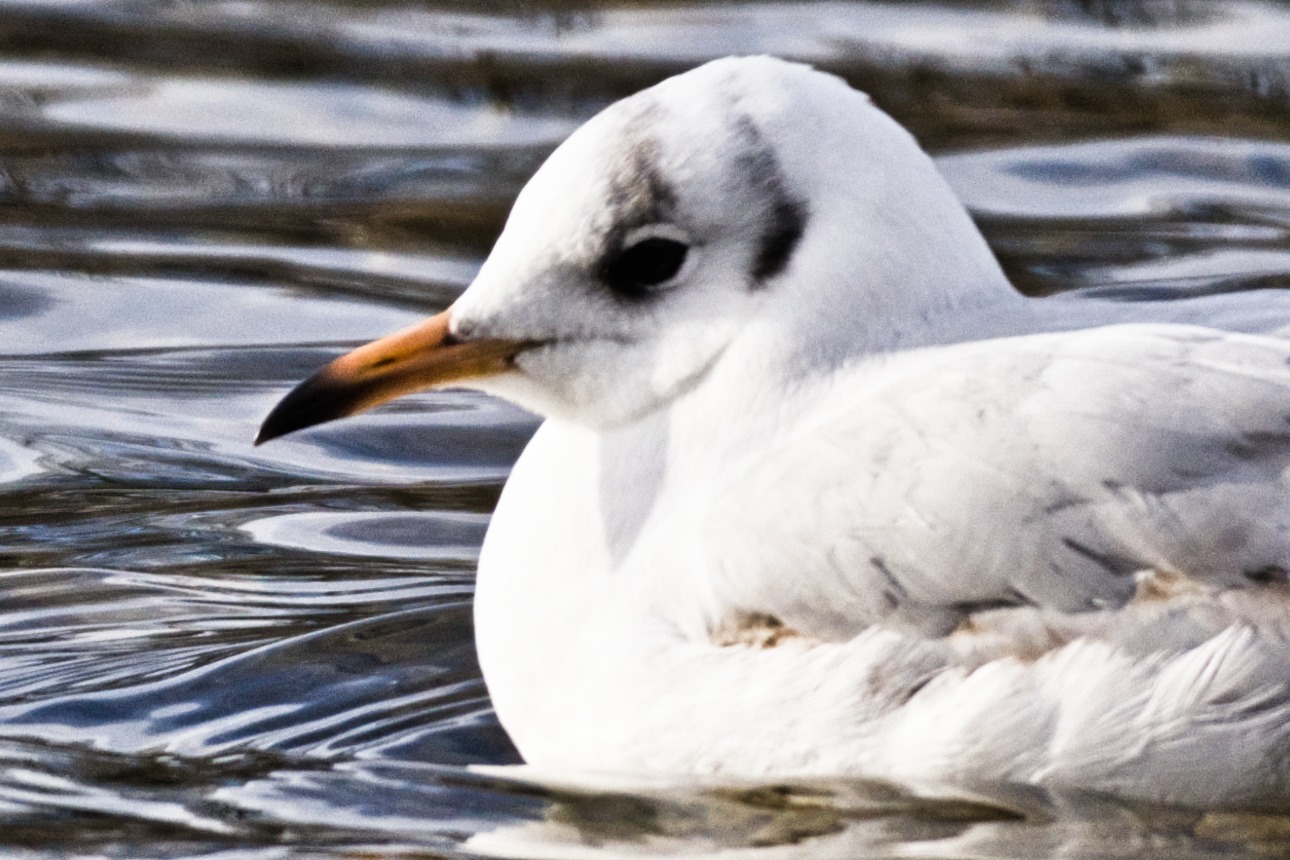
This is what it looks like in the actual picture:
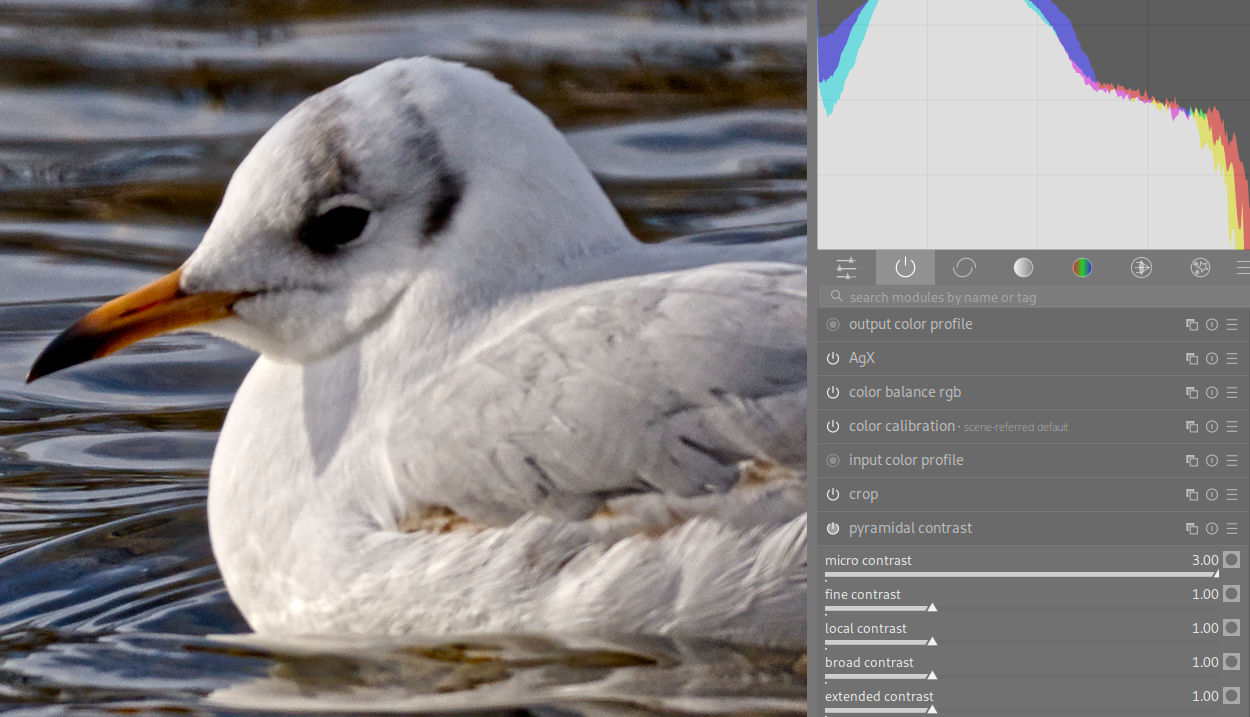
Micro contrast RGB without difference mask

Notice how the level of “micro contrast” in the water fades out as it gets closer to the gull (just like in @s7habo’s earlier snow edit, where it made some of the lines in the snow blur out close to the subject and then re-appear on the other side), as predicted by the difference mask.

This is what it looks like for local contrast:
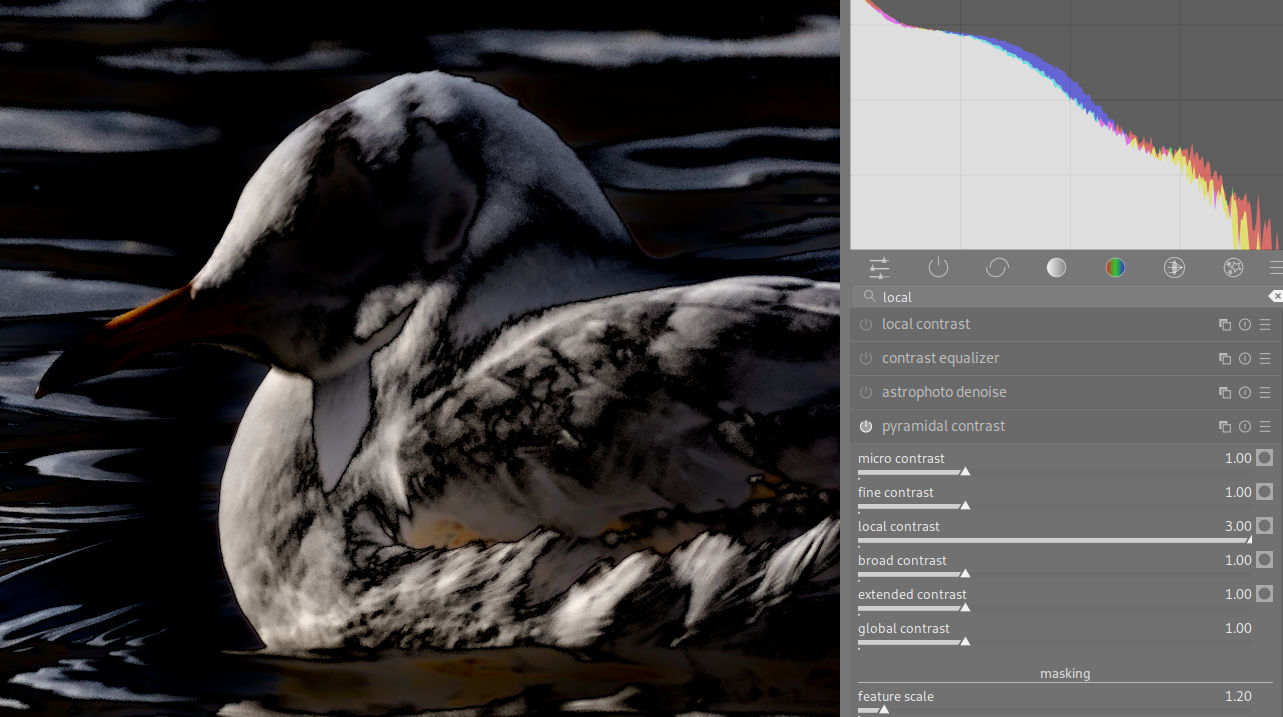
Local contrast RGB with and without difference mask


Notice how the reflecting parts of the water lose some of their contrast as they get closer to the gull.

Comparisons

For comparison’s sake, the “clarity” preset of the contrast equalizer fares worse here and produces an actual halo gradient around the gull:
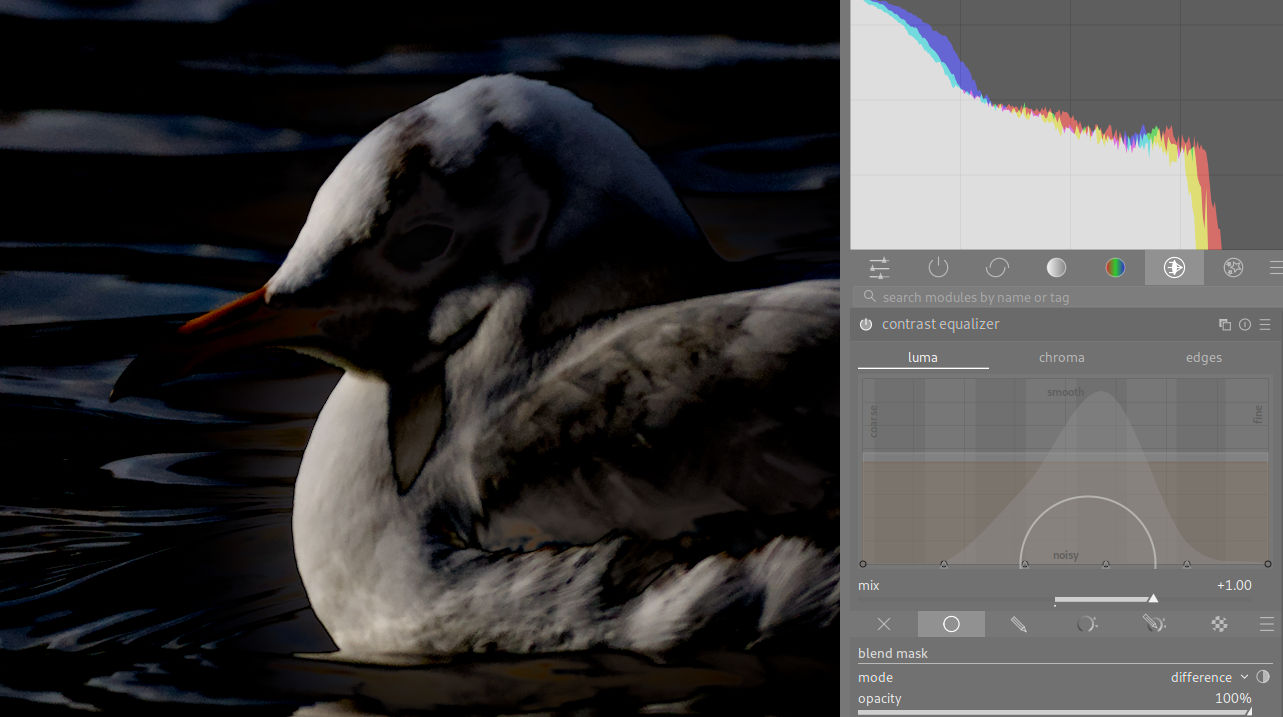
Contrast equalizer clarity with difference mask

Meanwhile, the result of using the display-referred local contrast module is very different from the other ones:
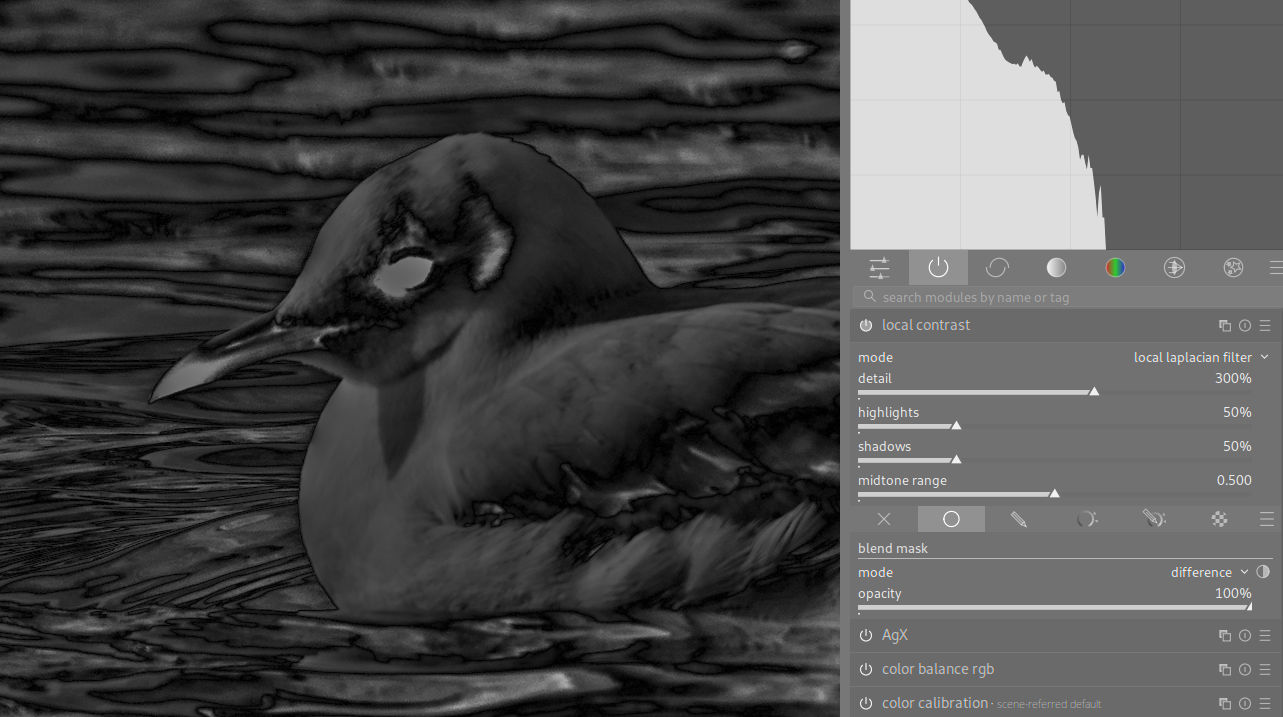
Local contrast with difference mask

No noticeable halo in the difference mask of the kinds that we saw in the other modules.

Unfortunately, since the module is display-referred, it totally blows out the highlights at this extreme value (that I’d honestly never think to push it to in practice), I can’t really choose a detail scale and it comes with a de-saturating hue shift:
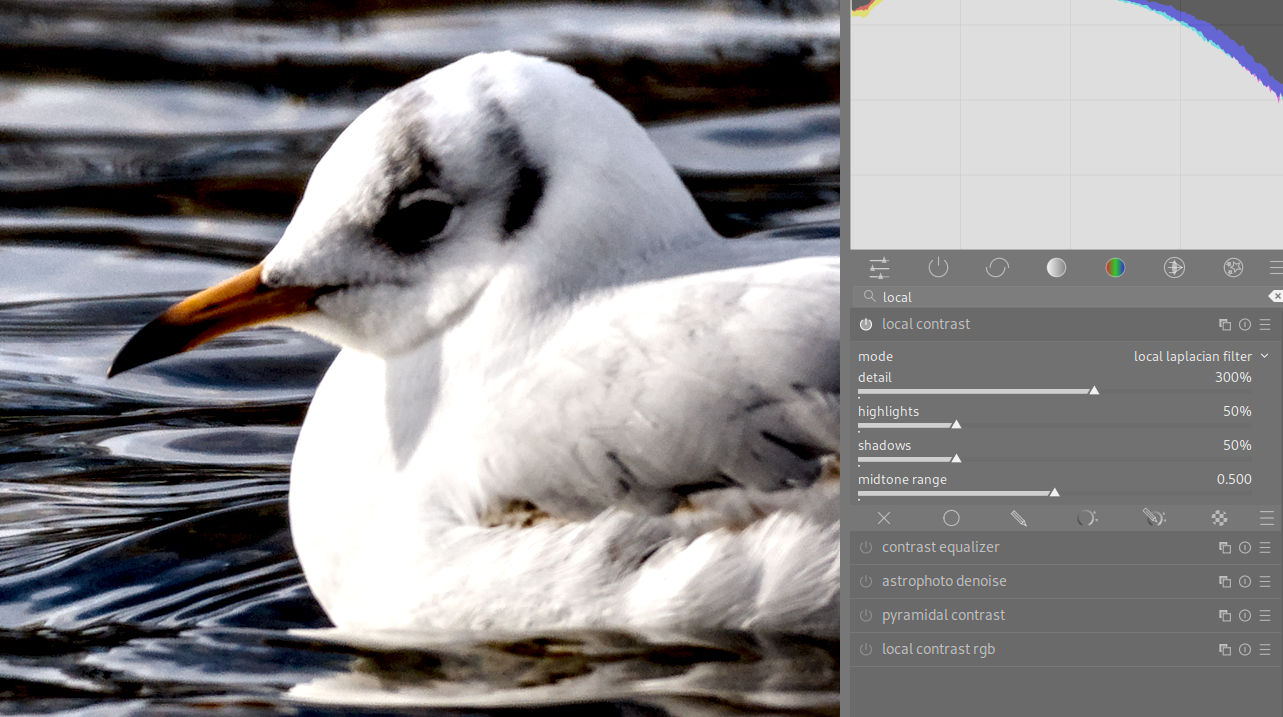
Local contrast without difference mask

… if you’d like to try this out yourself, here’s the RAW:
DSC09102.ARW (31.5 MB)
This file is licensed Creative Commons, By-Attribution, Share-Alike.
4 Likes

Very interesting comparison.
I don’t have the time to answer in detail. In short: Yes, I am confident that the problem is solvable by a better / more suitable feature extractor (=edge aware blur) algorithm, as this is independent of the module’s methodology.

4 Likes

I have been studying this with @s7habo’s snow edit. I have found that pushing edge refinement/feather up alleviates the problem, but causes other changes that are not necessarily desired. I have also tried setting all the feathering sliders to 1.00. Since I was trying to keep the contrast changes from affecting the girl, I had a mask for her, and I reduced feathering to zero on that too.

DSCF8284_08.RAF.xmp (23.3 KB)

I have just started using the new modules, so if I have done something less than brilliant, don’t laugh.

Edit: I though 1.0 was no effect. I have learned that that is 0.0.

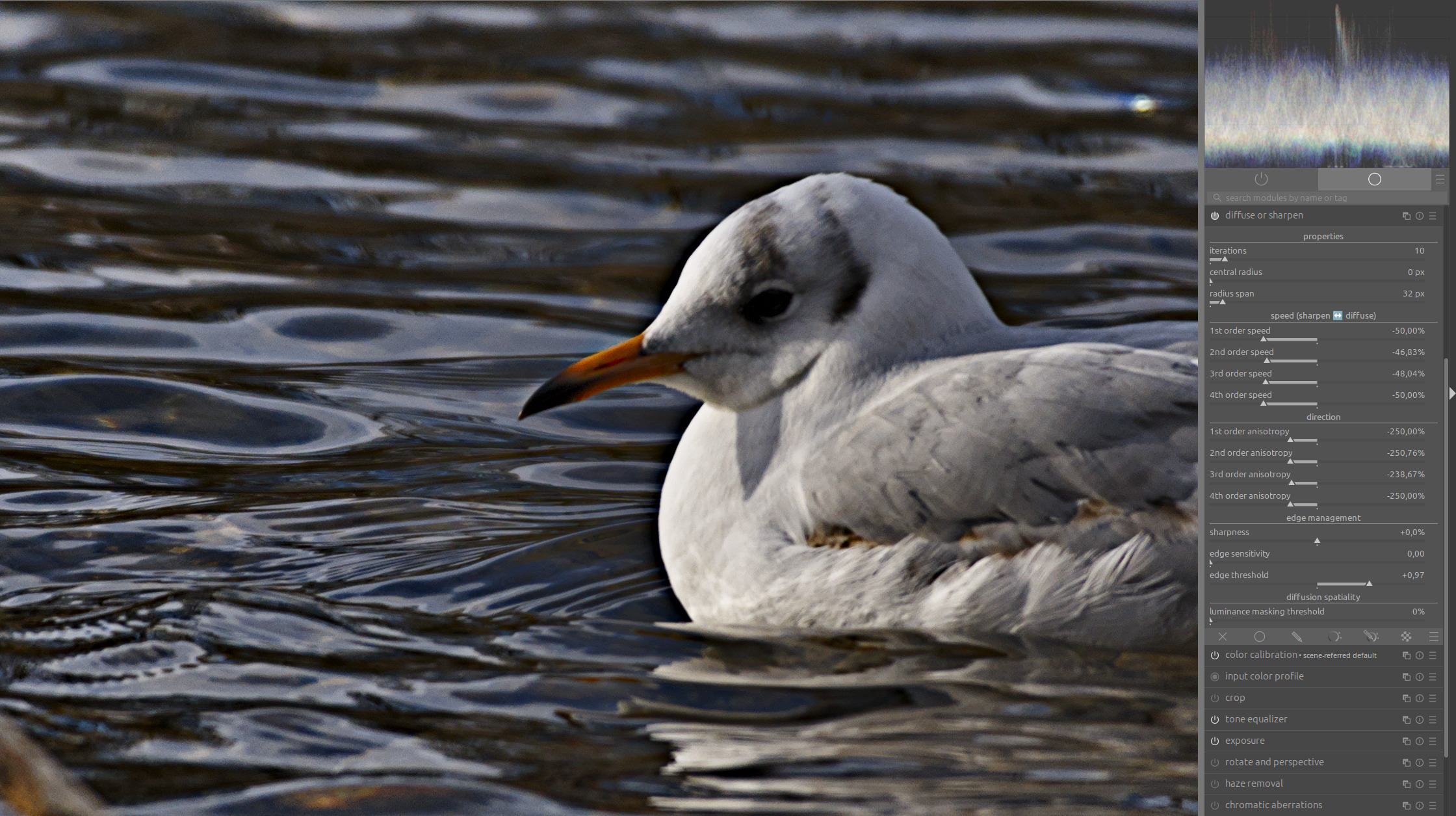
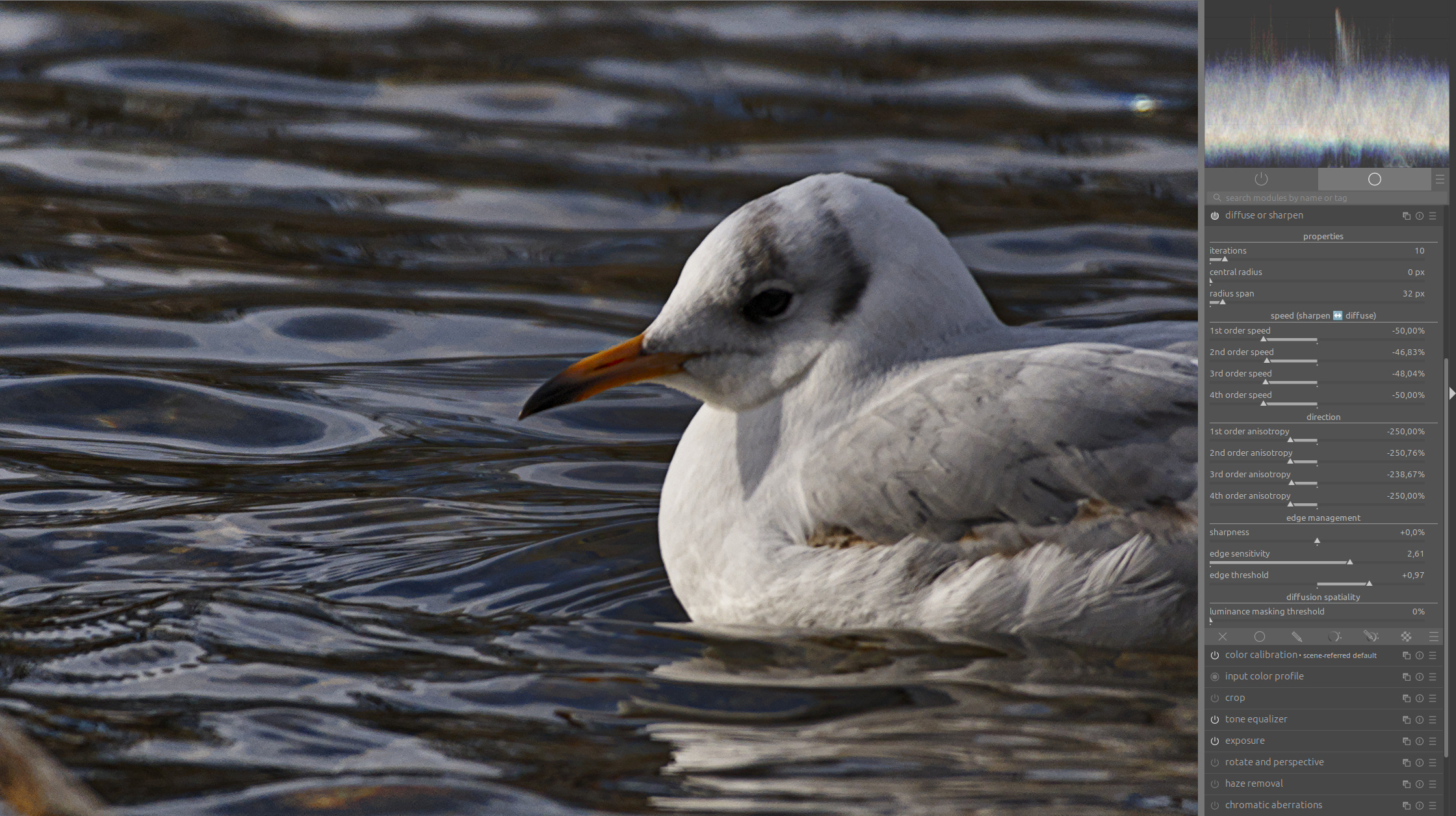
What I have noticed is that these artifacts are most pronounced at edges with strong differences in brightness, such as in this example at the edge separating the darker water and the white plumage of the seagull.

Diffuse and Sharpen has an “edge sensitivity” slider for such edges, which can be used to reduce artifacts on such edges.

When I enhance local contrast with DuS, you can clearly see black halo along this edge:

And with the “edge sensitivity” slider, I can then reduce the artifacts very effectively:

The question is whether something like this can be implemented for EIGF or guided filter.

4 Likes

you are right- i uploaded the wrong package (just bugfix release :wink: ) have corrected the link

1 Like

Thanks👍

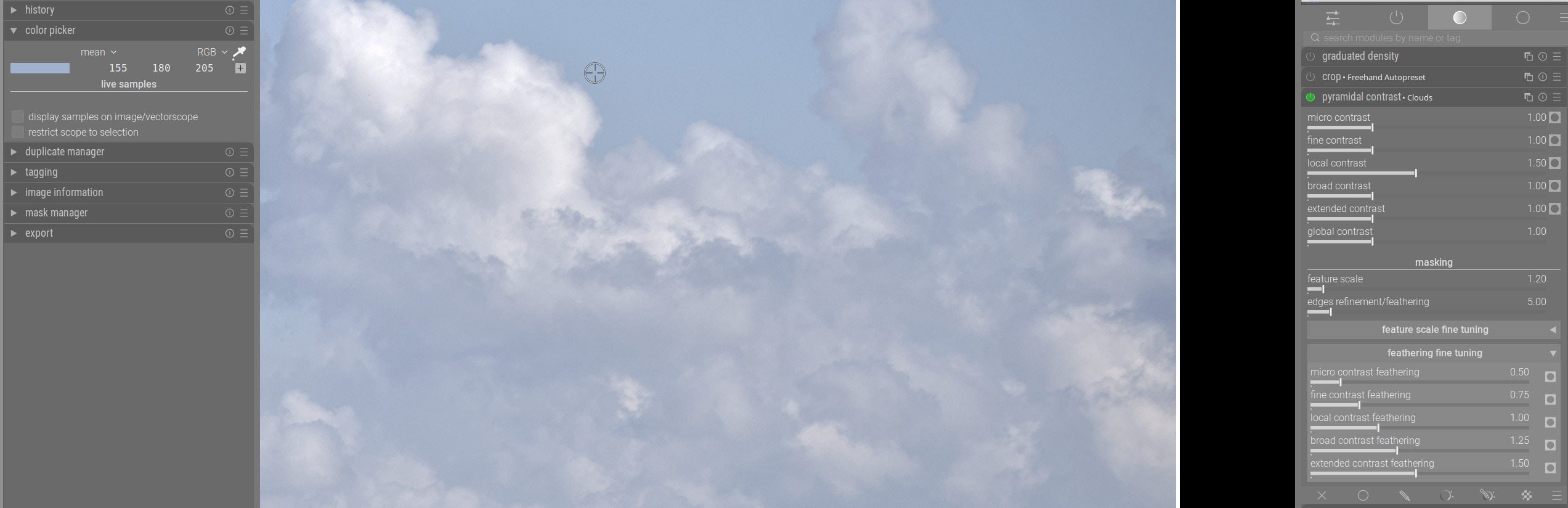
I developed in my test environment a couple of pictures. Mostly I am very happy. This evening I encountered something of which I’m not sure it’s my lack of understanding how to use the module or the different sliders.

In the picture below I noticed the ‘dark’ halo at the bright side of the clouds in the right upper corner. They are real and caused by the pyramidal local contrast settings I used. Probably not something unusual, the algorithm steals light from the bright surroundings trying to enlarge the local contrast. I haven’t yet found how to deal with it. There was no tone mapper being active.

The old local contrast module is not having this in this use case as far as I could see.

Is this merely a situation in which this module does as it does and it maybe better to avoid it in some use cases? Or do I miss something (obvious)?

When required I’ll gladly post the raw+xmp

Kind regards, Jetze
I used Pyramidal contrast-20260121T185936Z-3-001.zip / Ubuntu 24.04.3 LTS

Where can I get this photo in RAW format to try it with ART?

The seagull??? Raw link is a few posts above

Hello,

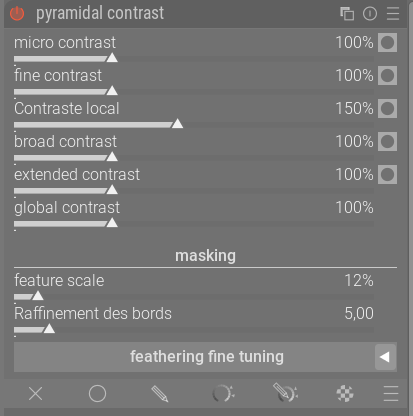
Following our recent discussions, here is a simplified version. I’ve backtracked to better match the profile described above. I’ll come back with more details later, as it’s getting late here in France - 1:30 a.m. :wink:
I’ve also adapted @wilecoyote’s suggestion to work in “%.”

As usual, Here is the latest appimage, I’ve also incorporated the latest version from @wilecoyote and GitHub is synchronized with both versions…
https://drive.google.com/drive/folders/1zahcvlAyaN03L1VmX5esOOyhBkO8jiko?usp=sharing

Enjoy!
Christian

1 Like

No, the girl in the snow. I got the seagull already.

1 Like

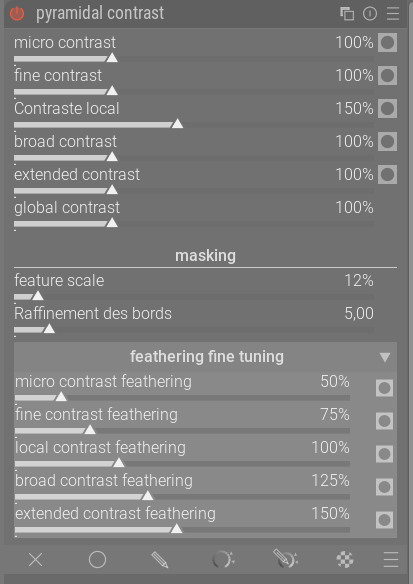
@Christian-B I might not have understood properly, but is the feature scale of 12% in your version applied to all micro, fine, local, broad and extended contrasts? If so, how did you achieve the different mask areas for each contrast level? If not, what is the purpose of having that feature scale slider below?

That one goes back a bit…

Found it

1 Like

As far as I understand, that’s fundamentally what a local contrast is. Local contrast introduces gradients on either side of a transition, such that the contrast of the transition is increased or decreased.

It’s all about the subtlety of the gradients.

3 Likes

https://www.dropbox.com/scl/fi/d3kzgemt0sul7h8ltb6e5/darktable-389a086d1f-win64-NSIS-deprecated.exe?rlkey=sh8pi2w0g5396vd1fgapqrmje&st=im694l49&dl=0

Should be the latest… If I am caught up…

3 Likes

I tried to match ‘local contrast rgb’ module with a preset I have for local contrast using ‘diffuse or sharpen’. 100% crop:

DoS version:

preset:
local contrast mid.dtpreset (1.1 KB)

local contrast rgb version:

preset:
lcrgb.dtpreset (1.1 KB)

xmp for both:
local-contrast-module-DSC09102.ARW.xmp (11.2 KB)

The outline of the bird on the water looks harsher in DoS version, but it definitely retains contrast better around the edges, thus probably better matches expectations. Just my own test confirming what others have pointed out.

1 Like

Hi Martin …. download from the link above , installed the file .
At least on my machine the module does not show up ?
Any idea why that is ?

Regards Andreas

Funny, to me the scene is covered in “micro-halos“. :smiley: Should perhaps add that I’m slightly allergic to too much local contrast. :slight_smile:

While the developments in this thread look promising, I’ve got to stop and wonder if this is a band-aid for bad UX in the diffuse or sharpen module. Lots of people seem to have hard time with it.

Could DoS be made more approachable by working on the UX (such as terminology and by default hiding less used advanced options)? A slider titled “3rd order anisotropy” says very little about what it does to anyone except its developer. :smiley:

Maybe point to some you see… or were you having fun… :slight_smile:

I don’t think I expressed myself well with this example. I don’t know why people understand this example as if it were exactly how it should be done.

The example is not intended to show how far you should actually go with local contrast, but how much you can get out relatively quickly and relatively early in the pixel pipe.

And even in this difficult case, the artifacts are very minor despite so much emphasis.

Under the given lighting conditions of the scene, it is hardly possible to have a good basis for local contrast:

A large, very diffuse light source (dense cloud cover embedded in haze) whose light is reflected on an equally large, bright diffusion surface (snow).

There is a strong difference in brightness between the surroundings and the main subject. All of the algorithms we have at our disposal produce artifacts at such edges.

Added to this is the problem of lens vignetting, which cannot be completely corrected with lens correction, so that the local contrasts at the edges of the photo are much stronger than in the center, where we need them most.

So, to handle this scene correctly, you have to do much more than simply use an instance of some module that can enhance local contrasts.

On the other hand, I find the discussions about artifacts very important because they motivate developers and other knowledgeable people to come up with better solutions.

And just like you, I am not a fan of strong local contrasts. :slightly_smiling_face:

What bothers me about DoS is not so much the complexity as the computing power required. This is especially true if you want to have multiple instances, for example, to combine diffusion and sharpening or to address different local contrast scales.

This is very easy to achieve with both pyramidal contrast and local contrast rgb without requiring a lot of computing power.

12 Likes