Actually, just increasing the 2nd and 4th order speed of the diffuse & sharpen module (preset: dehaze) to around 30, and decreasing the number of iteration to 5, seems to get closer. Thing is, the diffuse & sharpen module is pretty slow on my computer, so perhaps the new contrast module is able to give similar results but with lighter processing load?
I didn’t concern myself too much with details, just the general direction.
Here you can also reduce toe power and increase target black a little in AgX…
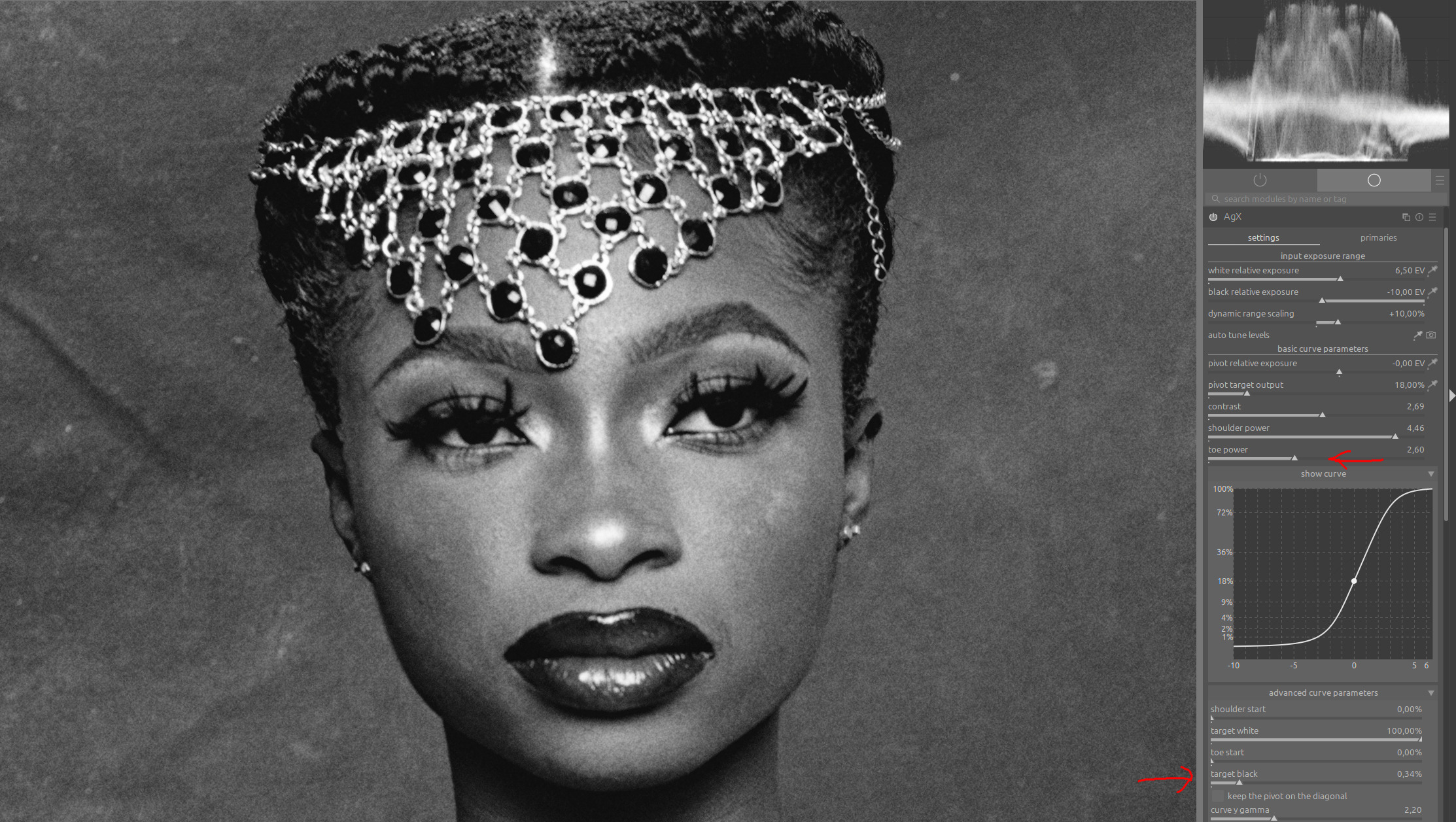
…and in diffuse and sharpen, exclude very dark areas:
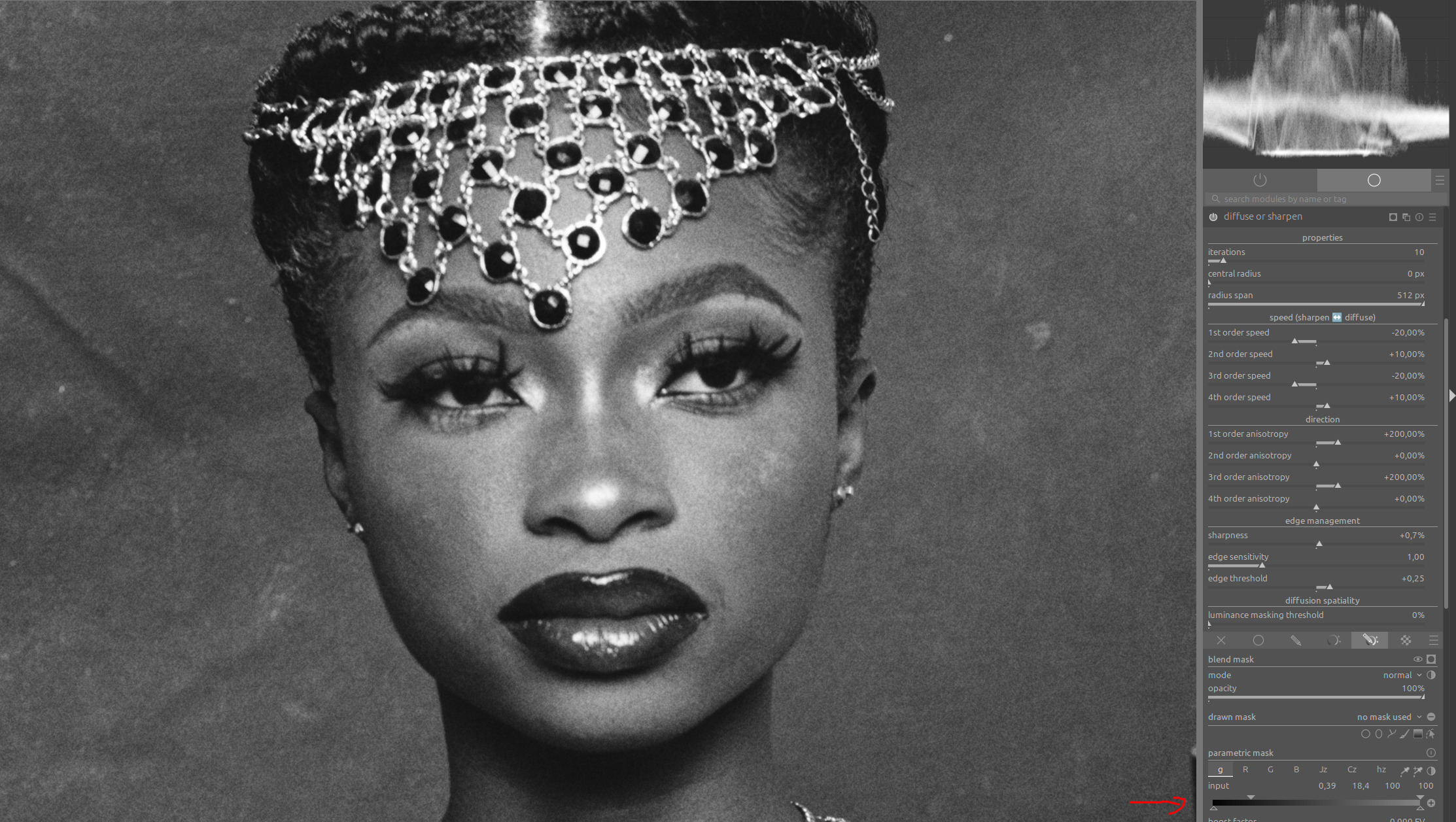
1 Like
Fantastic, you’re the wizard! 
You can also use contrast equalizer for this:

But I wouldn’t continue further in this thread.
If you have any further questions or style requests, please post them as a playraw with a corresponding example.
1 Like
Sure, thanks a lot, many tricks to explore already!
1 Like
I haven’t used SilverFX since coming to Linux and Darktable a few years ago but I found that the Low Pass Filter used with a reduced opacity Multiply Blend mode was able to replicate some of the effects of SilverFX. You may want to give that a try as well. Pretty sure I picked up that technique from an earlier video by @s7habo
edit - SIlverFX could do a lot of things with B&W photos - it probably wouldn’t help with the example above
1 Like
Indeed. My usual starting point is the smooth preset of the diffuse & sharpen module with multiply blend (thanks again to @s7habo ), the clarity preset from the contrast equalizer (mix 0.22), and grain.
1 Like
Thank you, I tried the diffuse and sharpen module and it also gave good results, however both the pyramidal contrast and local contrast rgb produce the halos around the stars
I just tried your suggestion with the low-pass filter, I like the result and will start experimenting with it. Thanks for the information.
1 Like
Surface blur takes a bit of horse power compared to some modules but it is a really nice module to do a gentle smoothing while not destroying the detail…
Hello,
Here is the latest version. I had to abandon the idea of “GtkNotebook” tabs because I had a bug that was giving me a headache. The module was losing its settings when darktable started up.
I opted for a drop-down list (combobox), which solved the problem.
Tomorrow, I’ll go into more detail about the minor changes.
Here are the screenshots.
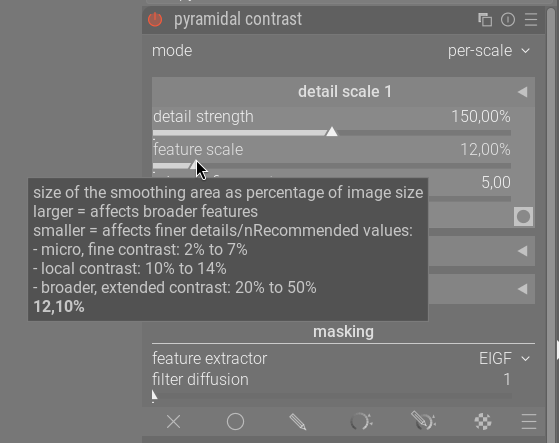
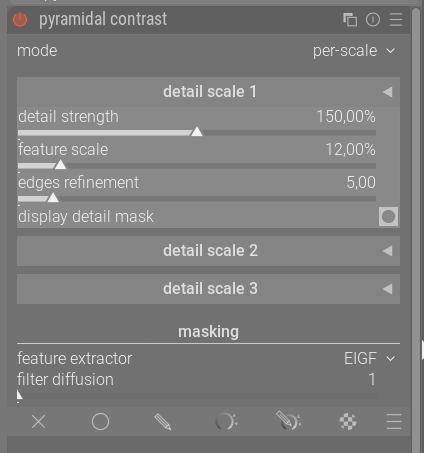
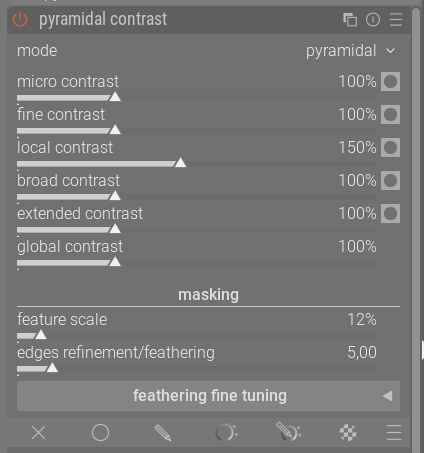
Here is the latest appimage, thank you for testing it.
https://drive.google.com/drive/folders/1zahcvlAyaN03L1VmX5esOOyhBkO8jiko?usp=sharing
The code can be found on a new branch on GitHub.
Greetings from Brussels,
Christian
4 Likes
The module with the “color levels” is incredible.
However, the Windows version runs incredibly slowly on my three systems, regardless of whether I use the new module or not.
4 Likes
Many thanks for this - works like a charm.
1 Like
Agreed, and in fact I can hardly wait for it to be in my production environment…
Have you run the DT Performance Analyzer?
I checked the latest PoC version @priort created yesterday, against the official 5.4 version and there was only a 0.23 second difference using the test images from the Performance Analyzer page.
I ran a 200MB 16bit image through the Analyzer and using the Pyramidal Contrast module only took 1.6 seconds:
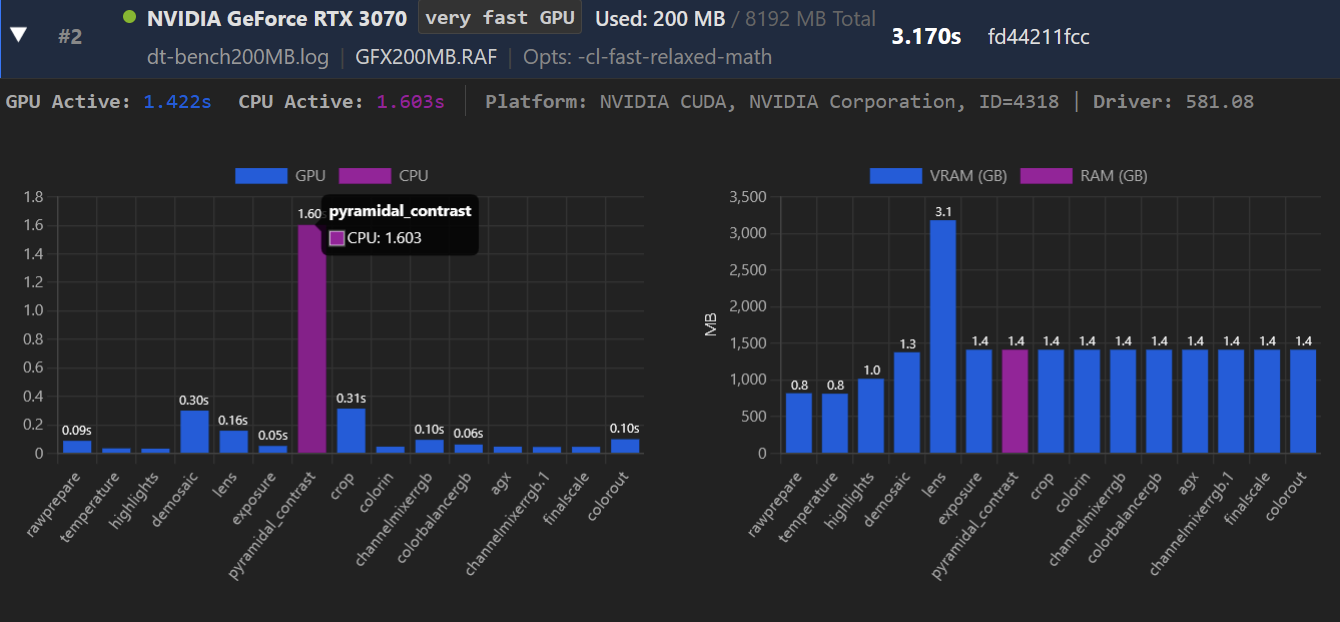
So I’m not sure where the slowdown may be coming for you, but I haven’t noticed it.
@Wilecoyote or @Christian-B I have zero knowledge when it comes to this stuff, so I don’t know if I’m asking this question correctly, but are there plans to optimize the module to run with OpenCL instead of the CPU?
1 Like
I noticed something similar too with one of the slightly earlier windows builds in this thread - the whole UI kept freezing for a few seconds then working normally again. The actual pixelpipe was fine though - weird.
That’s the last step in the development process.
It’s easier to build the UI and algorithm with pure CPU code.
Once the proof of concept phase ends and people have agreed on the UI and various algorithms input variables, then it will be time for an OpenCL implementation.
4 Likes
@Oleastre Thank you for taking the time to reply and letting me know how the process works!
2 Likes
They can’t keep a lid on this until December, surely!
1 Like