With Contrast Equalizer maybe? Try lowering the curve on the left to smooth the sky while keeping the stars sharp.
1 Like
Just out of curiosity: the approach here sounds somewhat similar to AP’s image doctor that he proposed a few years ago. Does someone understand how this module compares to that in terms of methodology or why he ended up giving up on it (and in fact sharpening methods in general) and never properly completed it for submitting it to DT?
synoptic macOS build:
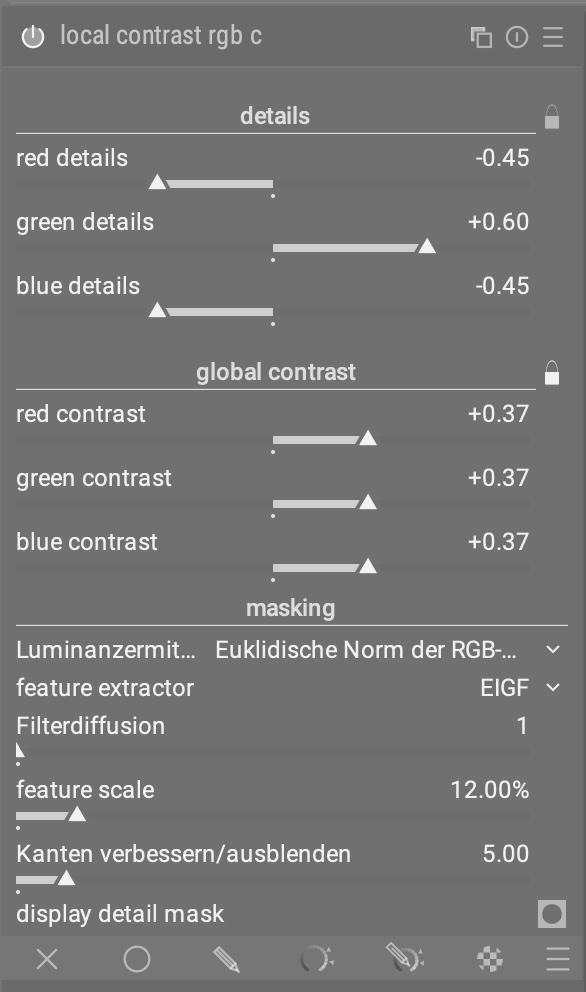
- local contrast rgb
- local contrast rgb channelwise
- pyramidal contrast
3 Likes
Use the search words local or contrast if they don’t appear I think there is an issue with what you have installed…
All good … thx for this version , now time to play !!!
1 Like
Sorted … 

1 Like
Sure. I need to find a way to reinstall Silver Efex (the free version) on my mac, and I then I can provide it. Thanks!
I think the latest combined effort from Christian…
The AgX curve doesn’t seem to be responding.
Or maybe it is, but only after a very long time.
I don’t see any change in the rgb curve either.
Something seems crazy. I started working my way through Attila_Low’s first edit and then Terry’s. Nothing seemed to change in the curves when changes were made in the settings. Then I came to your edit, and everything seemed to be fine. I dunno.
kofa’s edit
Step 7
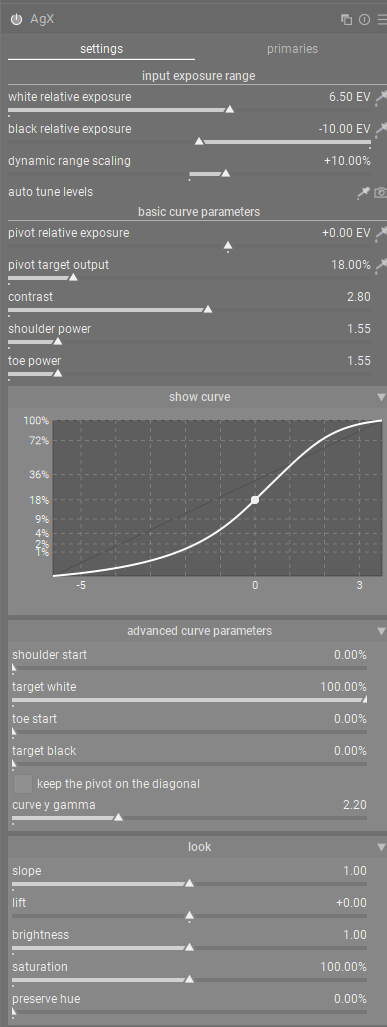
Step 20
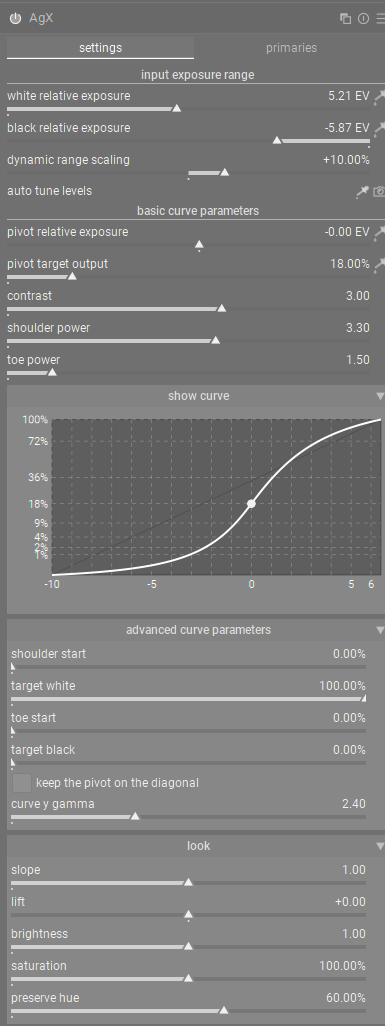
Step 22
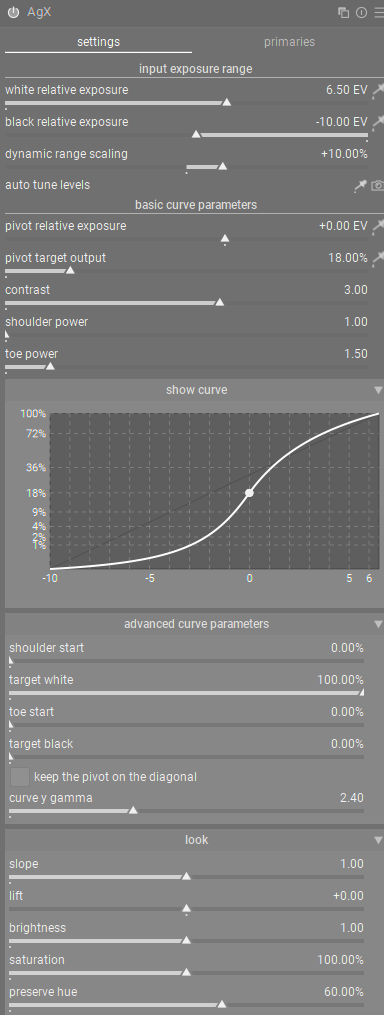
Step 29
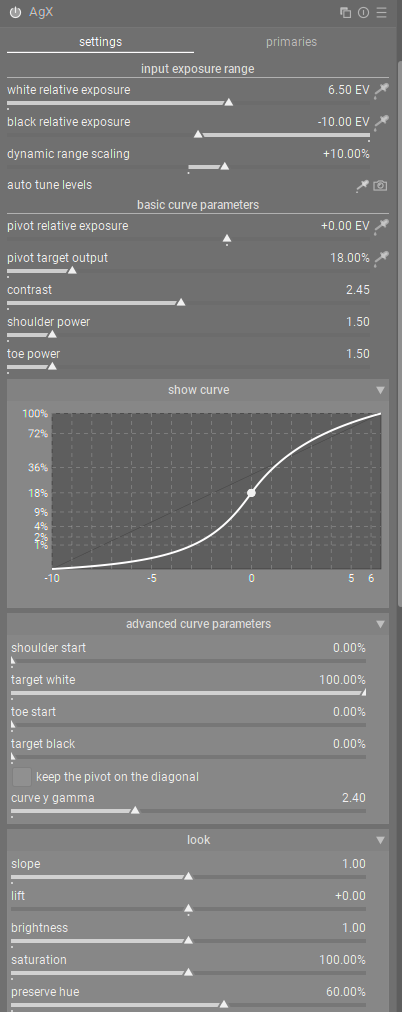
Step 31
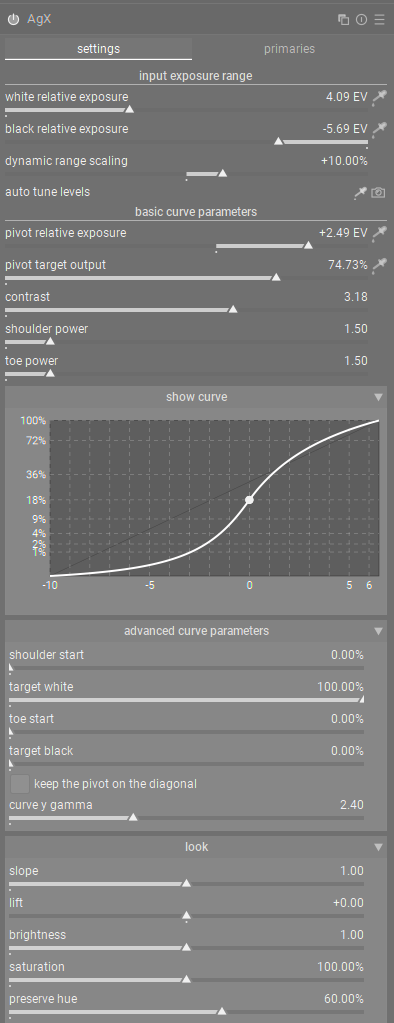
Step 40
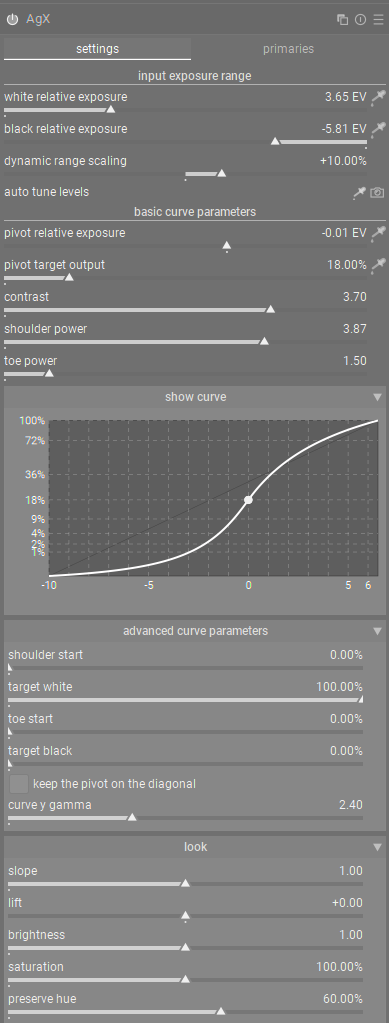
Edit: I guess it would help to know what raw I am looking at:
Hello,
Lately, I’ve been a bit preoccupied, and I realize that I haven’t thanked you enough for your help in compiling the Windows versions. I apologize for having trouble with GitHub, I still have a lot to learn.
I see that you have chosen the version of the LC-test branch that contains the latest version with collapsible sections in expert mode. see the proposal from @MStraeten #204
The detail scale 2 section opens by default when the module is first opened.
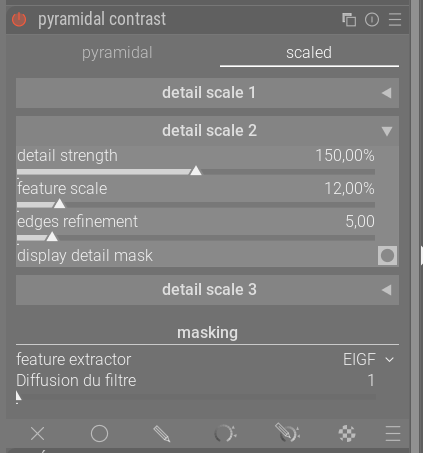

This is a new proposal to compare with the version presented above, it allows for vertical balance and i propose naming it “Multi-scale Contrast RGB.”
What do you think?
Greetings from Brussels,
Christian
Thank you so much for keeping us in the loop…
What fantastic tools!
Great work, everyone.
1 Like
No thanks needed happy to help people test out your respective contributions. I haven’t had too much time to actually evaluate it.
I tend to work along the lines of 'that in the hands of a master" abundant controls are awesome but for the average user instead of power they might just lead to worse outcomes as they try to adjust things.
At this stage of course any and all options should be revealed and evaluated but I have a preference for streamlined tools and then I would build and edit with instances and masking as needed. I find this helps me do only what is needed and not more 
I’ll try to find some time to run through things on some images…
2 Likes
I am wondering if for the scaled contrast, you could label details scale 1 - fine, detail scale 2 - local and detail scale 3 - extended. I know they have the potential to be used differently, but, to me it makes the initial controls more sense to a new user.
Personally, I think I would rarely need more than 3 scales at a time, (if the feature scale could be adjusted), and on the occasions that I did, I could just create a new instance.
@s7habo OK, here’s the publicly available raw from signature edit and a standard silver efex conversion (from the exported tiff), using the preset Push Process (N+3):
tag @signatureeditsco - free raws from signatureedits.com -IMG_0316.CR2 (20.2 MB)
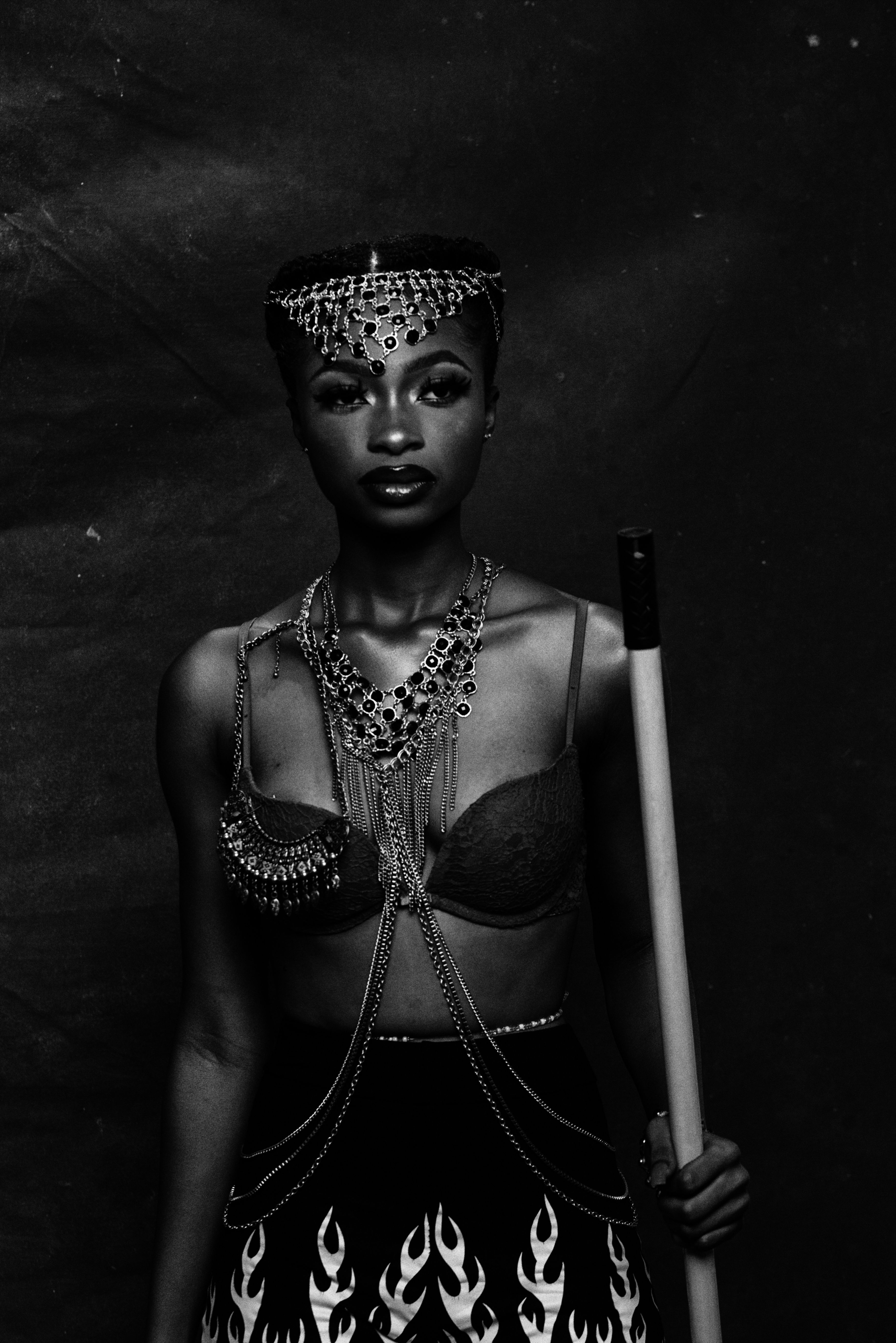
thanks!
First, an aside:
I wanted to run this from source, to learn how to easily try out other development branches. (linux + nix only) Maybe this helps someone else as well, writing out my understanding of the implications of @paperdigit’s remark on using nix, and using the git branch linked in the OP:
git clone https://github.com/darktable-org/darktable.git
cd darktable
git remote add wilecoyote2015 https://github.com/wilecoyote2015/darktable.git
git fetch wilecoyote2015
git switch -c local_contrast_rgb_multiscale --track wilecoyote2015/local_contrast_rgb_multiscale
git submodule update --init --recursive

# I do not want to risk my main library, so use a separate config
mkdir -p ~/.cache/darktable-experimental/{cache,config,film-rolls,exports}
cd packaging/nix
# At one point in time I will learn what this submodules=1 thing does, but I know it doesn't clone and init submodules, you need to do this beforehand
nix --extra-experimental-features nix-command --extra-experimental-features flakes run ".?submodules=1" -- --cachedir "${HOME}/.cache/darktable-experimental/cache" --configdir "${HOME}/.cache/darktable-experimental/config"  --conf 'plugins/imageio/storage/disk/file_directory=$(FOLDER.HOME)/.cache/darktable-experimental/exports/$(TITLE)-$(VERSION)-$(VERSION.NAME)' --conf 'session/base_directory_pattern=$(FOLDER.HOME)/.cache/darktable-experimental/film-rolls' --conf 'write_sidecar_files=never'
Then, secondly, a big thank you for all involved developers here. I compared local contrast vs. contrast equalizer vs. the new local contrast rgb, and this new module allows adding local contrast with a lot less fuzz, with a lot less artifacts and unintended other changes (like to brightness). It won’t change every picture, but it sure opens up edits that I just would not have attempted.
Sadly, I have nothing to add on the UX side, but the strong technical foundations will allow for a lot, however simplicity and power will be balanced.
1 Like
That was super easy without new local contrast module(s):

tag @signatureeditsco - free raws from signatureedits.com -IMG_0316.CR2.xmp (10,3 KB)
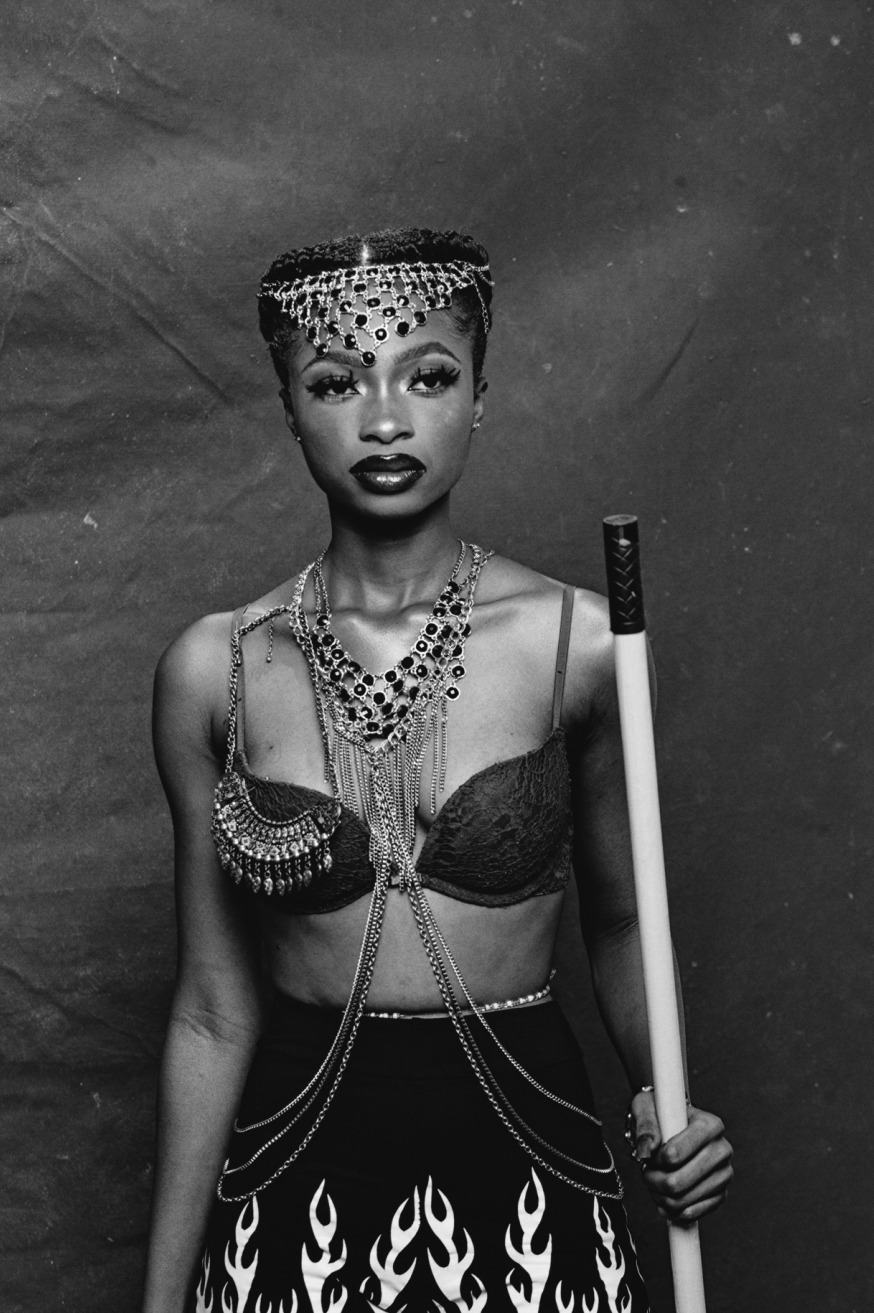
You can just use the latest stable version for that.
3 Likes
Yup, that’s it. I usually just clone the fork rather than add the remote to my existing repo, but that’s a personal choice.
Wow, thank you so much @s7habo — that was quick! I’d still give a slight edge to the silver efex (more “velvety”?), but this is really close (silver efex on the left, dt on the right). Probably just decreasing the contrast a little bit may do it.
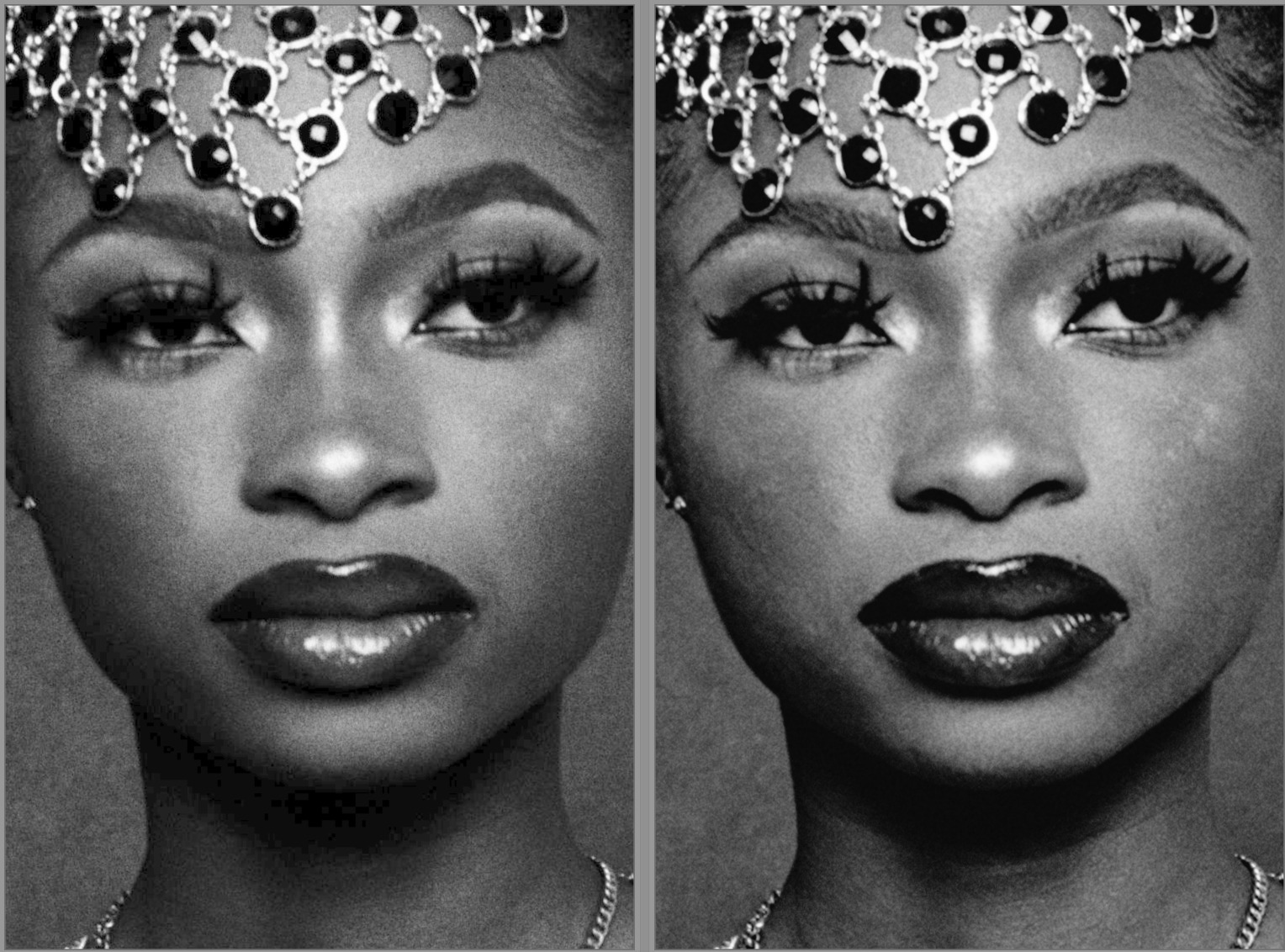
1 Like