I mean I think the image looks nice to me. I’m sure @kofa could provide an actually beneficial technical answer.
FYI, you can right-click on the indicator icon to change what type of clipping is shown. Is it saturation or luminance?
Also, as @thumper said, you don’t necessarily need to pay much heed to the indicator if you like the result.
It’s the saturation. In fact I don’t think I’ve encountered a luminance-based clipping ever since I switched over to AgX from filmic, or maybe I just stopped photographing neon lights as often
OK, it mostly looks like greens to my eye, so maybe it comes from the contrast. You could try backing off contrast in AgX and see if you like that result better. You could save the result as your own preset if you wish.
Take a look at your vectorscope to see how bad or not it might be…also what is your clipping threshold set at …even when set at 99.99 sometimes if you move it to 100% most of the clipping disappears…so you might have gamut mapped right up to the edge and I’m not sure of the math exactly but if you do see that it might make you less concerned…
How is it will the default AgX settings? Also, with my DFS presets, you are not really meant to use the auto-pickers for the relative white/black points (I’m not saying you are but thought that could contribute one was or another).
Have you tried switching the AgX primaries over to sRGB? @thumper would this affect your preset though?
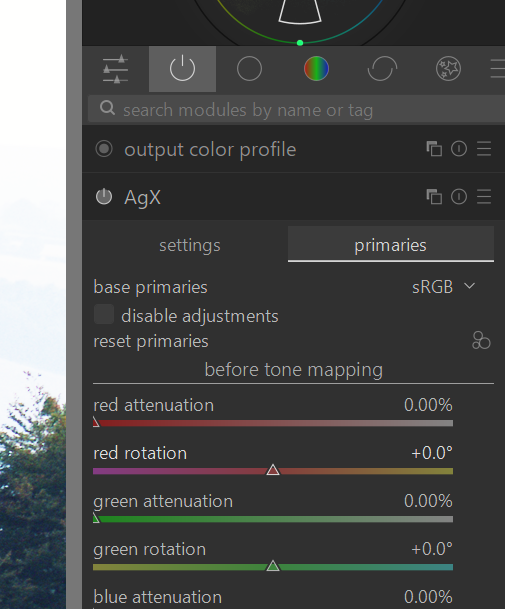
In my experience this removes most of the clipping. @kofa would know more!
I just did a test and while it reduces the out of gamut clipping, it did not remove it significantly (I was using a different image).
Although, when I disabled all primaries adjustments there was still plenty of gamut clipping, so it is probably primarily due to contrast and not primaries (at least for the image I am testing with).
@ho4
If you want, you can post a play raw with that image and then we can nail down more specifics.
1 Like
Kofa does not care about clipping indicators, as long as there are no visible artefacts. 
I once gathered what each of the modes does:
3 Likes
Not bad at all, clipping is only visible at the JzAzBz view and not visible on the other views, not quite sure what that means, but it really is quite a minor part of the gamut
No clipping on the default settings. In fact no clipping even with the disabled primaries tab, for that photo specifically
It does reduce it significantly but doesn’t make it disappear entirely
I see, so it seems that these are safe to ignore because the areas that are highlighted are mostly on the darker end
1 Like
I’m curious on my second point what is the indicator threshold set at currently for you??
By the way I am of the same mind around these as kofa…If your edit doesn’t make ugly blotches of colour in your intended display or out put media and you like the look I don’t give it a second thought…