I have a one-time purchase, so I can keep using it indefinitely, but I will only get model updates for 1 more year or so (it was 2 years since purchase). They keep adding bloat and stuff that I don’t need, I have no other use for it other than denoising.
1 Like
Yes same for me. I also sometime use the sharpening tools. Often it over sharpens. And DorS in darktable is often doing a more pleasing looking job.
I’m planning on releasing a sharpening model as well. I have a few tested behind the scenes. Do you have any thoughts or input on what sort of results you would rather have?
Chapeau, @RawRefinery, I just tested the latest version. TreeNetDenoiseSuperLight is excellent, check this out, ISO 51200 (Canon EOS R6 mkII):

2 Likes
@RawRefinery here I am using DeepSharpen on the right (starting from the high-noise CR3 file):
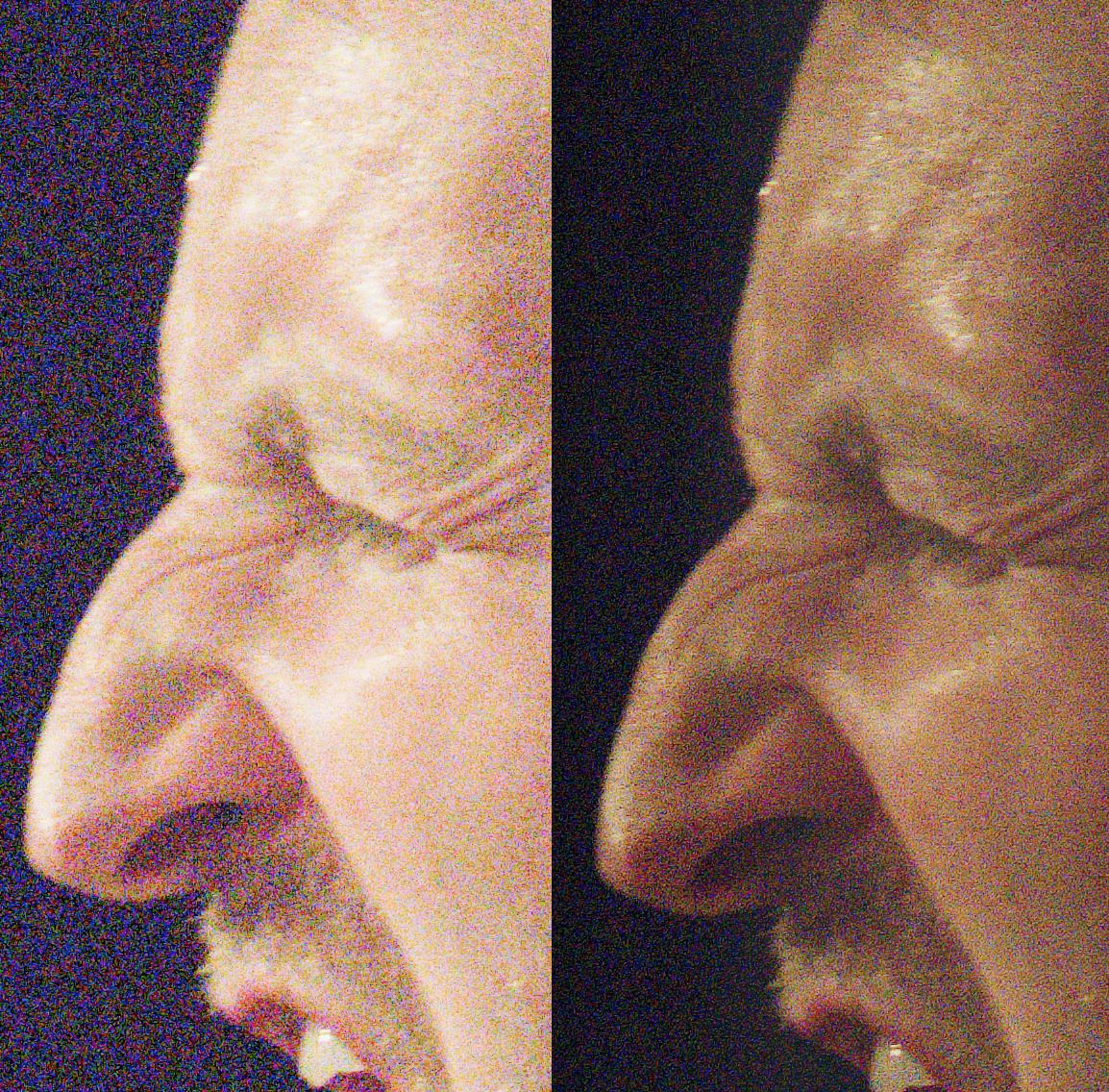
My command line looks like this:
rawforge --device mps --cfa --tile_size 512 DeepSharpen IN.CR3 OUT.dng
Interestingly, it is behaving like a less aggressive denoise.
I tried to run it on the denoised DNG (which I would expect to be the intended use case), but I get this not very interpretable error (I didn’t try to debug it):
Traceback (most recent call last):
  File "/Users/dudo/.local/bin/rawforge", line 6, in <module>
    sys.exit(main())
             ~~~~^^
  File "/Users/dudo/.local/pipx/venvs/rawforge/lib/python3.14/site-packages/RawForge/main.py", line 54, in main
    img, denoised_image = handler.run_inference(conditioning=conditioning, dims=args.dims, inference_kwargs=inference_kwargs)
                          ~~~~~~~~~~~~~~~~~~~~~^^^^^^^^^^^^^^^^^^^^^^^^^^^^^^^^^^^^^^^^^^^^^^^^^^^^^^^^^^^^^^^^^^^^^^^^^^^^^^
  File "/Users/dudo/.local/pipx/venvs/rawforge/lib/python3.14/site-packages/RawForge/application/ModelHandler.py", line 125, in run_inference
    img, final_denoised =  worker.run()
    ^^^^^^^^^^^^^^^^^^^
TypeError: cannot unpack non-iterable NoneType object
How am I supposed to use it?
Thanks!
Interestingly, it is behaving like a less aggressive denoise.
I’m not terribly surprised because predicting pixel values tends to train models to denoise just a bit inherently because noise is pseudo random. This is the idea behind some of the clever denoising training with masks like noise 2 void.
I suppose it depends on exactly how I trained it, but I’d have to look at my script since I can’t quite remember if I added in anything explicate to have the model learn denoising at all, but I don’t think so.
I tried to run it on the denoised DNG (which I would expect to be the intended use case), but I get this not very interpretable error (I didn’t try to debug it):
Yes, I’ve done that to reasonable success, but I’ll retest with the new version. It’s totally possible that any number of changes broke things.
1 Like
I have a really rough version of a working ONNX runtime working (with two test models)! Good news for all the peeps who don’t want to deal with torch.
That’s the good news, the bad news is that it’s pretty slow. Maybe 2 times slower than the torch runtime. I’m sure there are lots of optimizations that can be done, but I’ll keep y’all up to date.
5 Likes
Keep on going! Do you have any idea why that is the case?
As mentioned above, some deblur/refocus model to complement denoising would be very appreciated. Removing heavy noise inevitably leaves behind a softish image. So, more detail recovery than sharpening, really, a technical adjustment rather than an artistic one.
Apologies for spamming the post 
So, right is the output TreeNetDenoiseSuperLight. Left is a composite of the output of DeepSharpen with the denoised image, at 60% opacity (with blending mode set to normal):
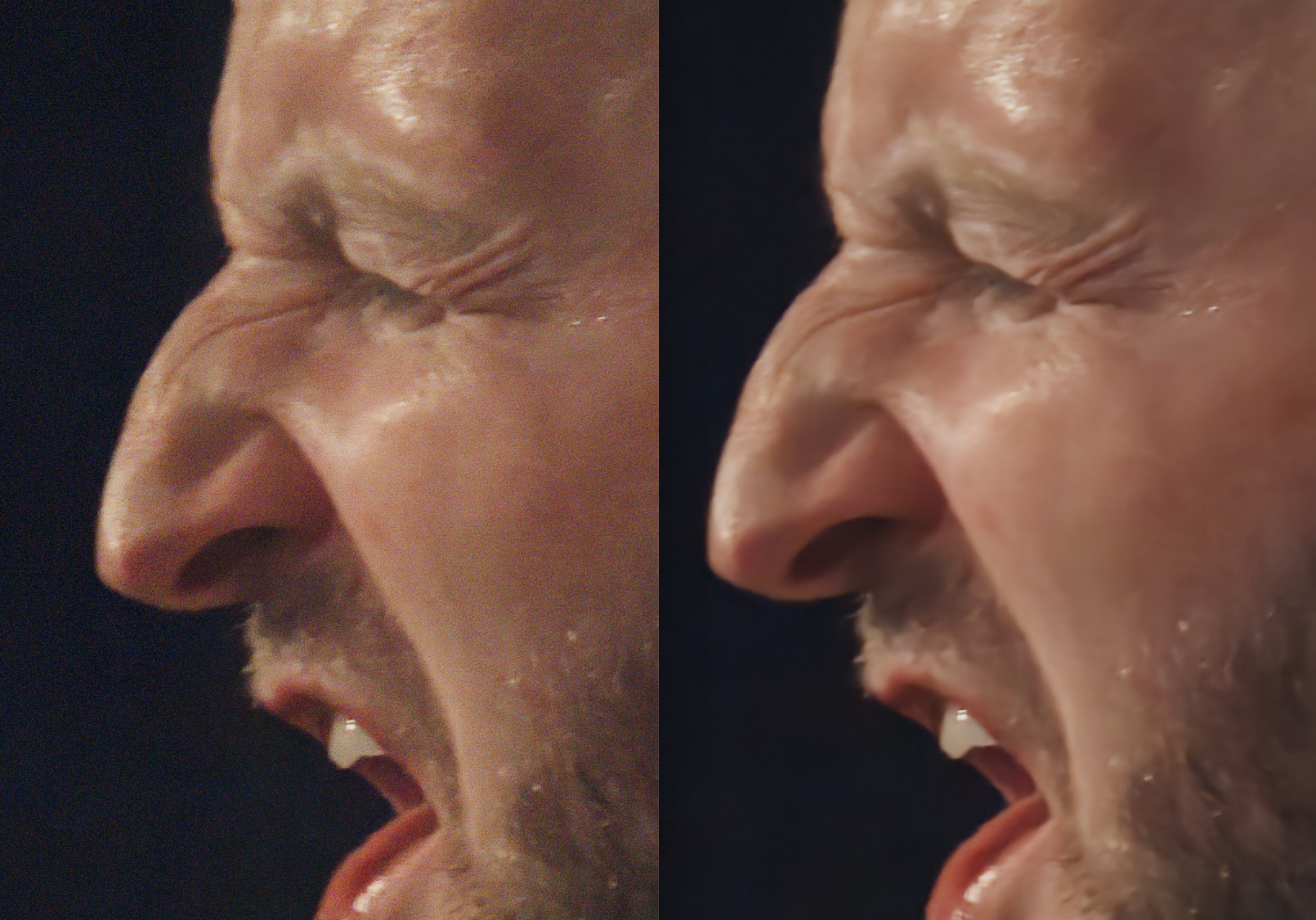
This produces very usable results. Noise level is under control (I would prefer to have a bit less chroma noise, but it’s ok) and the image does not look plastic-ish at all.
While its trivial to automate this with a script, it would be nice to have a model that is jointly optimized to both remove noise and recover details. @RawRefinery as you were explaining above they are both pixel prediction tasks, so it should just be a matter of coming up with a sensible loss function.
Commercial tools like Topaz already combine the two functions (you have two sliders, one for noise reduction amount and one for detail recovery), but I do not find the latter to be very effective.
In terms of UI and input preferences, given that each run takes several seconds on a powerful machine, iterating to find a good parametrization may be too time consuming.
Instead, it would be nice if the model could generate a handful of variants in one go, and then one could choose the output that strikes the best compromise. I am completely ignorant about pixel prediction models, so please forgive me if I say something that is completely outrageous, but it should be possible to structure the CNN so that the inner layers do most of the work and produce a semi-finished result, and then a couple of relatively sparse layers at the end to the final touches. This would make it possible to create several variations of the same result with very little computational overhead. Does that make sense?
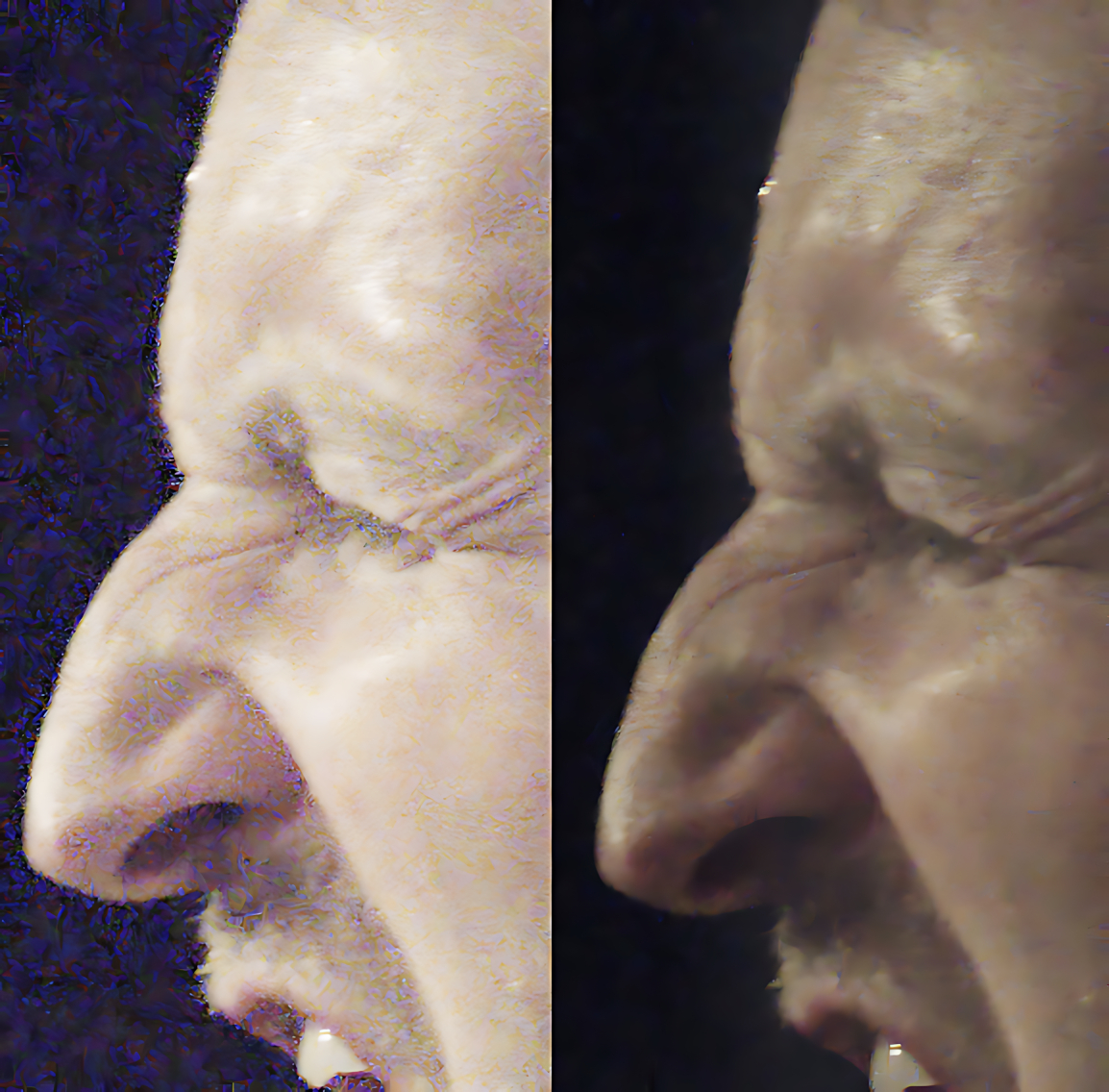
When I first converted the model, it was even slower! There are a lot of things that can slow it down. For example, ONNX might end up doing a lot of io between the cpu and gpu, or it might not create an optimal graph. There are some profiling and debugging tools that might help ID what’s going on.
I’m no expert on the dng file format but here are the results of Adobe dng_validate.exe v1.5
(Both dng files are denoised from Canon CR3 files)
RawRefinery (pidng)
Validating “CO5A7994.dng”…
*** Warning: IFD 0 tags are not sorted in ascending numerical order ***
*** Warning: IFD 0 tags are not sorted in ascending numerical order ***
*** Warning: Missing or invalid UniqueCameraModel ***
*** Warning: Missing Orientation tag (IFD 0) ***
*** Warning: Too little padding on left edge of CFA image (possible interpolatio
n artifacts) ***
*** Warning: Too little padding on top edge of CFA image (possible interpolation
artifacts) ***
*** Warning: Too little padding on right edge of CFA image (possible interpolati
on artifacts) ***
*** Warning: Too little padding on bottom edge of CFA image (possible interpolat
ion artifacts) ***
Raw image read time: 0.178 sec
Linearization time: 0.332 sec
Interpolate time: 2.555 sec
Validation complete
RawForge (tifffile)
Validating “CO5A7989.dng”…
*** Warning: IFD 0 BlackLevel has unexpected count (4) ***
*** Warning: Missing or invalid UniqueCameraModel ***
*** Error: Unable to find main image IFD ***
When trying to convert to a compressed dng with Adobe DNGConverter the second one (RawForge) is invalid.
I prefer working with the dng format over exr or tiff in darktable.
The denoising results are great. Keep up the good work.
1 Like
First off, I was able to replicate your error. No fix yet, but I think it probably has to do with how I’m saving the dngs.
Second, thanks for the feedback and side by sides!
While its trivial to automate this with a script, it would be nice to have a model that is jointly optimized to both remove noise and recover details. @RawRefinery as you were explaining above they are both pixel prediction tasks, so it should just be a matter of coming up with a sensible loss function.
Totally agree, at the least, I could do a form of model distillation where I run the denoising model, a sharpening model, and then train a model to predict the end result.
Instead, it would be nice if the model could generate a handful of variants in one go, and then one could choose the output that strikes the best compromise.
Interesting, I will keep this in mind.
I am completely ignorant about pixel prediction models, so please forgive me if I say something that is completely outrageous, but it should be possible to structure the CNN so that the inner layers do most of the work and produce a semi-finished result, and then a couple of relatively sparse layers at the end to the final touches.
Of the top of my head, what I’d imagine is something like an expensive encoder with a light weight decoder (or even final few blocks) that either accepts conditioning for different styles, or just allows you to swap out different output heads.
There are other approaches (e.g. small models that run multiple times to refine the results or just having smaller models that are 95% as good but much faster).
Of course, it’s also much faster to only process a small patch. That functionality kinda exists, but only in part so I haven’t advertised it. In the gui version, there is a preview window.
1 Like
Thanks! Out of those black level and “Unable to find main image IFD” seem pretty fatal haha.
I hope I can make tifffile work (or some other tiff library), it’s much better for windows compatibility.
This is how this has been implemented in the AI restore module in darktable, but I don’t find it very practical. I often find myself sampling from different parts of the image to get an idea of how the whole photo will look like, which is a bit cumbersome.
AI restore module in darktable
Are you referring to the rawforge integration into darktable or something else?
No, I am referring to the AI denoise/upscale module in darktable’s master, which runs NIND on ONNX. The way that it’s implemented is that you can generate a 1:1 preview of a small area of the frame, which is generally not sufficient to understand whether the overall results will be acceptable or not, or to understand how to set the available parameter(s).
Ah, understood. I will think about better ways to implement that.
I have improved the performance of the ONNX runtime a bit, but it’s still slower than torch native atm. In profiling the models, some architecture changes might improve things further, but I think the speed is acceptable for use, so I’ll look to provide a demo version soon.
1 Like