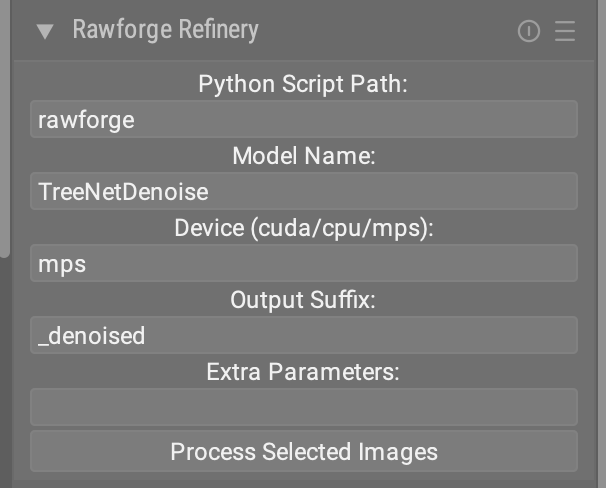
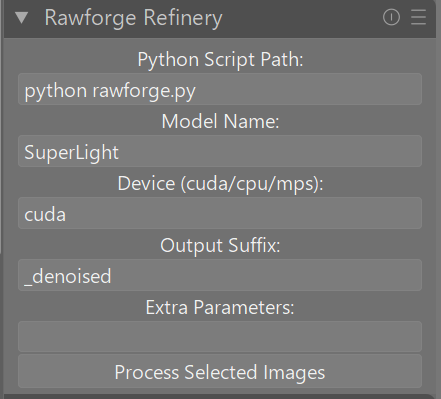
played around and with help of claude.ai here a simple lua based solution with a lot of room for improvements (at least running on my mac) rawrefinerlua.zip (7.5 KB)
prerequisites: having RawRefinery installed via python -m pip install rawrefinery so all dependencies are in a place known to the system.
RawRefineryCLI.py : stripped down from RawRefineryApp.py to be commandline only
raw-refinery.sh : simple shell script to keep lua call simple
raw_refiner.lua: modified ext_editor.lu for just one purpose
quick and dirty - but maybe a starting point for those who speak python and lua more fluent
However, I’m not sure how fast it would be on nvidia
edit: on second look: I think it does not use the GPU… I can see a CUDA device but the GPU seems to do nothing. I’ll check if I can figure that out…
edit: on third look it looks like Rocm is working correctly and I can use the GPU together with torch… Interestingly, the usage in nvtop is listed as graphics and not compute. But that may just be a rocm thing… But now I wonder, is it normal that the GPU does nothing 95% of the time when processing an image? nvm - it seems to be only like this when the preview is created. saving the image uses the GPU.
I love this idea. Good news, I’m currently working on the command line interface for RawRefinery, which might make it easier. I’ll also look at the Lua example you provided afterwards.
I hope to have the first CLI out today or tomorrow now that I’m back from visiting family.
Hey, I didn’t notice you already made a CLI version, I should’ve copied your work haha. In fact, I should steal some of your command line interface design choices (e.g. no-cfa being the default).
Has anyone tried building this on Distrobox? if so, what distro? I’m on an immutable operating system and cannot install the dependencies as there is no Flatpak or AppImage
The denoise models all denoise images, but vary in the computational intensity. e.g. Super light is much faster for CPU, while heavy will be much slower, but may result in better denoising for very noisy images).
“Deblur” is a model that can remove light motion blurring.
“DeepSharpen” is a model that can perform sharpening and increase micro contrast. I’ve found it’s useful for increasing details after denoising.
The last two models are not perfected yet, so I haven’t focused on advertising them, but they are fun to play with.
you need to check darktable -d lua error logs. i haven’t run this on windows …
Maybe run python rawforge.py from commandline to check if that’s appropriate. At least on my mac the command rawforge is sufficient since all pip installed python stuff is in my path.