I can’t contribute much to this discussion. All I can say is that I really like this module and hope it becomes part of Darktable soon. AGX is incredibly good, and this “3D Colorimetric Film” module is incredible in its own way. What impresses me so much is how well the module preserves details—something that, in my opinion, all other tone mappers somehow can’t do as well.
Hello,
Thank you for bringing this up; it was one of my priorities for this 3DCF module. And I apologize for the delayed response. The latest version is on GitHub.
I’ve been using it for several weeks without making any changes. I just moved the “Abney rotation” slider in the color section.
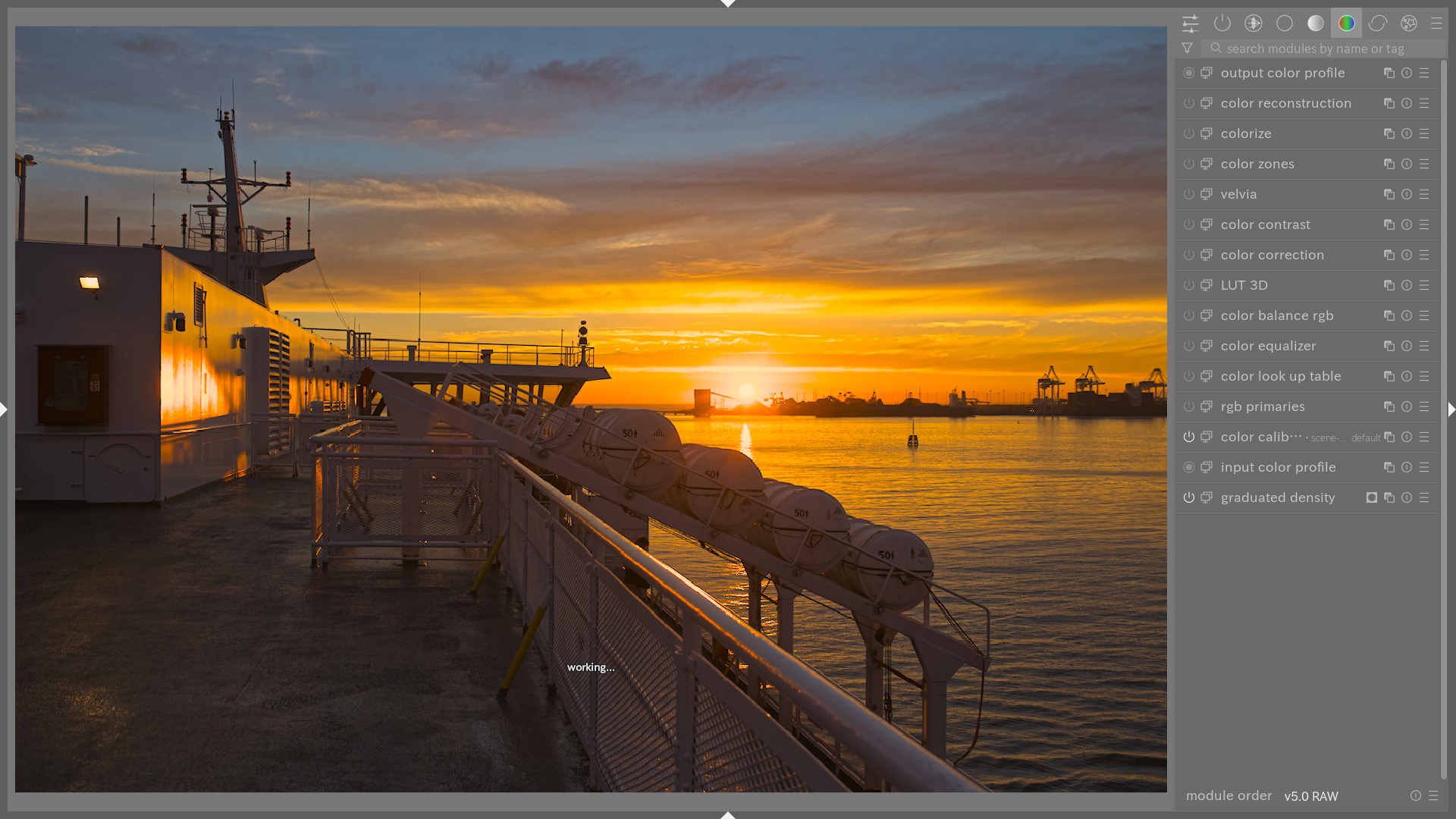
Edit: New screenshot in response to Andreas valid comment
Greetings from the Luberon,
Christian
Hi Christian … thx for the latest version !!!
As previously said … I just love that module .
What really jumps straight into my eye … within your edit , is the halo around the ships mast .
If I would see this in my images … it would drive me nuts !!!
Does it not bother you ?
Regards Andreas
1 Like
Hello,
Thanks, Andreas, you have a keen eye. I hadn’t noticed it on my laptop screen; I hadn’t refined my masks enough…
Greetings from the Luberon,
Christian
Yes I do have a keen eye for that … as I do not want to see this in my images at all !!!
Not sure why … but it always reminds me to the HDR images that have been around in the past and even today.
Looking in play_raw … you will find these effects very often 
If I do see that I am always asking myself … is it only me seeing these , or are these halos just widely accepted ?
Well who knows …?
Andreas
No, they really bother me too! But I try to remember that everyone has their own perspective so I don’t mention it that often🫠
Interesting – I find I’m usually the one to complain about halos in images, but in this one I don’t see any that bother me.
2 Likes
Hello,
There are two possible reasons why you might not see them:
First, I modified the masks following Andreas’ comment. On my monitor calibrated to 120 cd/m², I couldn’t see them either, but I could pick them up on my uncalibrated oled tablet.
Second (which follows from the first), I suspect Apple displays are particularly revealing. They use glossy panels with very high hardware contrast and high pixel density, which visually enhances micro-contrast and makes subtle nuances or artifacts stand out.
Greetings from the Luberon, 
Christian
2 Likes
Hi Christian … does look way better by now !!!
Only if I am pixel peeping , if that is possible with the low res file … I can spot a faint glow around the ships antenna set up . But this is really minor !!!
Great work
BTW … my workstation screen is a 32" inch high end screen from NEC , sadly no longer produced ,
Cheers Andreas
1 Like
I’m jealous, I’m eager to make some room on my desk so I can replace my 24-inch monitor
I suspect for some of these, though less likely at 100 or 200 % but when zoomed out the HQ preview vs default can make a large difference in what gets rendered or at least how it looks visually if that is a better way to say it…I have seen all sorts of tone and micro artifacts appear and disappear when toggling between those two…I just leave HQ on these days and suffer the performance hit…but I know it would mean a very slow experience for some others…
1 Like
Great job, Christian! I’m getting near perfect results with only a few clicks, no more washed out highlights, no need for x instances of tone equalizer with its nightmarish UI. Keep going!
Hello,
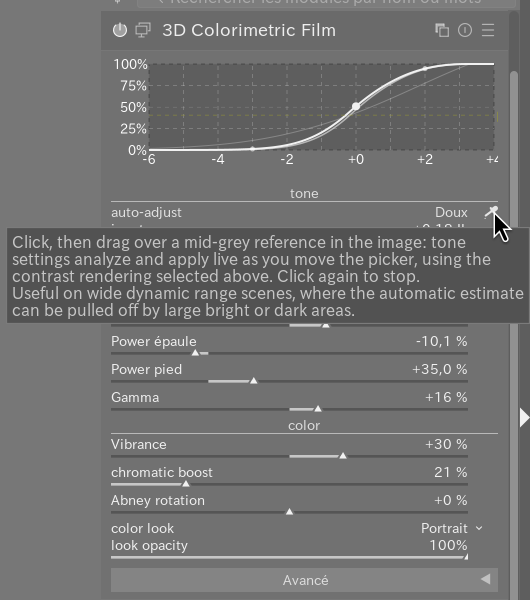
New: The 3D Colorimetric Film (3DCF) module now features a built-in automatic adjustment to start development in just a few seconds.
In the “Tone” section, at the very top of the module, you’ll find an “Auto-Adjust” option with a drop-down menu and an eyedropper icon on the right.
The drop-down menu offers 3 different contrast levels.
Click the eyedropper icon, then draw a small rectangle over a representative mid-gray area of the image (skin, foliage, asphalt… avoid highlights, deep shadows, and highly saturated colors).
The sliders (exposure, peak luminance, contrast, pivot, toe/shoulder) update in real time as you move or resize the selection.
You can switch rendering modes in the drop-down menu without releasing the eyedropper: the result is immediately recalculated for the same area, which is handy for comparing “contrasty,” “neutral,” and “soft” without having to reselect.
Click the eyedropper again to sto, the last applied setting remains active.
This setting is a starting point, not a fixed solution: feel free to then fine-tune the exposure, contrast, or pivot manually; in the simplest cases, I only adjust the gamma to finalize the exposure.
Greetings From the Luberon,
Christian
1 Like
Thank you very much, and I’m sorry for the delayed response. I think the module is ready for possible integration into Darkable.
Best regards,
Christian
2 Likes
Hi Christian …
as purely personal taste , i am not too excited about the latest additon of automated adjustement .
Tried it multiple times on multiple images … all wildlife and bird images , different scenarios captured , ending up by resetting the module and go rather manually by adjusting the sliders by hand . I am way quicker to get a pleasing result … that i want .
Even the soft preset does create unwanted contrast … in many cases of my images .
But no worries …as it is only an option in this otherwise great module , my go to tonemapper by now .
All the best Andreas
1 Like
Hello,
This is still an automatic function, but I want to point out that you must select a part of the scene that includes a medium gray.
I’ve planned a few tests to fine-tune the various coefficients corresponding to different contrast levels.
To fine-tune the overall contrast setting, I’ve implemented a “mouse-over” feature, similar to the tone and color equalizer modules. There’s a small icon to the right of the contrast slider.
I also drew inspiration from @yasuo plugin to implement a color contrast adjustment (X/Z).
I think that with these latest additions, we now have a very comprehensive tone mapper for creative rendering.
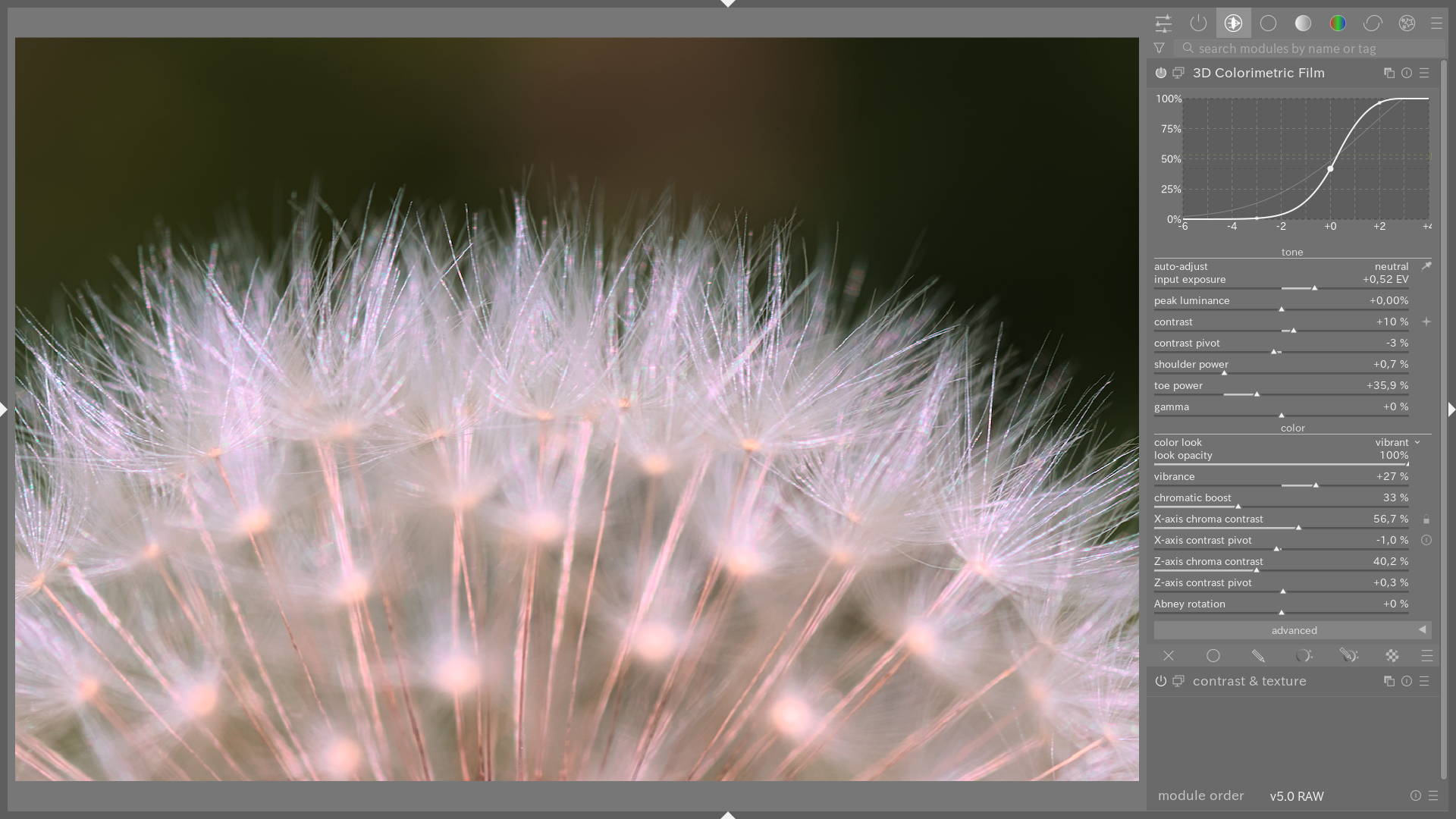
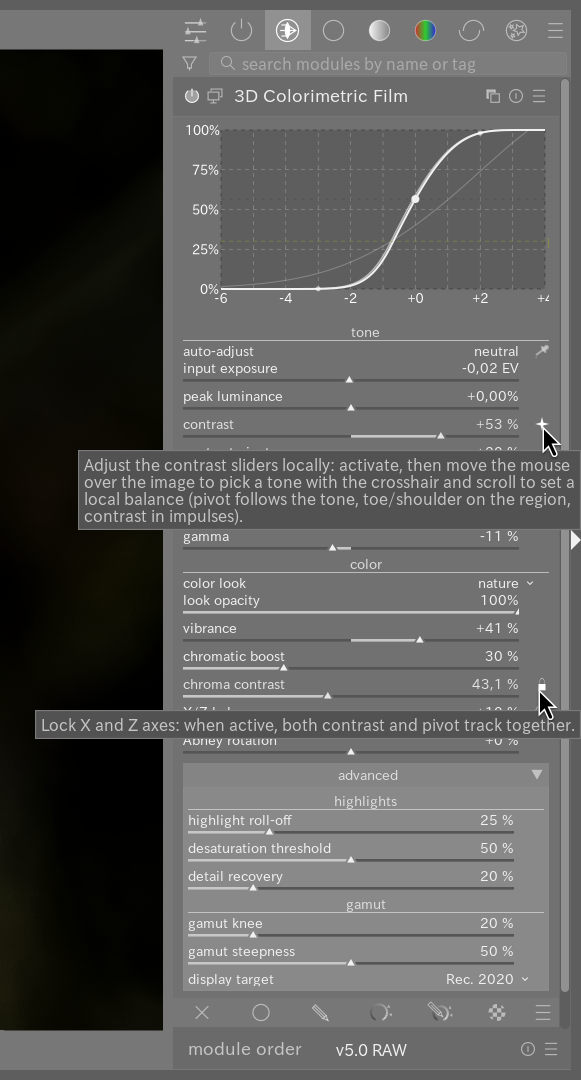
And as usual, the latest version is on GitHub.
Greetings from the Luberon,
Christian
1 Like