Simple users.css hack to improve module separation

Hi all,

I am a big fun of the DT’s neutral gray themes (elegant-gray, icons-gray), but the lack of contrast sometimes causes me to lose track of where modules begin and end.

Today I spent some time looking into the .css and I came up with this little modification that works very well for me. I am sharing it here in case others can find it useful too:

@define-color header_color shade(@plugin_bg_color, 0.7);

#left #module-header,
#right #module-header,
#right #basics-header-box {
  background-color: @header_color;
  border-radius: 0px;
  margin: 0px; 
  padding: 4px;
}

#left #module-header {
  border-top-right-radius: 10px;
}

#right #module-header,
#right #basics-header-box {
  border-top-left-radius: 10px;
}

#basics-box-labels widget {
  border: 0px;
}

/* Special handling for "module order" */
#right > box:last-child #module-header {
 background-color: @bg_color;
 border-radius: 0px;
 margin-right: 0.9em;
}

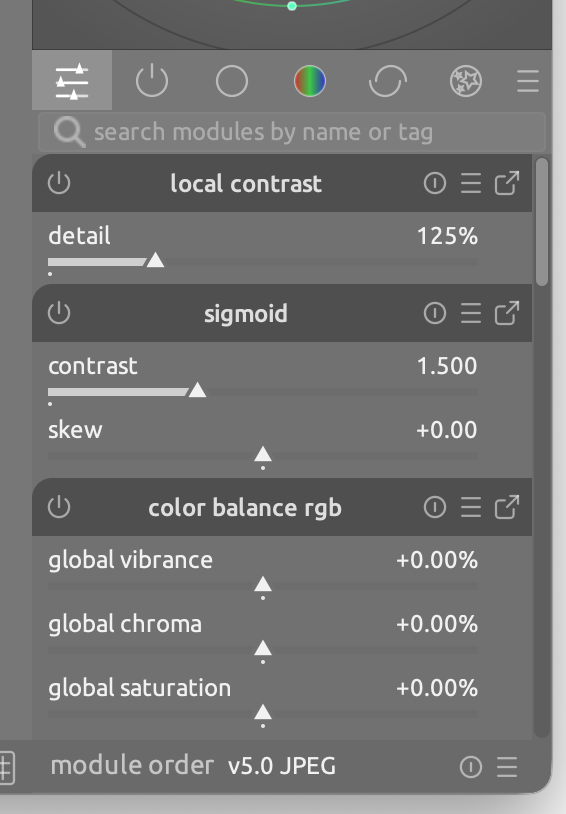
It does just a couple of things to make the module labels stand out without altering the overall “neutrality” of the gray themes:

  • It darkens the background of module labels
  • It makes the top-inner corner round

See screenshots below:

Left modules:

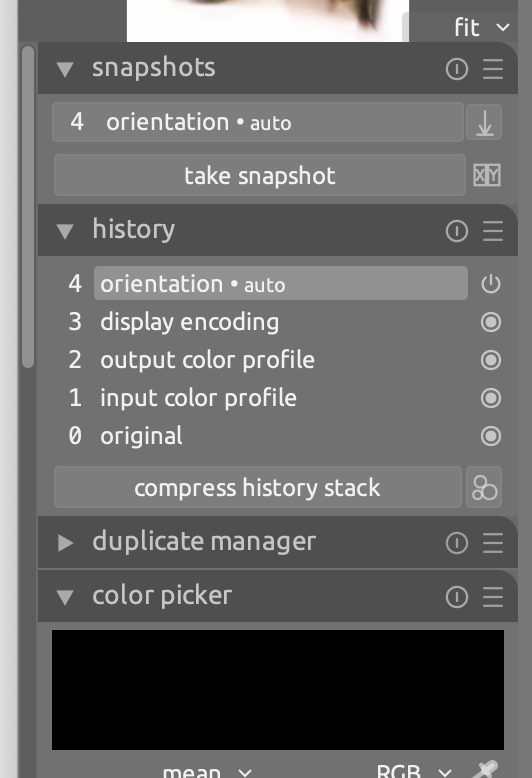
Right modules:

Quick access:

Hope you find it useful, cheers

26 Likes

I forgot to say that if you want to try it out you can just copy paste it in the custom CSS textarea under preferences > general, or copy the contents in your $CONFIGDIR/user.css.

And sorry about the typos, I have the tendency to only notice them when it’s too late: big fun -> big fan

Very nice, thanks for sharing!

Glad that you like it. BTW, which milestone do I need to reach before I can get editing privileges on my messages? Which deity do I have to swear to worship? Tell me and I will do it.

Looks nice, thanks!

Mica, would you know if there’s any location where snippets like this are collected?
Similarly for shortcuts collections and Lua scripts (there is an official repository for the latter, but something slightly lower barrier could be useful too).

1 Like

I like the round corners. It makes it match the start up screen. I think you should consider a PR to add a new theme to dt (eg. rounded elegant).

3 Likes

The Discourse trust levels are described here:

but that seems to suggest even new users can edit their own post up to 24 hours after posting, so I’m not sure :person_shrugging:

I take it you don’t see a pencil in the icons below your post?

1 Like

Thanks @Masterpiga , tried it and like it - took only couple of seconds to copy, start dt, go to preferences > general and paste and apply the change. beautiful. Kind regards Jetze

3 Likes

Currently there is not, and it generally takes the effort of a few “librarian” type people if you really want to collect them. Then they need to be kept up-to-date. My answer is always a git repo, but non-developers find that difficult.

Perhaps a specific tag in the forum like darktable-css and darktable-lua or something like that?

I don’t :face_holding_back_tears:

Then perhaps this forum has customised the settings, and I have no idea about that.

Yes, it has, since there was a spam problem a few weeks ago:

1 Like

As a technical writer by day, nothing beats a good ole’ proof reading. :wink:

You are right, but fo some obscure reason I only notice some mistakes if a certain amount of time has passed sine I jotted them down.

1 Like

Added darktable-css to this thread.

4 Likes

I like the option and would like like to see it added to the master if that is possible. However, its usefulness for me personally is maybe limited as I only every expand one module at a time, but that doesn’t take away from the improvement your hack reveals. Well done.

3 Likes

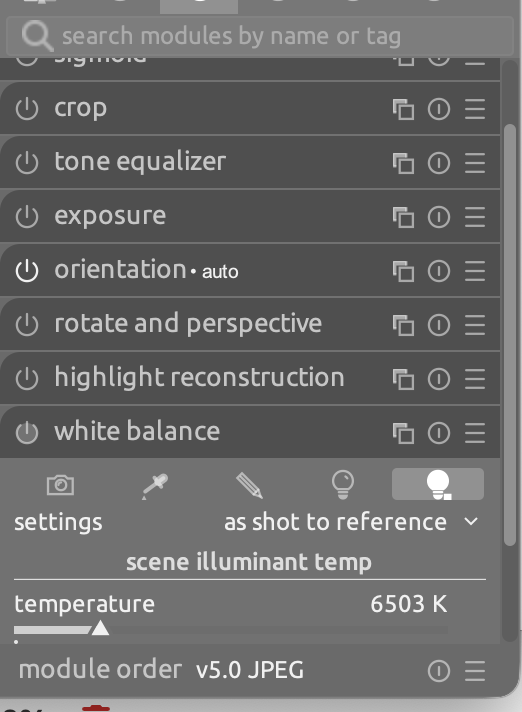
I started using this today and an idea came to mind. I like the dark color of the module header, but it would be nice to have a lighter color for modules not active vs active ones (or vice versa).
2 Likes

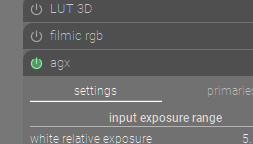
I use this (green for active) and I find it a nice visual cue… granted its not want you are asking for but active modules stand out pretty nicely…

5 Likes

Thanks @Masterpiga, I find it really useful!

1 Like