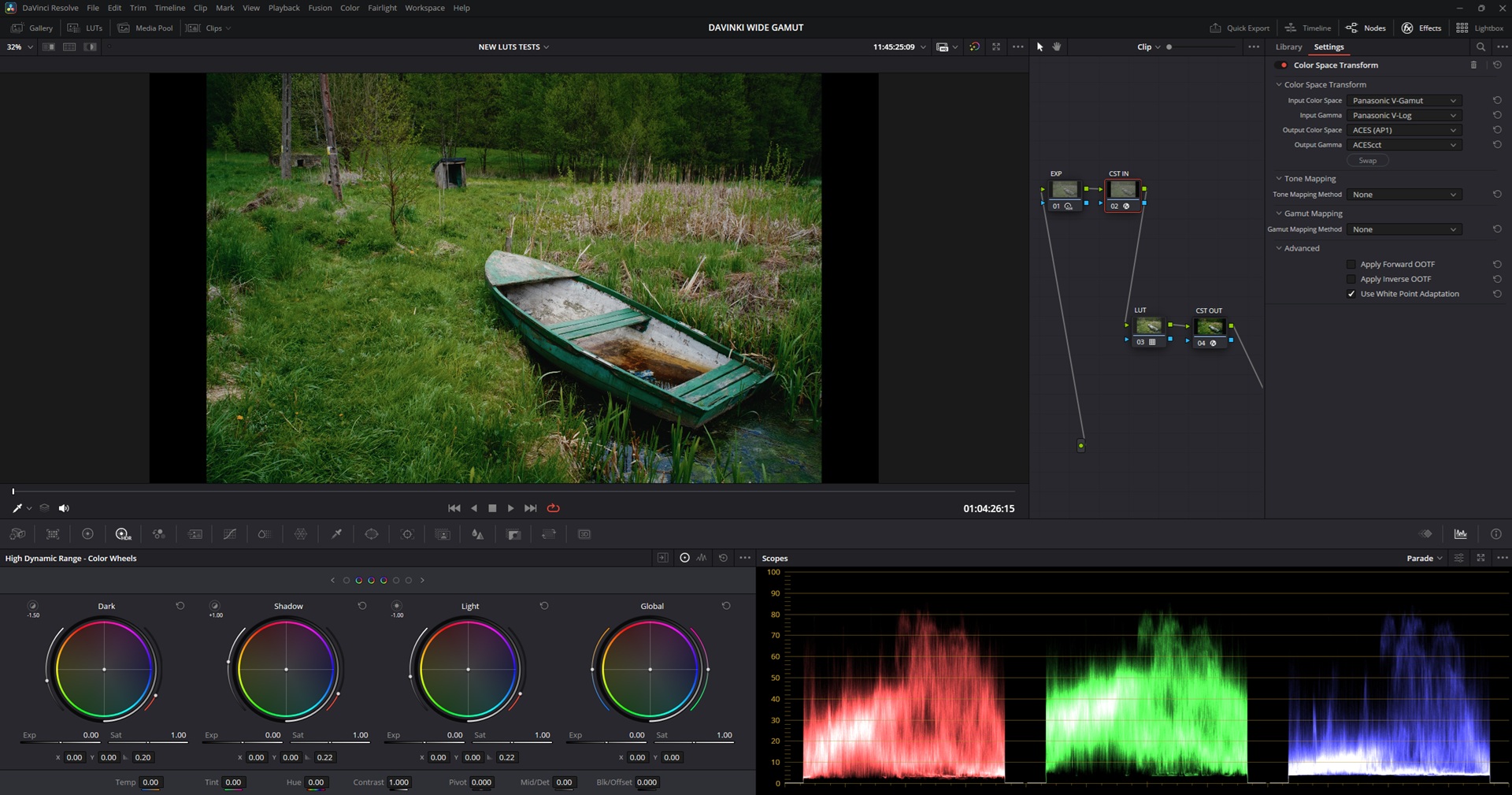
New test luts are looking good!
Tested all 3 of them really quickly on one clip and they are identical which is good news 
V-log
DWG
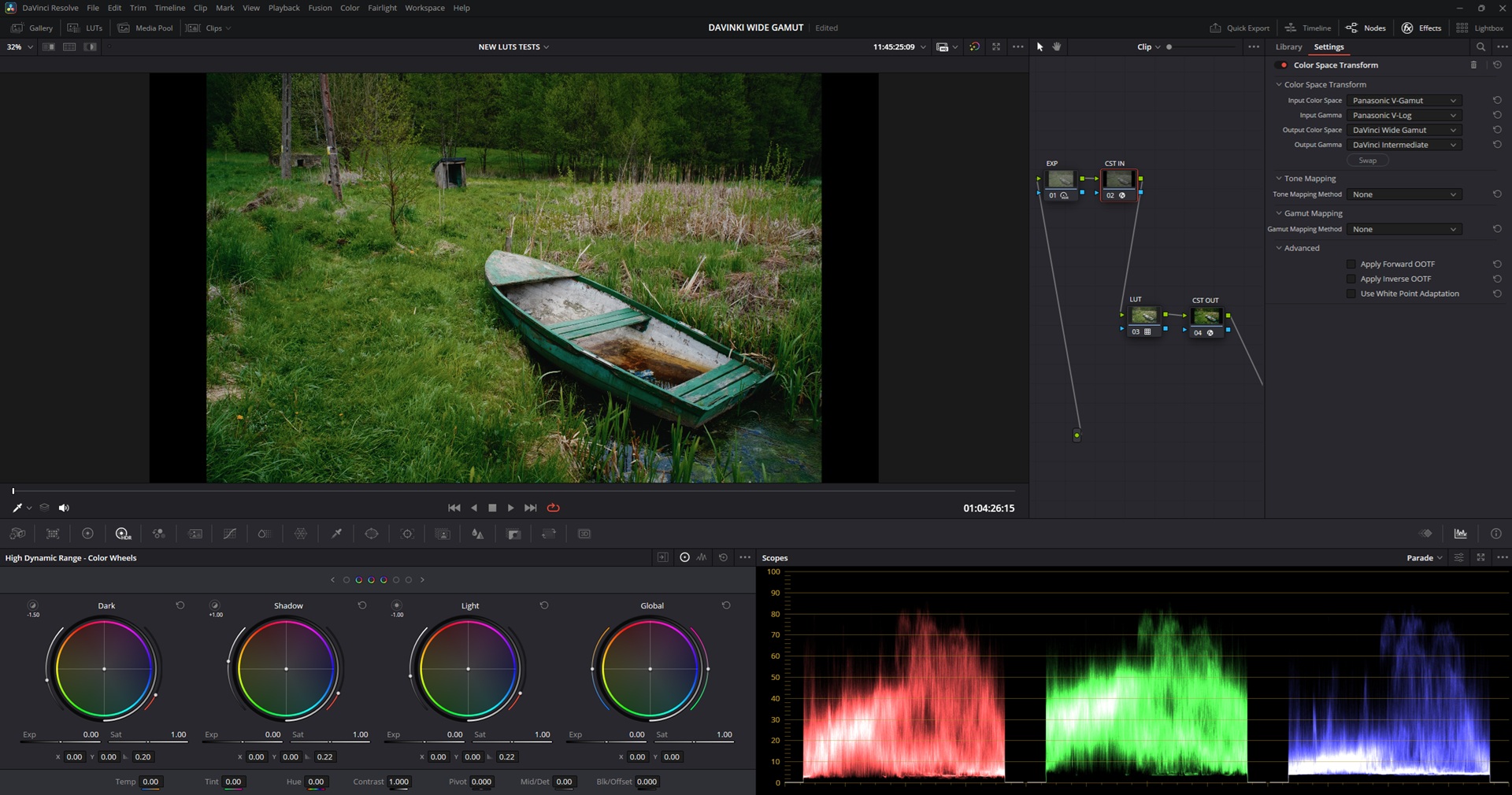
Acescct
New test luts are looking good!
Tested all 3 of them really quickly on one clip and they are identical which is good news
V-log
DWG
Acescct
The greens…honestly spektrafilm might have just made green my favourite color. Warm hues and greens .
Recorded some new videos in a forest recently so I will give these new luts a test drive 
This looks great on my video clips!
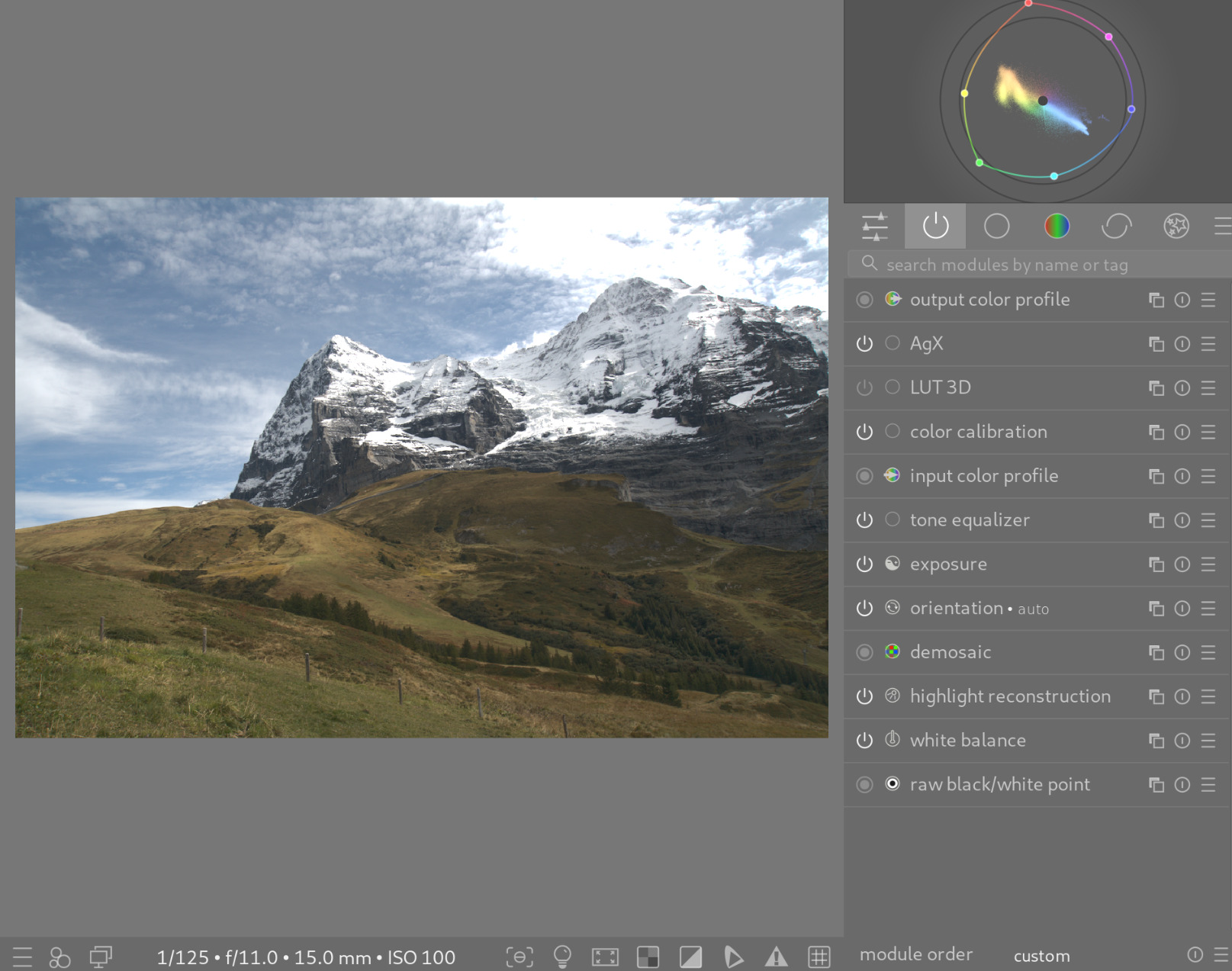
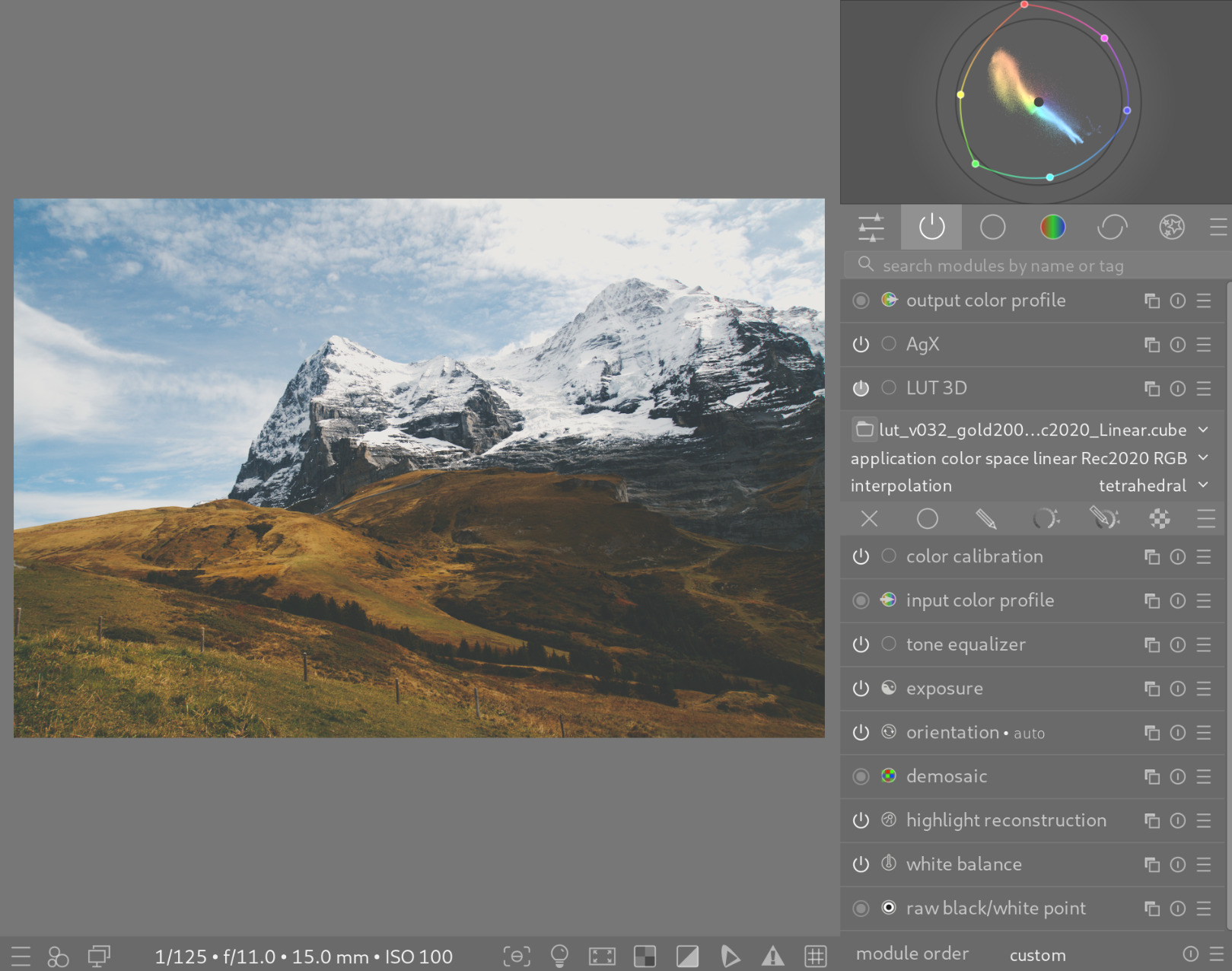
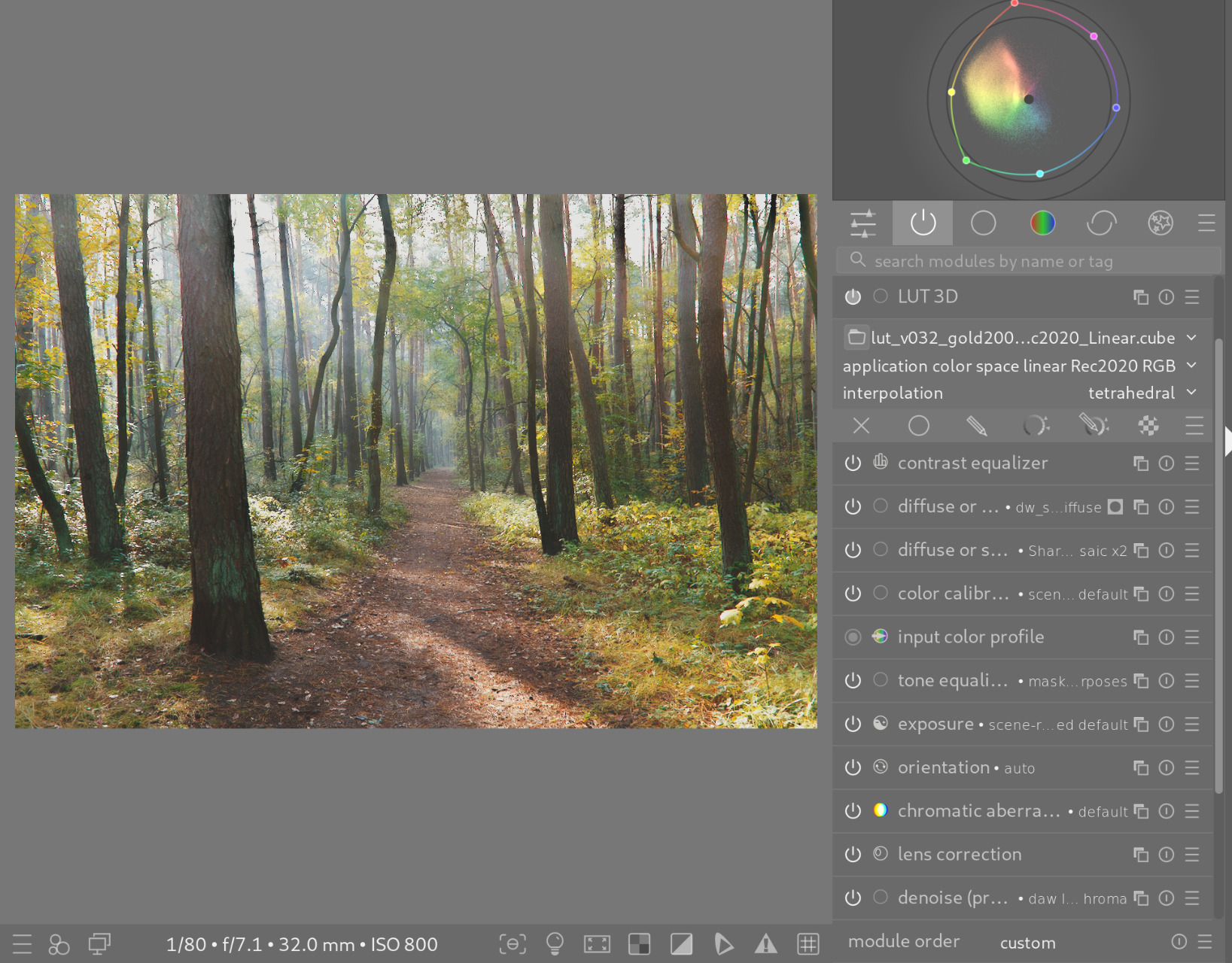
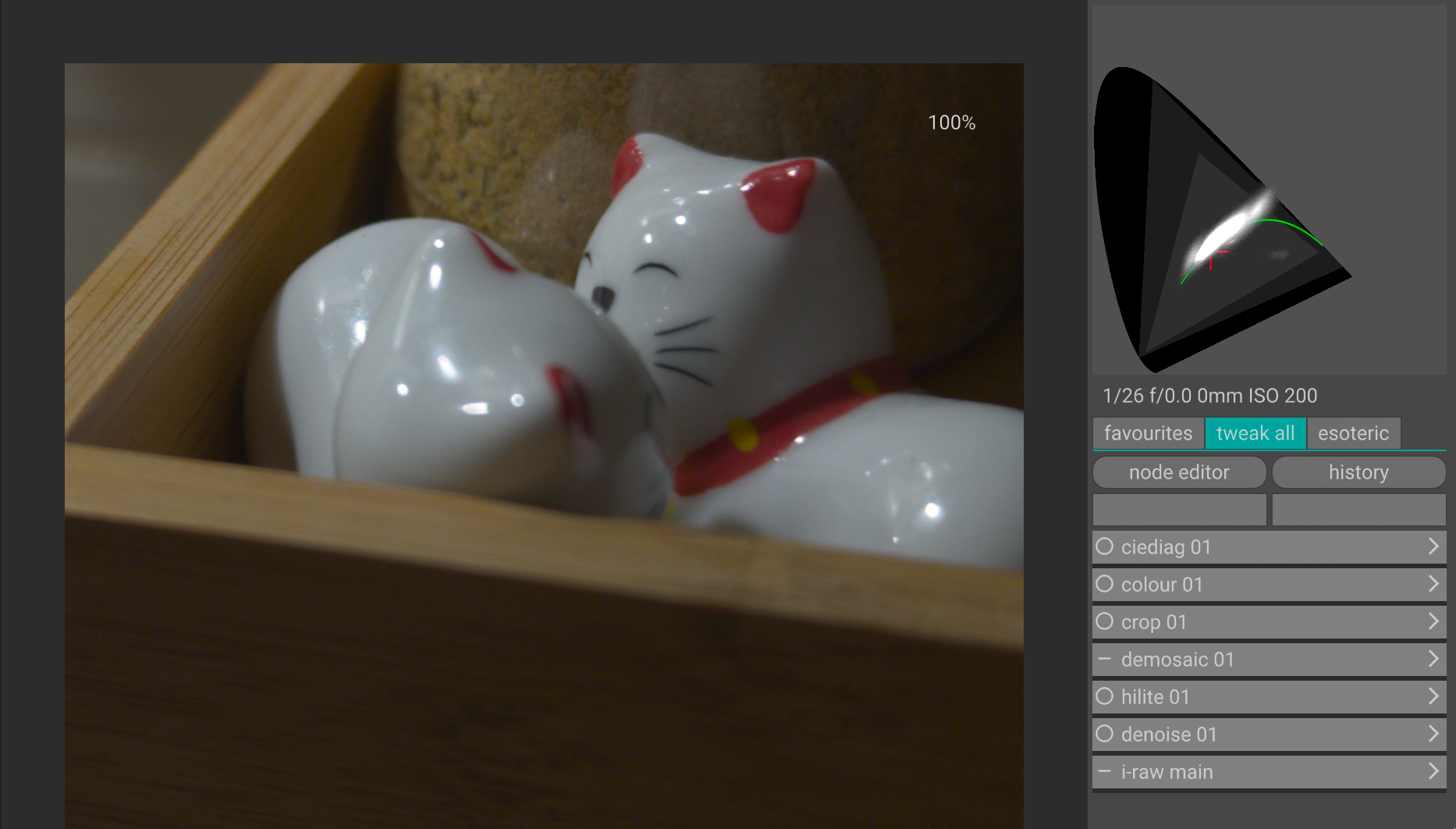
I thought I’d like to try this in darktable. For the DI version of the LUT, I had Claude write a python script to change input and output to Rec 2020/linear. LUT 3D was placed before AgX and the application color space set to Rec 2020 linear.
No LUT
spectrafilm Gold LUT
I am not certain this is technically correct, but it looks good to my eye. 
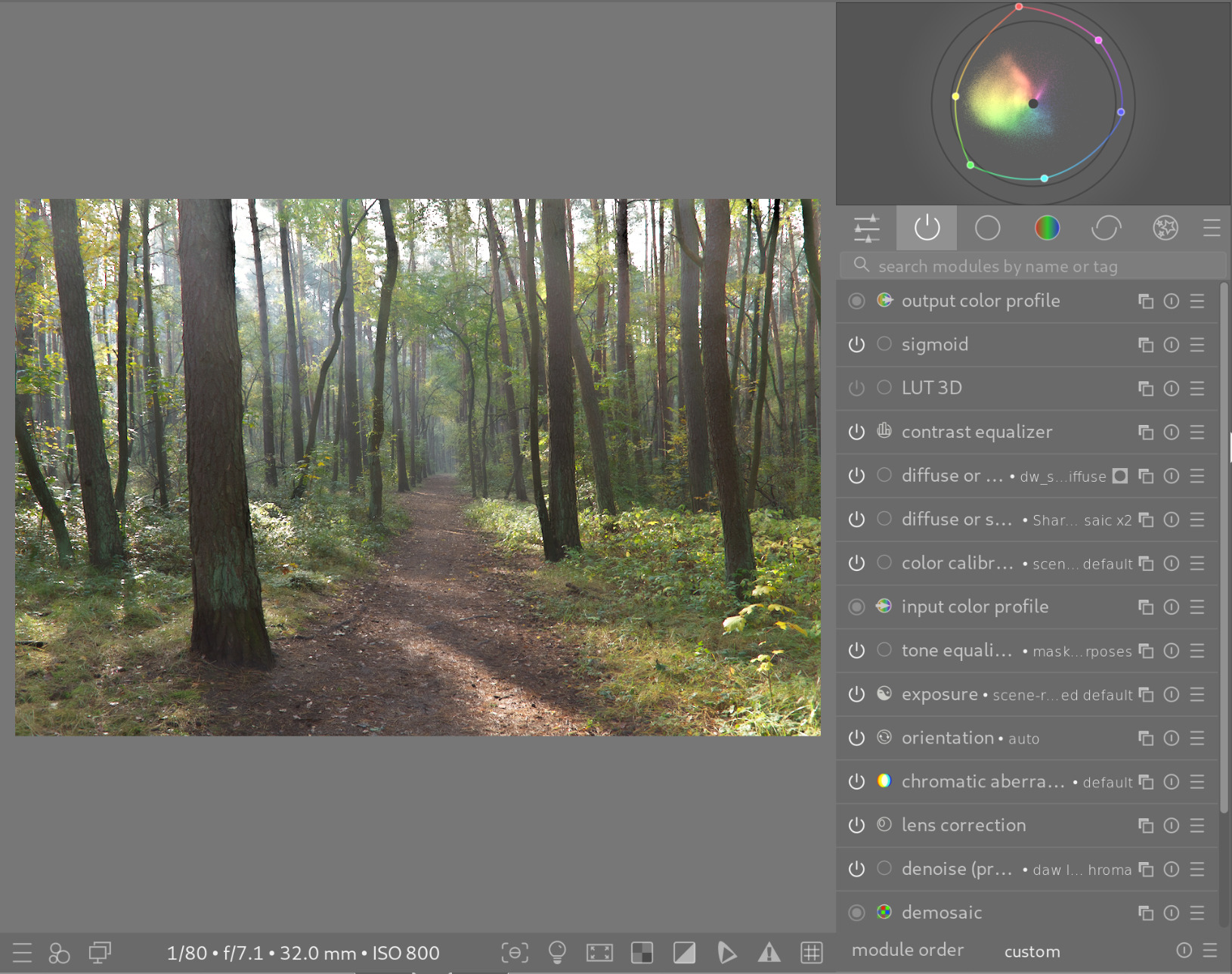
And here is a forest scene for good measure:
No LUT
spectrafilm Gold LUT
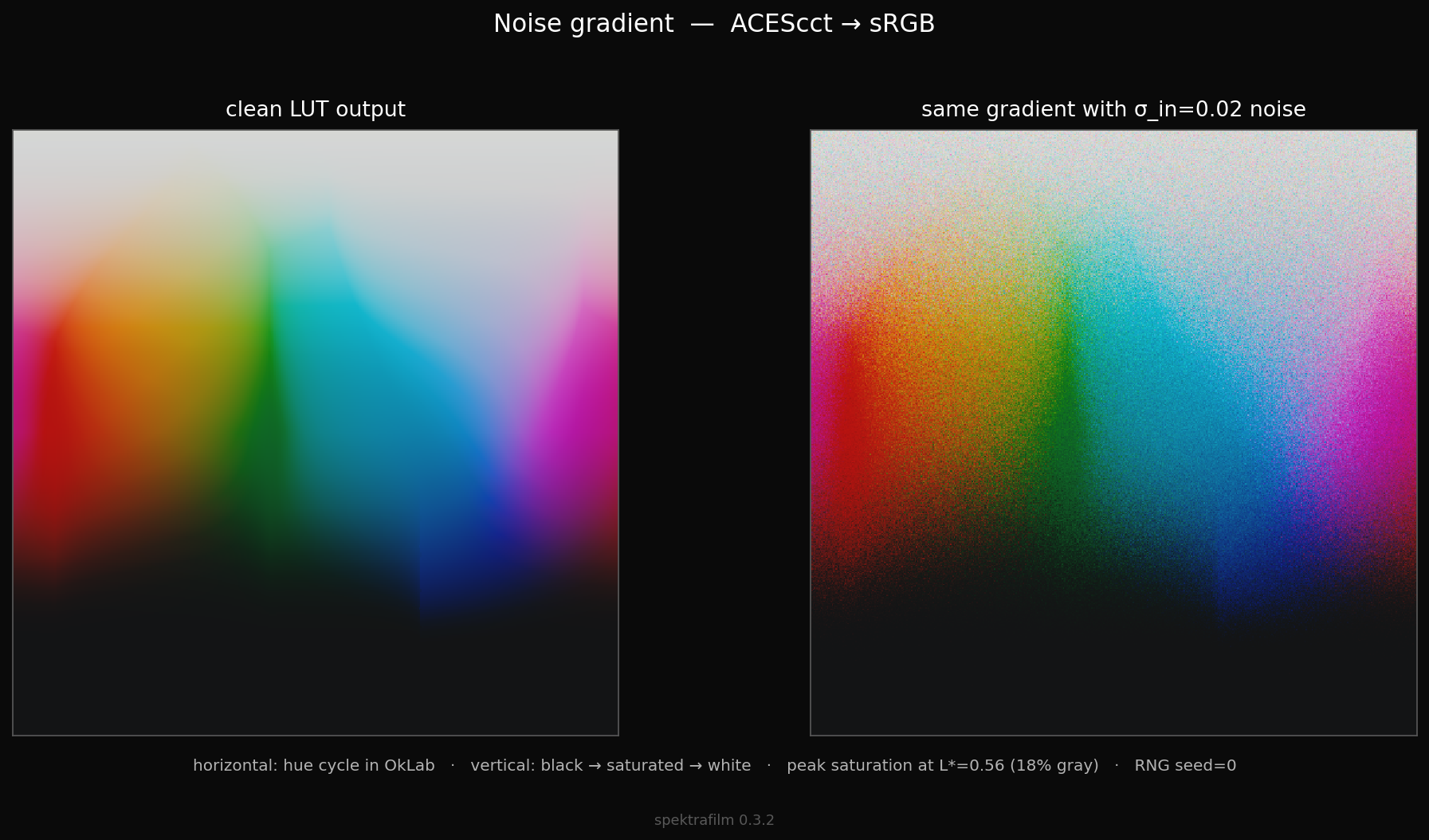
i made a noisy gradient with peak saturation in oklab for 18% linear luminance
question: in your opinion why does the cyan desaturate slower than yellow and magenta? any hypothesis? i called this phenomena in the past “the cyan catastrophe”… and here is some “affettato di LUT” to show what i mean.
bare in mind that colors in that part of the lut can be at the edge of the locus and very extreme, but still it would be nice to have a more graceful lut at the edges of the locus. i have a couple of raw that i remember showing this as a problem. i will post them later.
@Doug-Phoenix Are you willing to share the darktable LUT you created with us?
Sure, I will get to this tonight. I need to follow the procedure including license etc.
Experimental spectrafilm lut for testing with darktable.
Save in the LUT 3D root folder as indicated in darktable preferences > processing.
Use: Activate LUT 3D module. In “active modules” click and drag the module below the tonemapper. Set “application color space” to linear Rec2020 RGB, interpolation tetrahedral.
lut_v032_gold200_supraendura_rec2020_Linear.zip (374.7 KB)
I figured it might be easier to manage edge cases with colors if the LUT were used in the scene-referred part of the pixelpipe. But that is just my intuition.
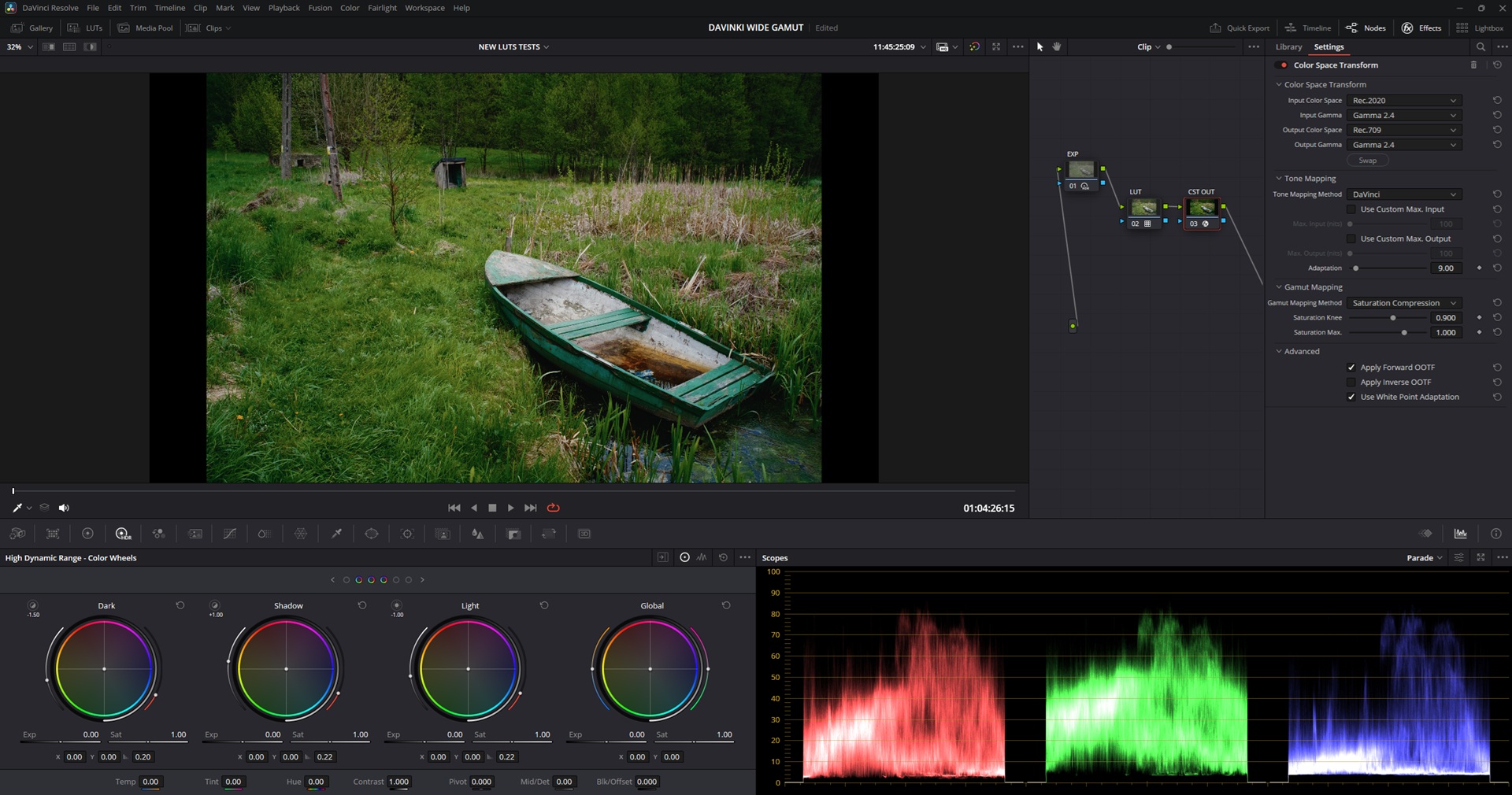
Hi, Would you mind sharing the CST Out settings for each? (DWG & Acescct)
Thanks Mateusz!
I had your raw file and remember trying it last time in resolve with the same lut and it feels identical (from memory)!
@Vesnic we ask that you not paste ai output here. This forum is for people to talk to other people. There is nothing stopping anyone from asking an LLM something if that’s what they want to do.
dear @arctic i have no clue! Is there any solution to this though? Or should I stop dreaming of using these amazing luts? Nevertheless - all the respect to your work! i am the most untehnical when it comes to this.
thank for letting me know. I apologize. I deleted my comments!
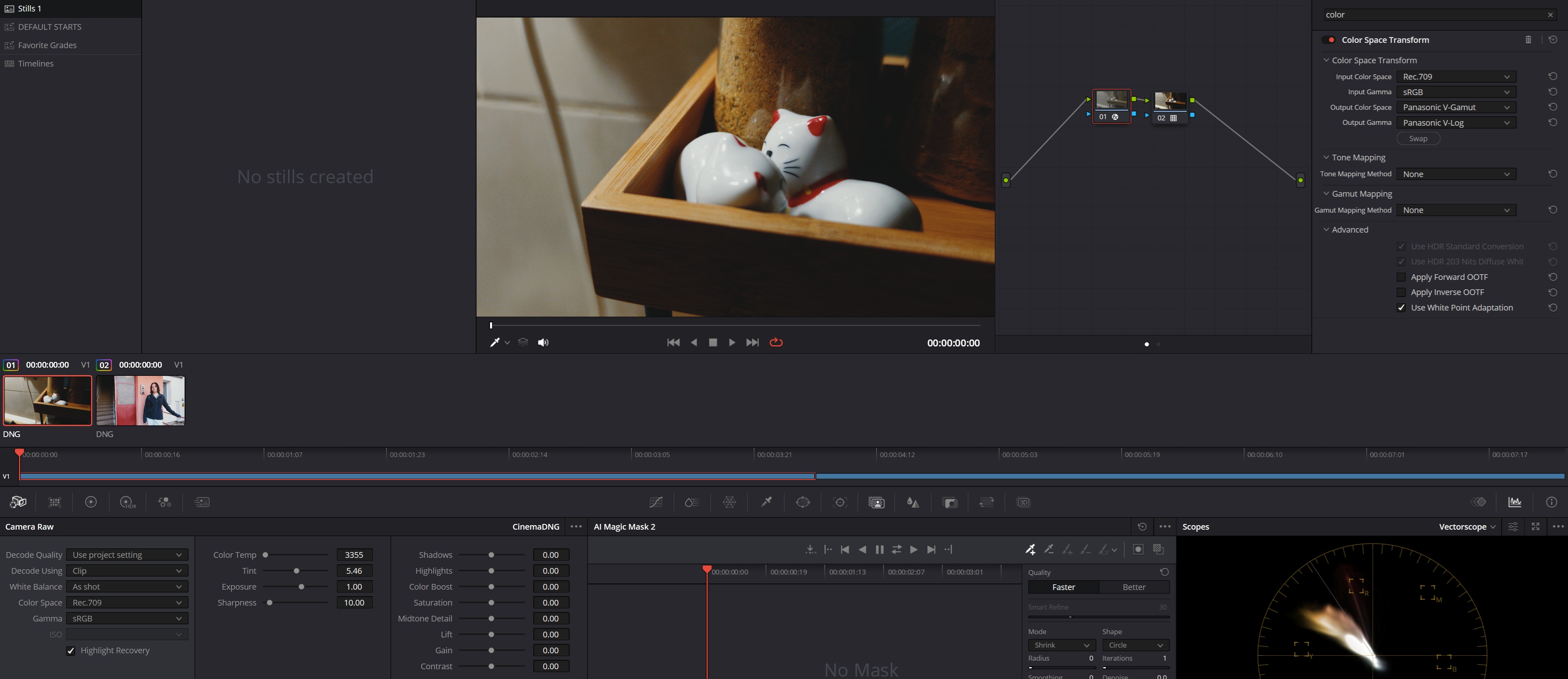
you guys sure about your input device transform here? looks like a case of matrix-from-hell to me:
i can imagine that this messes with the lut range.
3d LUTs and HALDCLUTs work in the 0-1 range while scene referred is 0-inf range, this means that highlights above 1 will be clipped, it’s required some kind of log color space
hey Hanatos, could you explain in more simple terms? I am very non tehnical. Basically this is just the DNG i get from the MCraws, that have the v-log profile thrown in directly on em. What do you recommedn I should do? thanks!
Hey, I did something and it seems to work, but could you possibly confirm if this is correct? so I exported the mcraw with no profile, just the raw itself in classic mode, and i did this transform in order to apply the v-log LUT
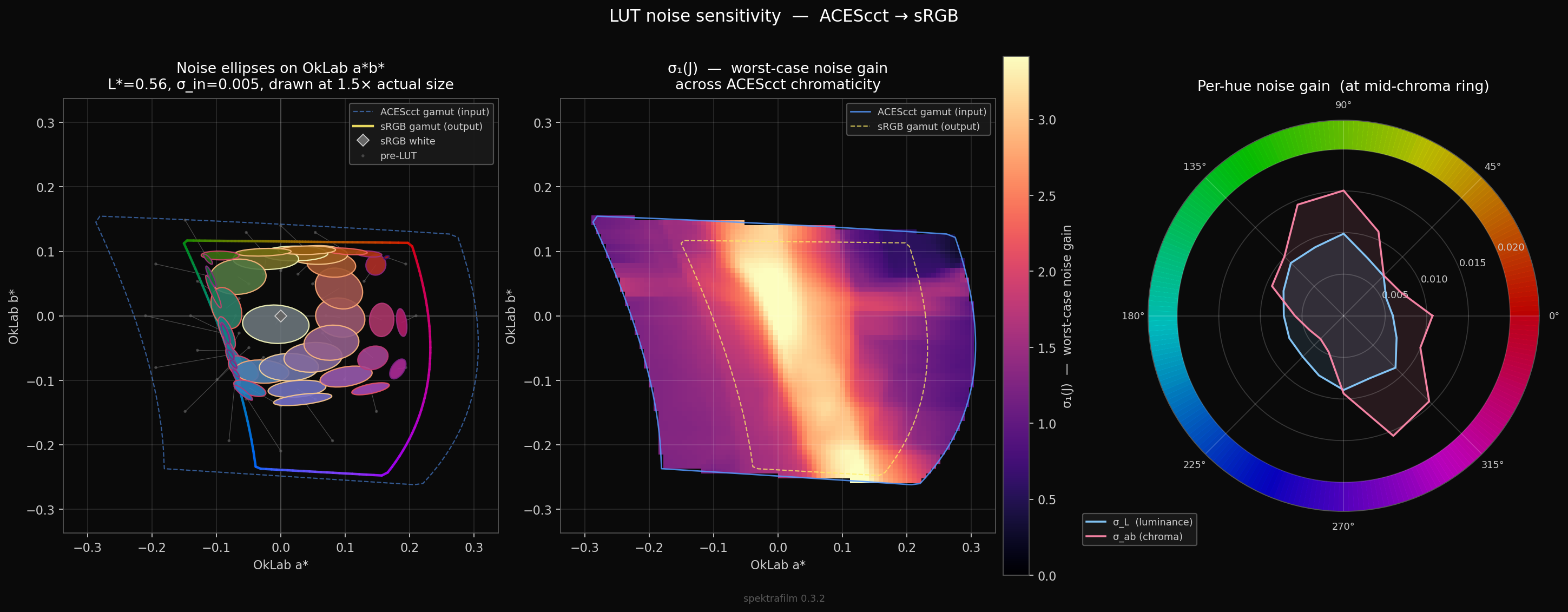
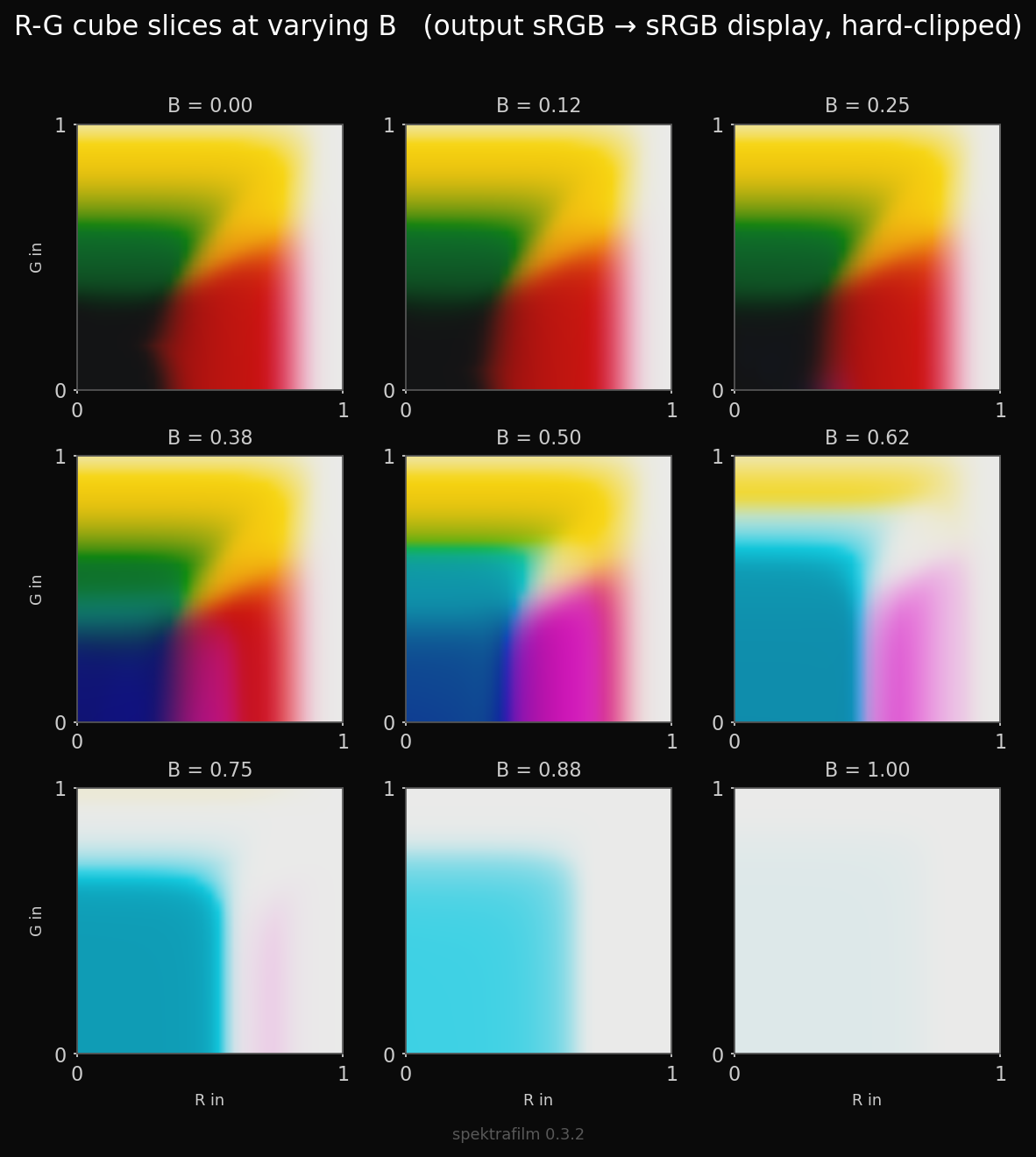
In the leftmost graph you see that in the red corner, your pre-LUT values are squished into the output from various directions.
Just looking at noise intensities will probably not show you the local gradient vector-distortions that happen due to gamut-compression. The image-local (noisy or not noisy) gradients (their directions) get probably distorted while the amplitude of that distortion is (as shown with these graphs) still small.
The image-local set statistics break not because of noise but because of folding/creasing/tearing(?), I don’t know what to call it.
EDIT: oh and, noise gain gets naturally smaller when input-set gets gamut-squished.
Wouldn’t one have to normalize against that in order to see abnormal behaviour here? (still keeping in mind that noise magnitude probably won’t show the directional scramble)
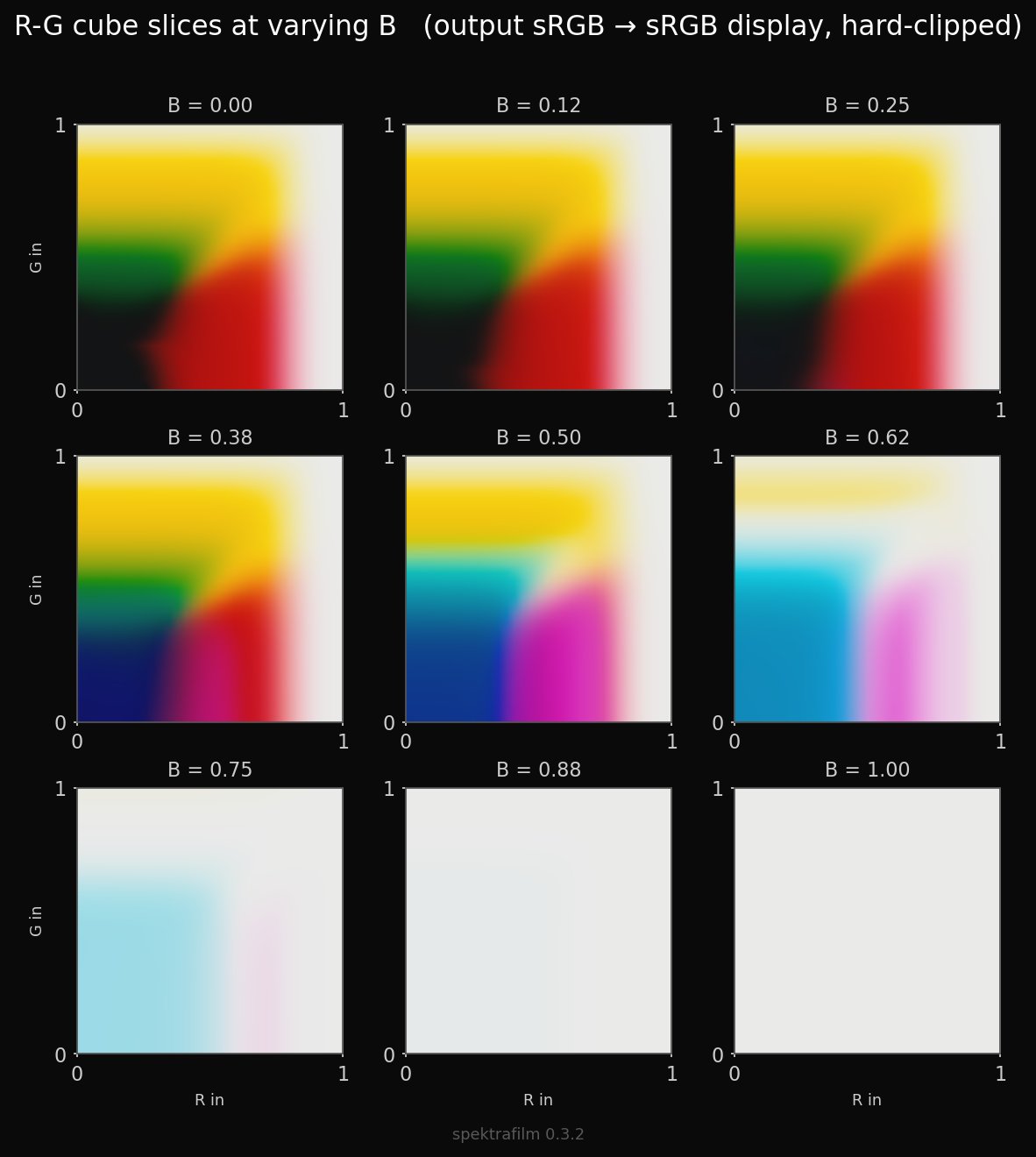
i think we can clearly see the folding on the red side of the gamut in the figure about output gamut compression
we should then look at larger color spaces that accomodate the output more comfortably.
here ACEScct → filmsim → Rec.2020
some squishing at the extremes of the photo paper gamut is still expected
Oh I missed that! Yup that sure will look very discontinuous.
That looks like now the convergence I was worried about in the oranges and cyans is due to the filmsim and not the gamut compression. Nice.