Is the darktable AppImage supposed to run under wayland native?
I think that duplicates gives that functionality?
My Stupid Question
Is there a way of seeing the associated xmp file name in overlays or tooltips in lighttable? EG when working with or sharing duplicates.
I answer myself…
“Have you read the variables list in the manual?”
“yes.”
“Was it there?”
“No.”
“Well then, that’s your answer!”
But hey, sometimes people here know stuff that may not be in the manual, at least as yet, so just thought I’d ask.
*Edited: I totally left out the vital word in the question.
Not sure if this is what you were looking for, but you can see which modules are active on an edit by hovering over the weird icon in the top right corner…its a circle with a squiggled line and a + -
Maybe $(VERSION) or $(Xmp.dc.title) in the ‘pattern for thumbnail text’ or ‘tooltip’ boxes in lighttable settings?
1 Like
I think @Thad_E_Ginathom is looking for a way to know whether _1 oder _2 etc. is the relevant .xmp to a specific duplicate. Something I would also sometimes like.
2 Likes
Sorry for the clutter then! I was unclear what was being asked.
Correction
Sorry, guys, I left out the one vital word! The question as it originally stood was completely misleading.
Yes! You saw through my mistake.
You probably also guessed that it is for when participating in a playraw thread.
1 Like
Think so too, as far as I know the first .xmp does not get numbered
See: darktable user manual - sidecar files
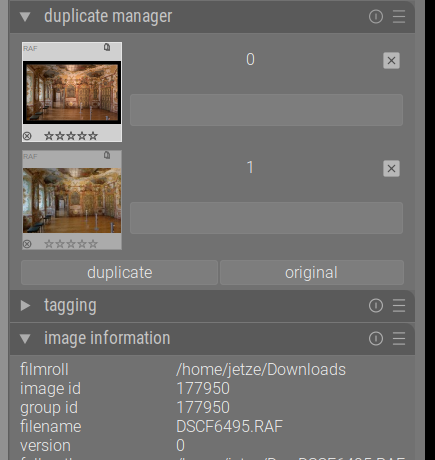
Which states: " The version number of each duplicate is displayed in the image information module in each of darktable’s views."
And shows like:
Hope this helps… 
1 Like
No… I’m looking for a way to identify the xmp file for each version. I have already put $(VERSION) into the extended overlay.
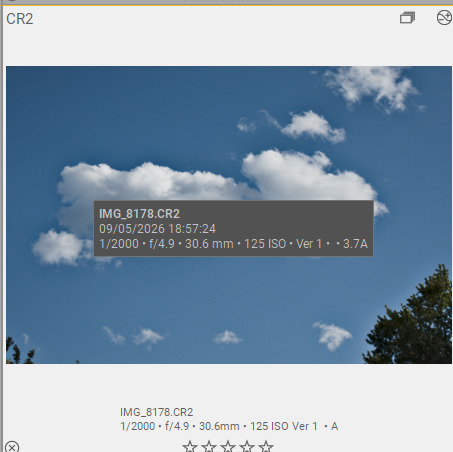
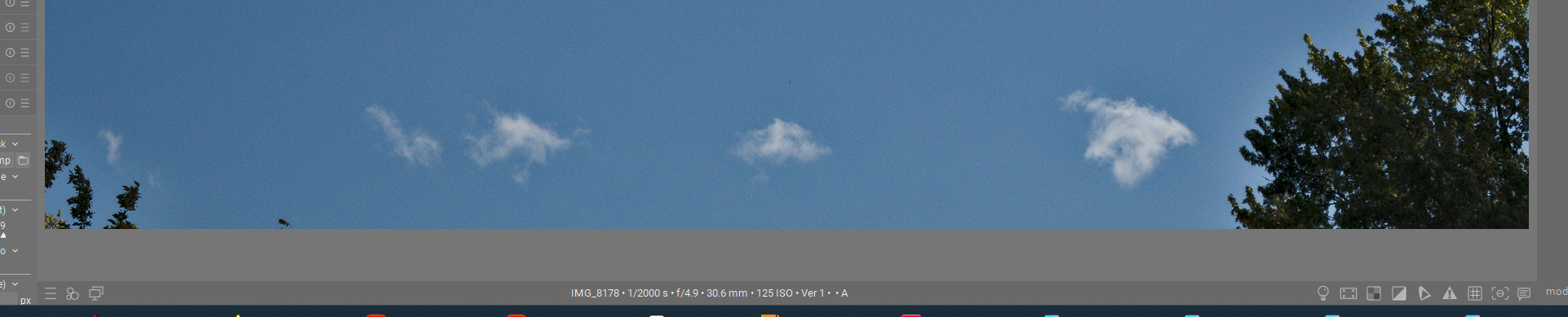
Yes, it would. I have just done the same with a picture.
Then I downloaded another xmp from the playraw thread. I created a duplicate and applied the xmp. Now I have two versions and three xmp files, all of which have been created by dt on my system.
I might be wrong here, as far as I understand the first imported picture gets .xmp. The second will be <filename_01.xmp etc. Meaning that version 1 correlates to the _01 number in the .xmp filename and versio 2 to _02, etc…
Here is a description of the way I manage Play Raws:
There are, first, seven steps on setting up additional instances of dt. After the seventh step there is explanation, beginning with, “By using memory for the library, you will not create a database. By setting storage to Never, you will not overwrite the xmps you open to examine.”
Below that I describe my system for managing xmps. It describes how I keep track of duplicates. Maybe that will be of help to you.
A very well thought-out and executed system. But I don’t want to that much. All I want to do is to look at at an image/duplicate and be able to see the name of the xmp that goes with that edit. I found out how to display the version number, and, in a simple case as described above, the xmp can be determined.
But thank you
1 Like
I hadn’t registered that one can title duplicates. So that’s what that grey bar is, it’s a text field! Duh! 
That title shows up in the xmp. That will be useful to me. (I expected to find the dt Version number in the xmp, but couldn’t identify it?)
2 Likes
We have the [Capture Challenge] Charge your battery and take some photos and the [Capture Challenge] All the way out there - threads, but incould not spot a makro capture challenge thread.
Does one exist which i missed.
If not: I would start one if this post gets some likes (as some sort of a poll)
4 Likes
Go for it!
1 Like
If your macro lens is ≥100mm, then you can bend the rules and submit to that thread 
“All the way… right here”
But yes, a macro/details thread would be nice
1 Like
My lens is poor lonely shortish 90mm  .
1 Like
A new thread it will be then - I hope, if you do, count me in!