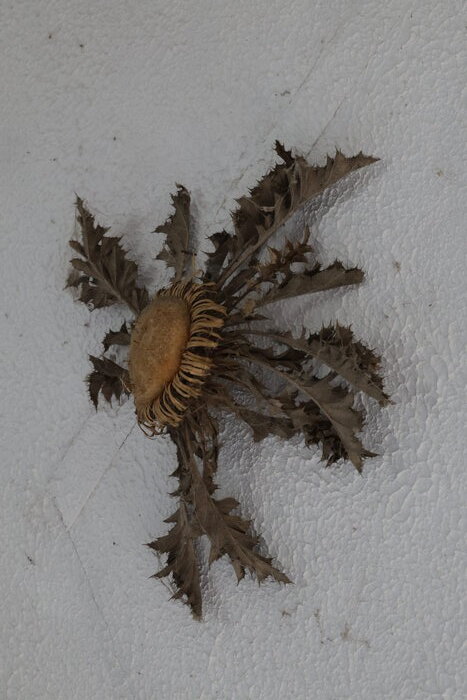
Ardèche (France), 14–17 July 2025

Hi! This section is a bit intimidating for a non-pro, but here goes:

Here are two series of pictures taken in Ardèche - Wikipedia over the course of a few days. The first series consists of my 25 favorite shots, while the other one has 12 weirder or disappointing ones, and can be considered as some kind of bonus or appendix. Since each person has its own tastes (and also because I spent AGES processing that stuff), I thought it’d be a waste not to publish the bonus stuff.

A little bit of context (especially considering that the picture comments are in French, and perhaps not always extremely machine-translatable due to the informal tone and idiosyncrasies):

I used to go in this area often because this is where my mother grew up, and her parents lived around there until they died. After they passed away, I virtually never set foot in these places. An aunt is currently saving the old house from disrepair and decay (a daunting, never-ending endeavor), making it once again a fun place for kids to spend their vacations into – the next generation seems to enjoy it a lot. My mom and I could go there in July – primarily to visit a bunch of people, but that was also for me the opportunity to take some pictures. Actually, I think this is as far from home as my new-ish camera has ever been yet.

The landscapes there can be a little bleak, especially with the drought, but it’s not always a bother for me. There are also lots of old rusty wrecks lying about, and I’m fond of that stuff as subjects. The atmospheric haze was a bit annoying, though, even with the dedicated processing tools. I used to hate landscape and considered myself terrible at shooting and processing them. Still not my specialty, but I partly made peace with that thanks to this series. But shooting too early or too late during the day, or using the HDR PQ mode in situations that do not really need it, led to some disappointments during processing.

Technical details:

  • RawTherapee 5.12 (and nothing else)
  • Canon R6 Mark II, bought in mid-February 2024
  • Lens: RF24-240mm F4-6.3 IS USM
  • Exported as max 1750×1750 px JPGs, quality 88, balanced subsampling. I don’t have much space on my web hosting plan.
  • Slideshows generated from a Bash-based project of mine, but with heavy customization that I have not pushed to GitHub yet.

I learned stuff before and during my work on this series thanks to:

Then, when I was about done, I writhed for nearly two days in the throes of madness because of a weird color-related behavior on my machine, until a bunch of nice people helped me out so I could finally publish my work without too much worry: Web browsers, profiles and the “Color Appearance” tool
(Still, it’d be nice if you could tell me if my colors look terribly off to you, as I’m still not totally sure I can trust my uncalibrated monitors to get acceptable results. :no_mouth:)

And of course, the links to the slideshows (before I forget):

Feel free to ask for translations if particular pictures or comments puzzle you or whatever.

If you want to refer to a specific picture, be wary of the fact that the #1, #2, …, etc., that pop up in the URL when navigating the slides start at #1 for the introductory text, so the first picture is on #2, which can lead to misunderstandings (it happened already :sweat_smile:). One way would be to check the picture’s filename and give at least the three last digits (I checked: they are unique, here): G79A3782.jpg782… or describe what you see, of course. :rofl:

If you’re bored, just trim a bunch of URL segments and you’ll find my older series.

I’ll use this opportunity to say once more that this community website is really cool and that RawTherapee is an amazing project. :bowing_woman:

9 Likes

I like these very much. :slight_smile:

1 Like

Thank you. :bowing_woman:
I’m still going through some kind of existential crisis due to wondering how wrong it is to process raws on a relatively cheap and uncalibrated IPS monitor, so feedback is more important than ever. :rofl:

I relate… :wink:
Most likely hardly wrong at all - many monitors are very close to being accurate out of the box. Do you know the model number? If so you might be able to find specs online - look for the gamut coverage. Most screens approaching 100% sRGB are “reasonably” accurate in my (limited) experience.
But regardless, the images look great to me - a nicely balanced colour pallette.

1 Like

That’s a nice series @alicem and I like the way you have managed to depict the area. As you say, it’s not an easy task mid summer.

1 Like

Thanks.
Fiddling with xrandr and the freshly installed edid-decode tool:
Gamma: 1.0:1.6:2.8

My gosh, regarding the EDID decoding, “human-readable” is a relative concept I guess. :rofl:

Decoded EDID
Block 0, Base EDID:
  EDID Structure Version & Revision: 1.3
  Vendor & Product Identification:
    Manufacturer: DWE
    Model: 566
    Serial Number: 20000080
    Made in: week 32 of 2017
  Basic Display Parameters & Features:
    Digital display
    Maximum image size: 52 cm x 30 cm
    Gamma: 2.20
    DPMS levels: Off
    RGB color display
    Default (sRGB) color space is primary color space
    First detailed timing is the preferred timing
  Color Characteristics:
    Red  : 0.6484, 0.3388
    Green: 0.2822, 0.6025
    Blue : 0.1425, 0.0703
    White: 0.3134, 0.3291
  Established Timings I & II:
    IBM     :   720x400    70.081663 Hz   9:5     31.467 kHz     28.320000 MHz
    DMT 0x04:   640x480    59.940476 Hz   4:3     31.469 kHz     25.175000 MHz
    DMT 0x05:   640x480    72.808802 Hz   4:3     37.861 kHz     31.500000 MHz
    DMT 0x06:   640x480    75.000000 Hz   4:3     37.500 kHz     31.500000 MHz
    DMT 0x08:   800x600    56.250000 Hz   4:3     35.156 kHz     36.000000 MHz
    DMT 0x09:   800x600    60.316541 Hz   4:3     37.879 kHz     40.000000 MHz
    DMT 0x0a:   800x600    72.187572 Hz   4:3     48.077 kHz     50.000000 MHz
    DMT 0x0b:   800x600    75.000000 Hz   4:3     46.875 kHz     49.500000 MHz
    Apple   :   832x624    74.551266 Hz   4:3     49.726 kHz     57.284000 MHz
    DMT 0x10:  1024x768    60.003840 Hz   4:3     48.363 kHz     65.000000 MHz
    DMT 0x11:  1024x768    70.069359 Hz   4:3     56.476 kHz     75.000000 MHz
    DMT 0x12:  1024x768    75.028582 Hz   4:3     60.023 kHz     78.750000 MHz
    DMT 0x24:  1280x1024   75.024675 Hz   5:4     79.976 kHz    135.000000 MHz
  Standard Timings:
    DMT 0x15:  1152x864    75.000000 Hz   4:3     67.500 kHz    108.000000 MHz
    DMT 0x23:  1280x1024   60.019740 Hz   5:4     63.981 kHz    108.000000 MHz
    DMT 0x1c:  1280x800    59.810326 Hz  16:10    49.702 kHz     83.500000 MHz
    DMT 0x2f:  1440x900    59.887445 Hz  16:10    55.935 kHz    106.500000 MHz
    DMT 0x3a:  1680x1050   59.954250 Hz  16:10    65.290 kHz    146.250000 MHz
    DMT 0x30:  1440x900    74.984427 Hz  16:10    70.635 kHz    136.750000 MHz
    DMT 0x20:  1280x960    60.000000 Hz   4:3     60.000 kHz    108.000000 MHz
    GTF     :  1280x960    74.999884 Hz   4:3     75.150 kHz    129.859000 MHz
  Detailed Timing Descriptors:
    DTD 1:  1920x1080   60.000000 Hz  16:9     67.500 kHz    148.500000 MHz (521 mm x 293 mm)
                 Hfront   88 Hsync  44 Hback  148 Hpol P
                 Vfront    4 Vsync   5 Vback   36 Vpol P
    DTD 2:  1600x900    60.259755 Hz  16:9     55.921 kHz    119.000000 MHz (521 mm x 293 mm)
                 Hfront   96 Hsync 168 Hback  264 Hpol P
                 Vfront    1 Vsync   3 Vback   24 Vpol P
    Display Range Limits:
      Monitor ranges (GTF): 56-75 Hz V, 30-81 kHz H, max dotclock 180 MHz
    Display Product Name: 'EM2470W'
  Extension blocks: 1
Checksum: 0xa6

----------------

Block 1, CTA-861 Extension Block:
  Revision: 3
  Basic audio support
  Supports YCbCr 4:4:4
  Supports YCbCr 4:2:2
  Native detailed modes: 7
  Video Data Block:
    VIC   1:   640x480    59.940476 Hz   4:3     31.469 kHz     25.175000 MHz (native)
    VIC   3:   720x480    59.940060 Hz  16:9     31.469 kHz     27.000000 MHz (native)
    VIC   4:  1280x720    60.000000 Hz  16:9     45.000 kHz     74.250000 MHz (native)
    VIC   5:  1920x1080i  60.000000 Hz  16:9     33.750 kHz     74.250000 MHz (native)
    VIC  19:  1280x720    50.000000 Hz  16:9     37.500 kHz     74.250000 MHz (native)
    VIC  20:  1920x1080i  50.000000 Hz  16:9     28.125 kHz     74.250000 MHz (native)
    VIC  31:  1920x1080   50.000000 Hz  16:9     56.250 kHz    148.500000 MHz (native)
  Audio Data Block:
    Linear PCM:
      Max channels: 8
      Supported sample rates (kHz): 192 96 48 44.1 32
      Supported sample sizes (bits): 24 20 16
  Speaker Allocation Data Block:
    FL/FR - Front Left/Right
    LFE1 - Low Frequency Effects 1
    FC - Front Center
    BL/BR - Back Left/Right
    RLC/RRC - Rear Left/Right of Center (Deprecated)
  Vendor-Specific Data Block (HDMI), OUI 00-0C-03:
    Source physical address: 1.0.0.0
    Supports_AI
  Detailed Timing Descriptors:
    DTD 3:   720x480    59.940060 Hz   3:2     31.469 kHz     27.000000 MHz (531 mm x 398 mm)
                 Hfront   16 Hsync  62 Hback   60 Hpol N
                 Vfront    9 Vsync   6 Vback   30 Vpol N
    DTD 4:  1920x1080i  59.943434 Hz  16:9     33.718 kHz     74.180000 MHz (708 mm x 398 mm)
                 Hfront   88 Hsync  44 Hback  148 Hpol P
                 Vfront    2 Vsync   5 Vback   15 Vpol P Vfront +0.5 Odd Field
                 Vfront    2 Vsync   5 Vback   15 Vpol P Vback  +0.5 Even Field
    DTD 5:  1280x720    50.000000 Hz  16:9     37.500 kHz     74.250000 MHz (708 mm x 398 mm)
                 Hfront  440 Hsync  40 Hback  220 Hpol P
                 Vfront    5 Vsync   5 Vback   20 Vpol P
    DTD 6:   720x480    59.940060 Hz   3:2     31.469 kHz     27.000000 MHz (531 mm x 398 mm)
                 Hfront   16 Hsync  62 Hback   60 Hpol N
                 Vfront    9 Vsync   6 Vback   30 Vpol N
    DTD 7:   720x480    59.940060 Hz   3:2     31.469 kHz     27.000000 MHz (708 mm x 398 mm)
                 Hfront   16 Hsync  62 Hback   60 Hpol N
                 Vfront    9 Vsync   6 Vback   30 Vpol N

Apparently the name is EM2470W. Gemini started by saying that it was “a TN (Twisted Nematic) panel”, but when challenged to give me sources it admitted that it had no idea. :sweat_smile: I then tried giving it the name that LDLC used when re-branding the monitor (yeah, they print their own name on some random Asian monitor for some reason), found on the invoice, and it found a source this time. Apparently it’s a derivative from IPS, so at least the guy from the LDLC shop wasn’t lying to me I guess.

Still, it was in 2019, and it seems that monitors nowadays can be much better for the same price. :thinking: IPS seems to gradually get closer to true blacks, too. Might be worth upgrading, calibration or not.
Thanks!
Yeah but I kinda shot myself in the foot with random-hour shooting and by assuming that I should avoid blown-out skies as much as possible. It turns out that shadows, even non-clipped, often retain some kind of ugliness when you try to salvage them. Well, it’s by shooting that you learn, I guess.

Upgraded my monitor to an “EIZO FlexScan EV2760” (27").
The monitor made me feel bad because several energy-saving features were ON by default and I kicked them out, fearing that they might change the brightness randomly while processing pictures. :rofl: It even has a guilt-inducing indicator in the menus, now saying that I’m saving no power at all.

Beside the colors and the dedicated “sRGB” mode, I think that the three extra inches (and the pixels) will be welcome when using RawTherapee’s “Detail windows” and stuff.

My gosh, even my cr*ppy JPGs online look much better, now. :rofl: And not visibly warmer or colder so I guess my previous monitor at least had that part relatively right.

4 Likes

In my opinion, not at all wrong if you keep the important raw files after processing.

I think people place too much emphasis on how an image looks on their screen. I prefer to analyze image quality - if I’m bothered - by means that use image file pixel values, not how it looks on my screen.

1 Like

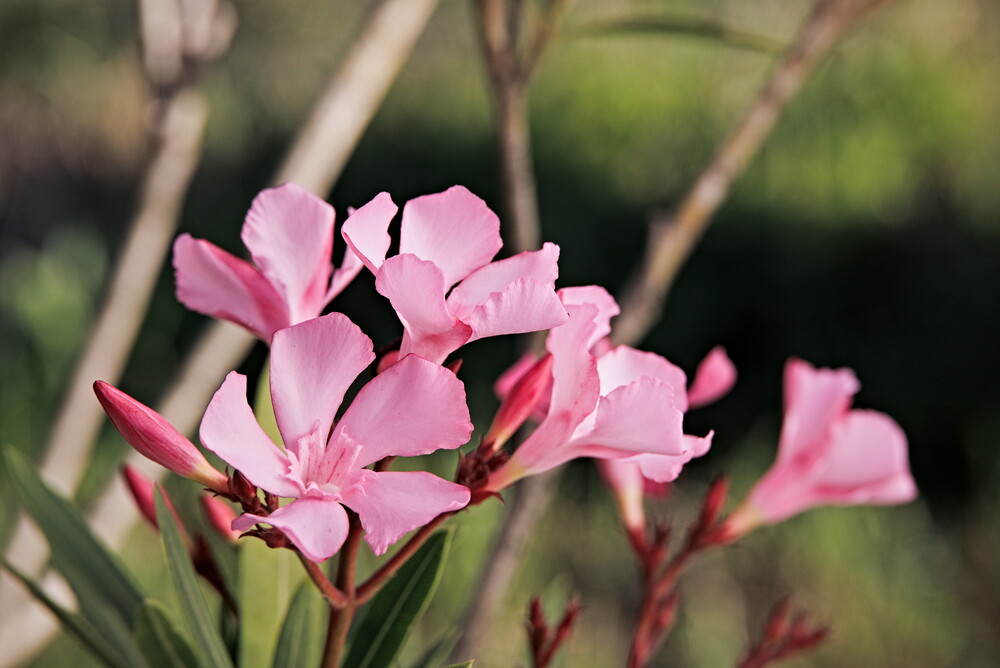
Yeah, I’m currently trying out my new monitor (on a random flower picture) and I’m getting the impression that the “clipped highlight” indicators became more important than ever, because some highlights may now look “relatively good” on my screen while actually being quite blinding, with information loss and stuff to boot. Need to be wary not to overdo things now. xD

Hidden picture: The random flowers in question

Nice flowers with only slight highlight clipping in the red channel.

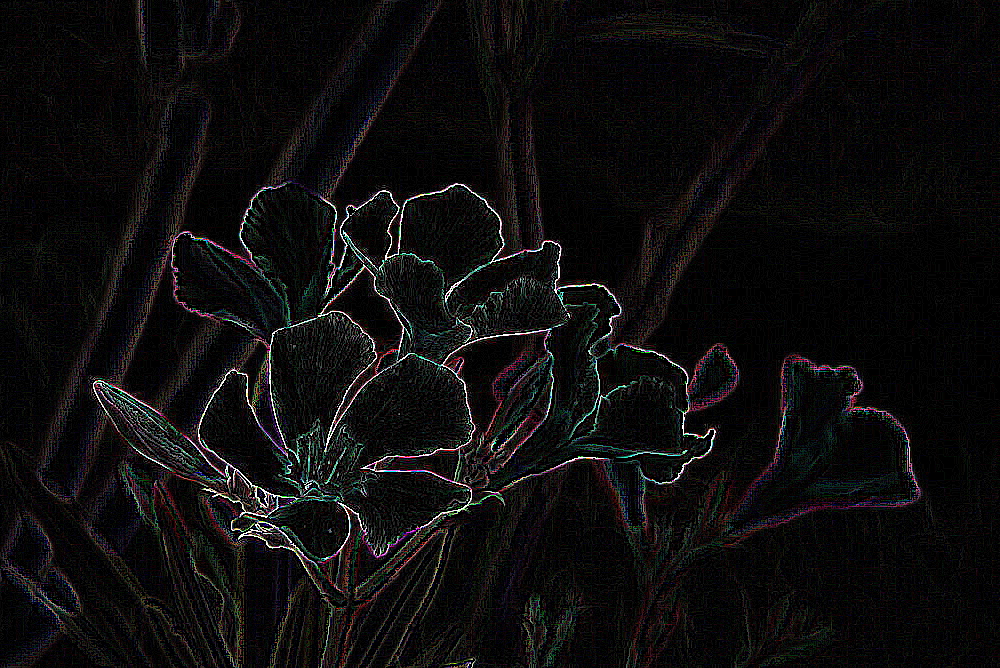
An example of analyzing image data rather than looking at the screen:

To look at focus, I sometimes use edge detection in the GIMP for example Filters>Edge-Detect>Laplace then increased brightness in Color>Levels:

Good for checking on Depth of Field and where it was focused.

Was the posted image sharpened? …

I like your take on the square aspect ratio. Cropping does help.
Also, I can sympathize with the ~60 hours you put in to editing, exporting and publishing these photos. Dealing with stuff along the way, discovering and repairing details. It just takes longer, much longer than expected.
I also do like your colors throughout the entire series, but especially in the first image with yellow dried out grass and blue skies. And thanks for the hidden gem in your alternative series, I am speaking of your self portrait which is .
Best regards

Probably, yeah; the indicators yelled a little about the edges of some petals, but I decided it was acceptable. Thanks for your feedback.

Haha, this gives a beautiful chalk-like version of the picture. :laughing:

But RawTherapee has a built-in “Preview the focus mask” feature or something like that :thinking: Not sure what the difference is.

The posted image went through my full RawTherapee workflow. It indeed included (for that pic), among other things:

  • sharpening (with “edges only” checkbox, though)
  • edges tool
  • contrast by detail level (which often gives a sharpening-like effect)

Thanks. For reference, here is (a downscaled version of) the JPG that got embedded in the raw:

Haha, thanks for that too. That may be a bit of an acquired taste, but it’s a fun shot.