I had a quick play last night and in a few images it was easy to create halos. I could pull back or shift sliders to remove it …Again could just bee pushing it while testing the boundaries
2 Likes
Hello,
Thank you for testing it.
I have modified the formulas for frequency distribution and also reset the slider for edge refinement.
For those who want to test it, you can download the new appimage.
https://drive.google.com/drive/folders/1zahcvlAyaN03L1VmX5esOOyhBkO8jiko?usp=sharing
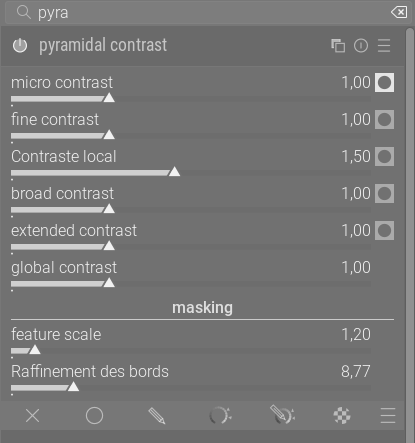
Edit :
I tried adding five sliders to refine the edges individually, but I couldn’t do it. I encountered “conflicts” and don’t have enough experience.
So I added logic to adapt the feathering based on the sliders.
My initial tests are encouraging. It goes without saying that we can fine-tune these values.
        compute_pixel_luminance_mask(in, luminance_pixel, width, height, d->method);
        compute_smoothed_luminance_mask(in, luminance_smoothed_broad, width, height, d, d->radius_broad, d->feathering * 1.5f);
        compute_smoothed_luminance_mask(in, luminance_smoothed_medium, width, height, d, d->radius_medium, d->feathering * 1.25f);
        compute_smoothed_luminance_mask(in, luminance_smoothed, width, height, d, d->radius, d->feathering);
        compute_smoothed_luminance_mask(in, luminance_smoothed_fine, width, height, d, d->radius_fine, d->feathering * 0.75f);
        compute_smoothed_luminance_mask(in, luminance_smoothed_micro, width, height, d, d->radius_micro, d->feathering * 0.5f);
        hash_set_get(&hash, &g->ui_preview_hash, &self->gui_lock);
Christian
4 Likes
I should have asked if it was okay to offer up windows builds for testing…if you are okay with it I will share a new one with these updates…
Hello,
Thank you. I am currently working on the code and may have an idea for implementing edge refinement by “frequency.” To save you the trouble, I suggest you wait a little while.
Christian
1 Like
Based on your PM it is now synch’d up…
Updated build
1 Like
That looks promising!
Thank you for your efforts.
One instance. I have smoothed out the rough texture and enhanced the fine local contrasts:
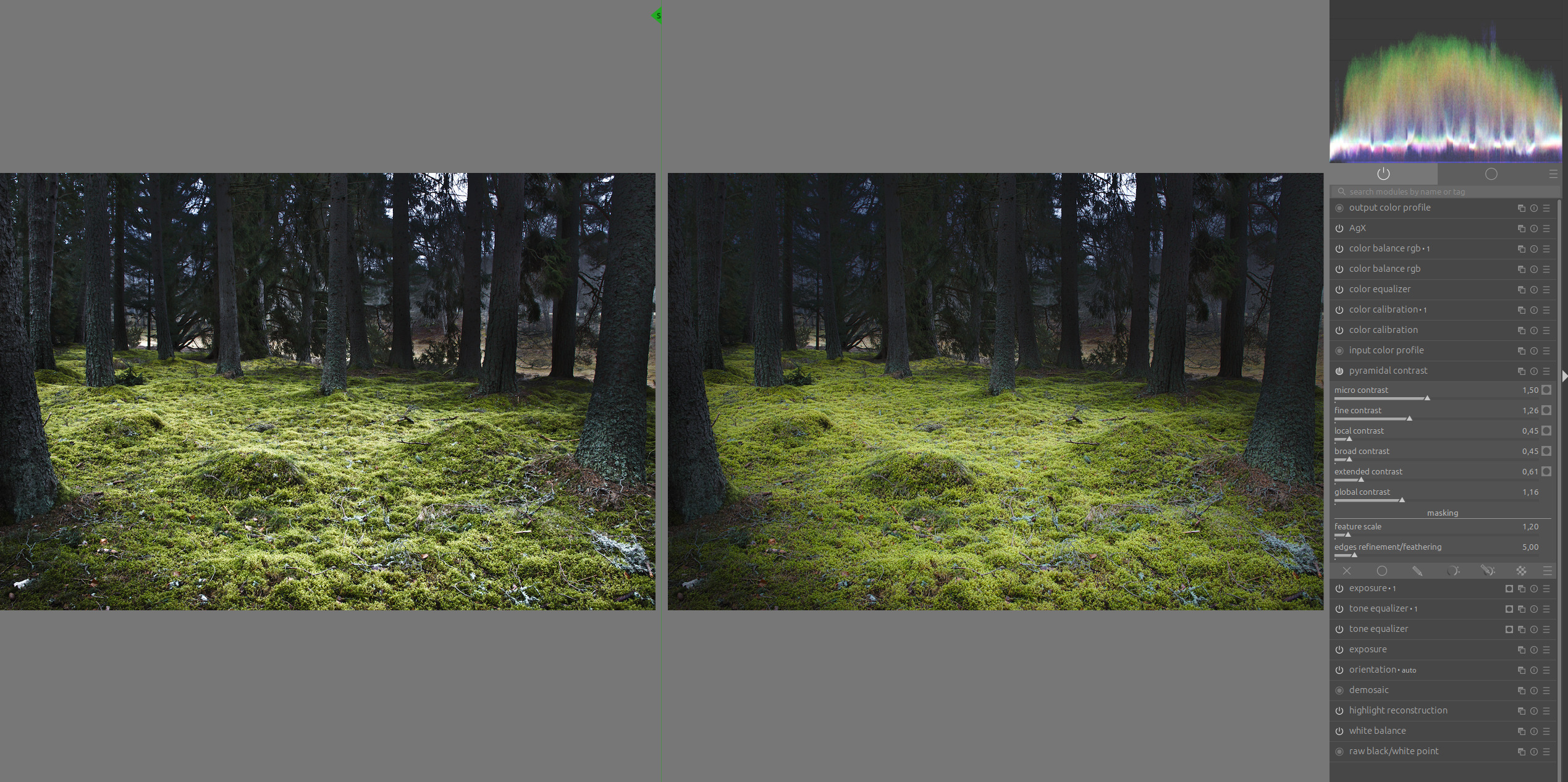
The photo is from this thread:
3 Likes
@s7habo My apologies if this is a stupid question but which is the “Pyramidal Contrast” module that you employ in the above screenshot?
1 Like
Experimental module, see a couple of posts above Boris.
1 Like
Thank you. I had been using the appimage from earlier in the thread - my error.
Hello,
It’s commendable not to want to overload darktable unnecessarily without adding value. Especially since this exercise gives me a better understanding of your professionalism and that of the development team.
I noticed that adding dedicated feathering sliders caused a compatibility break in the params_t structure as well as signature conflicts on shared filtering functions in the common code.
Proposal for the next step if you agree.
Currently, we have already defined variables such as micro_scale, fine_scale, etc. However, for feathering, I am using a hard-coded approach in the pyramidal_contrast_process function:
• d->feathering * 1.5f for broad.
• d->feathering * 0.5f for micro.
Replace these fixed multipliers with your new parameters (feathering_micro, feathering_broad, etc.) so that the user has full control over each frequency band.
In order for the addition of these 5 sliders to work without compilation errors, I think you need to use local variables in process to calculate the 5 feathering variants just before calling “compute_smoothed_luminance_mask”. And place these 5 sliders in a drawer to gain verticality.
For example, calculation of local variants based on sliders.
float local_feather_micro  = d->feathering * p->feather_mult_micro;
float local_feather_fine   = d->feathering * p->feather_mult_fine;
float local_feather_detail = d->feathering;
float local_feather_medium = d->feathering * p->feather_mult_medium;
float local_feather_broad  = d->feathering * p->feather_mult_broad;
Add conditions to only calculate “compute_smoothed_luminance_mask” if the corresponding feathering or scale slider is different from the default value. This would save a lot of CPU cycles for users who only activate one or two frequency bands.
Set the local contrast slider to 1 and add conditions to only calculate “compute_smoothed_luminance_mask” if the corresponding feathering or scale slider is different from the default value (1). This would save a lot of CPU cycles for users who only activate one or two frequency bands.
Expected results:
Stability: Avoid the risk of breaking other modules using the same functions by isolating changes in the .c file.
Performance: By avoiding 3 or 4 unnecessary Guided Filter passes when the sliders are at neutral, we can make the module up to 3x faster during editing.
Accuracy: The user can finally refine the cropping of micro-details without affecting the broad areas in this proposal, which will avoid halos on contrasting edges.
Greetings from Lubéron,
Christian
2 Likes
Hello,
Many thanks for your test.
What improvements would you suggest?
Greetings from the Lubéron,
Christian
Is there any way to leverage the slider type used for masking…I was just thinking that if you had slider for say micro, that the top triangle could be the value for the slider and the bottom one could be the feather rather than having to add 5 more sliders… I am speaking off the top of my head and its likely a stupid idea but its a defined concept for “feathering the the mask” I just wondered if that or some other available control could be implemented to cut down on the sliders??
I think I had thought about D or S module the same way with dual/split sliders for speed and direction to cut down on the vertical space… again maybe a dumb idea…
Broad contrast and extended contrast are far too distant from the first three scales.
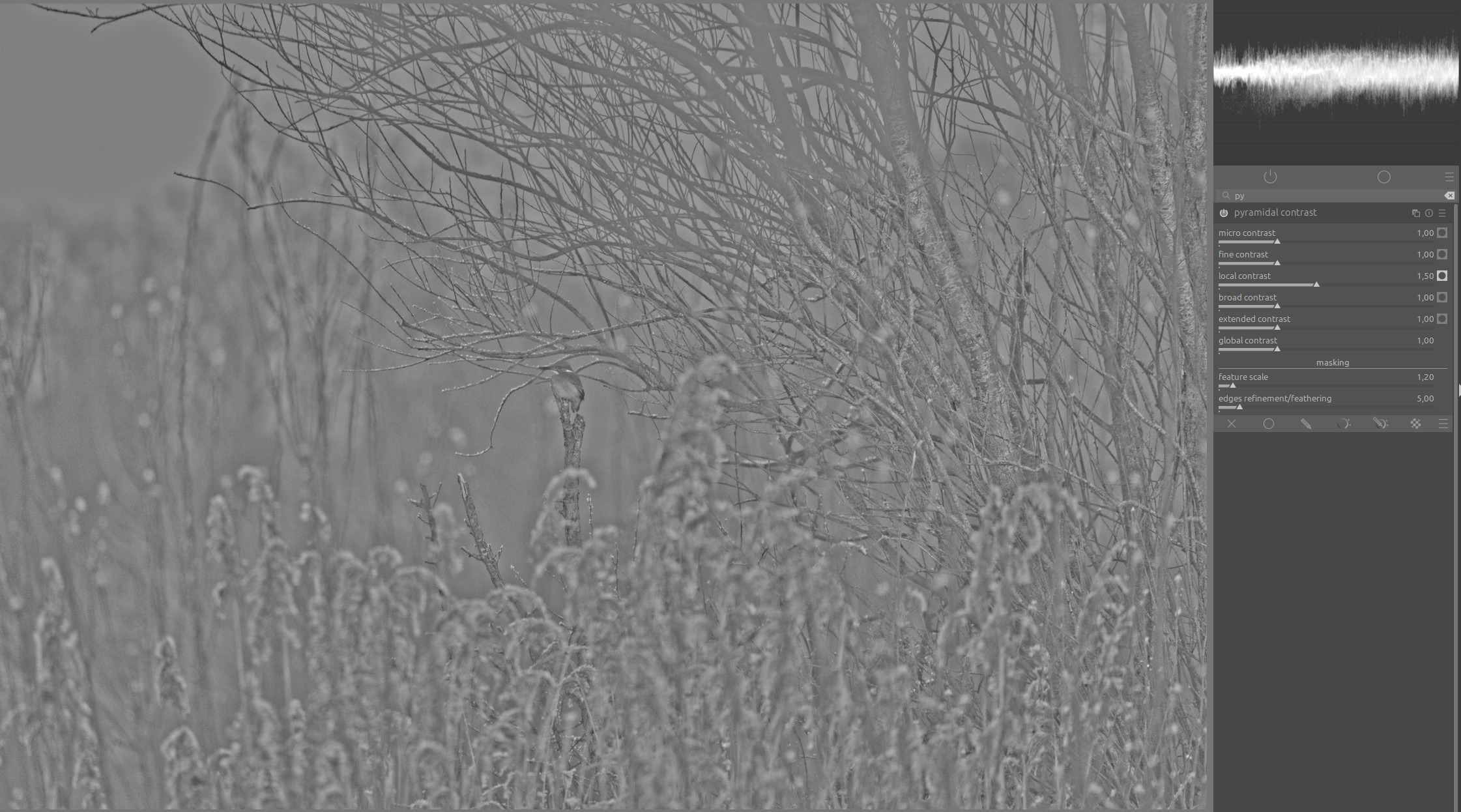
The local contrast scale (middle slider) looks like this:
The broad contrast scale almost acts like global contrast:
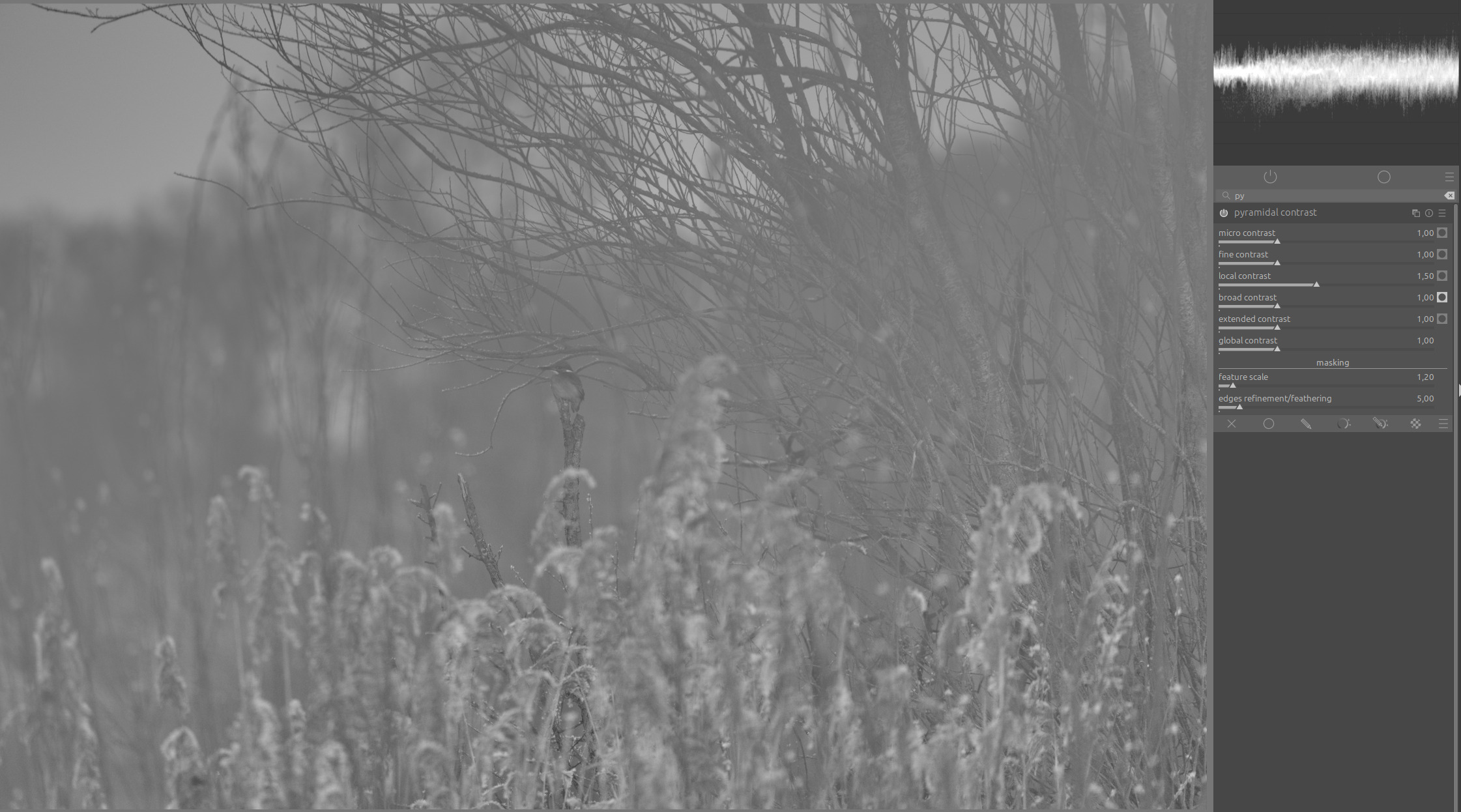
And the difference between it and the next scale (extended contrast) is very small in terms of effect.
As broad contrast, I would have expected something closer to the local contrast scale:
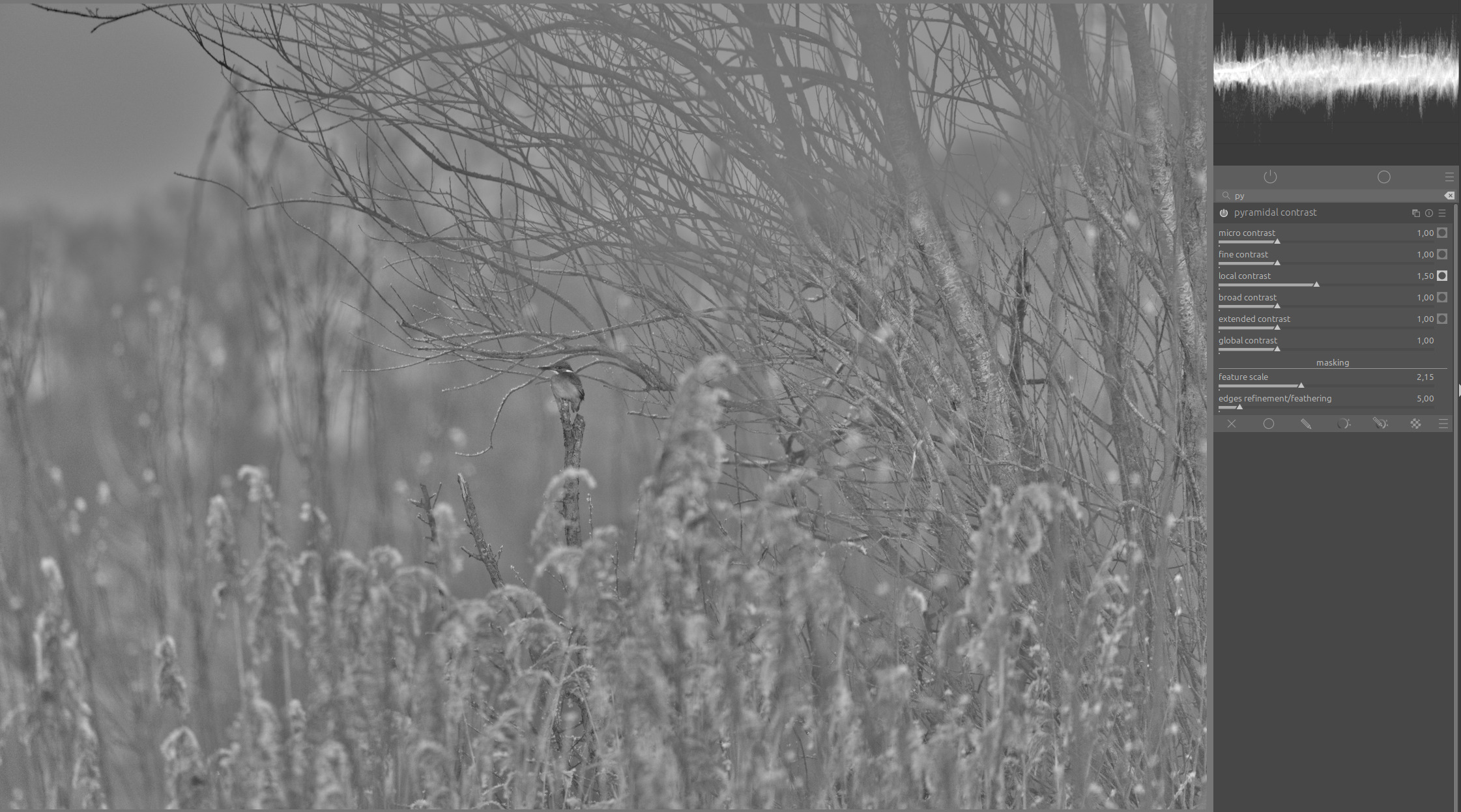
I believe that if these two scales (broad and extended contrast) were brought closer to the first three scales, we would have a good range of scales that additionally could be narrowed or expanded as needed with the feature scale option.
4 Likes
The masking sliders use 2 controls, but they selected area is in the middle (or inverted and the center is excluded). It would be good for setting or excluding a range.
Ya I figured it wouldn’t work. I was thinking of them sort of being able to be coded as individual functions and so offering a sort of “stacked” slider…is there perhaps such a control…
I got the idea from Picture Window software. There when they mask they have a dual opacity slider…one for the masked area and one that affects then none masked area… I think they use it in a couple of other places too…
Anyway it was just an off the cuff thought…
Have we tried two sliders with two adjustable scales yet? Then everyone could have their preferred way, and one could build more complicated setups if they want to.
By default, it could be coarse and fine (but this side of global contrast and sharpening). But you could easily make a style that uses two instances to build more fine grained scales.
Of course the same argument could be applied to promote a single slider+scale. But I think two is more flexible. Personal preference…
4 Likes
Diffuse or Sharpen went with a user-defined scale with the Central Radius and Radius Span sliders. I always maintained that there was nothing inherently wrong with those sliders except that there was no visualization for what you are working on. It’s virtually impossible to know what detail scale you are working on just going by numbers, such as 70px on the first slider and 240px on the second slider. But in theory, it’s very flexible.
If there is a question about how many levels of adjustment should be supported, perhaps the module should start with one, but the user could click to add more levels as needed?
2 Likes
Sure thing!
Is this a good enough explanation of my thinking?
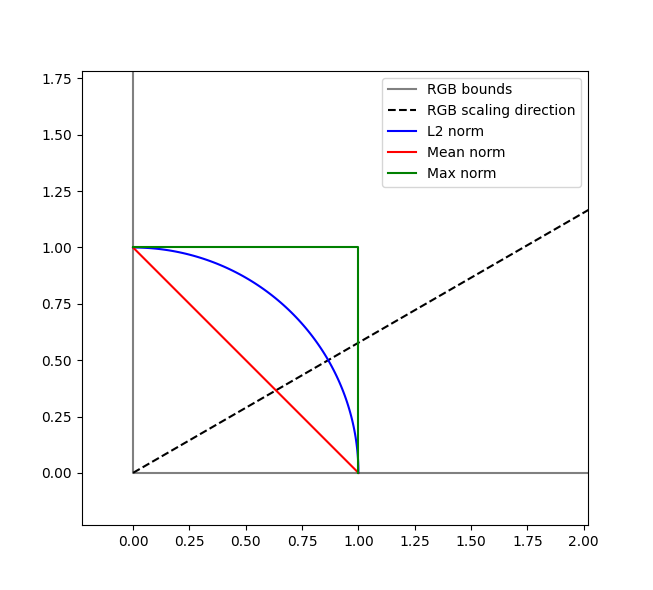
Simplified to 2D “colors” scaling a pixel value will follow the dashed line.
My thinking of norm direction is what direction the normal of the “equinormal” (same norm) line points. I have added the lines for when euclidean (L2) , mean, and max all are equal to one. (Skipped the power norm as it was to much work but I can vouch for that it is in between L2 and max).
I hope its pretty clear from the figure that the euclidean norm always has its normal/wavefront/direction in the same direction as the pixel scaling.
I don’t have a rigorous mathematical argument for why using the same direction would be better than mean but I would avoid max due to its sharp behavior around “white” which I think could cause artifacts. But gut feeling is that orthogonal is good here.
1 Like
Hello,
Thank you again for your help.
I adjusted the gap between the last two frequencies as you suggested.
And I managed to implement the sliders that multiply or divide the edge refinement value using the micro, fine, etc. sliders, all of which are collapsible.
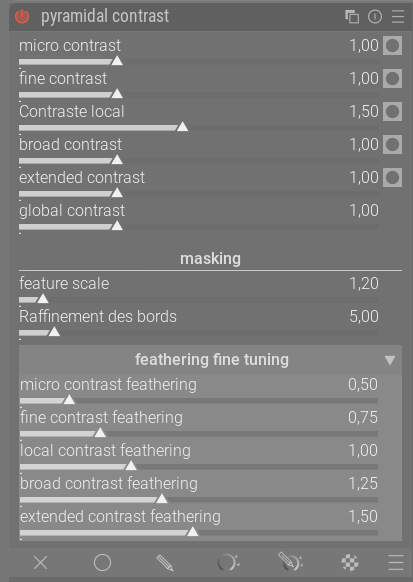
The latest version is on the drive and GitHub is synchronized.
https://drive.google.com/drive/folders/1zahcvlAyaN03L1VmX5esOOyhBkO8jiko?usp=sharing
Have a nice day,
Christian
4 Likes