Oklab Gamut Clipping - Making my own module

I went looking through the vkdt code to see how it works and realized how trivial the module system is. It is very easy to create your own module for your own artistic needs. Because of this, I wanted to try it out and share my experience in hopes that it will enable more contributions to modules.

Objective

Implement the gamut clipping methods proposed by Björn Ottosson

My setup:

  • Windows 10 (I know)
  • Intel Core 17-8650
  • NVIDIA GeForce GTX 1060
  • msys2 with ucrt64 dev kit

Init

To get started, just clone the repo and run

make all

I had trouble with parallel execution but you could all -j20 to speed this up.
Then I created a folder under src/pipe/modules/ called gamutclp. In that folder you need a couple files

main.c         # module entry point
main.comp      # shader entry point. can be named anything since we pass the name into main.c
connectors     # module connector definition
params         # uniforms pass to all shader modules as 'set = 0, binding = 1'
params.ui      # ui components that modify param values
readme.md      # contains tooltips for this module, it's connectors, and it's ui components

below is the boilerplate for these files
main.c

#include "modules/api.h"
#include <stdlib.h>

void modify_roi_out(
    dt_graph_t  *graph,
    dt_module_t *module)
{ 
  // optional if there is only an input connector 
  // that gets passed to an output connector
}

void create_nodes(
    dt_graph_t  *graph,
    dt_module_t *module)
{
  dt_roi_t roi = module->connector[0].roi;
  const int id_gamutclp = dt_node_add(graph, module, "gamutclp", "main", 
    roi.wd, roi.ht, 1, 0, 0, 2,
    "input",   "read",  "rgba", "f16",  dt_no_roi,
    "output",  "write", "rgba", "f16",  &roi);
  dt_connector_copy(graph, module, 0, id_gamutclp, 0);
  dt_connector_copy(graph, module, 1, id_gamutclp, 1);
  ...
}

main.comp

#version 460
#extension GL_GOOGLE_include_directive    : enable

#include "shared.glsl"

layout(local_size_x = DT_LOCAL_SIZE_X, local_size_y = DT_LOCAL_SIZE_Y, local_size_z = 1) in;
layout(std140, set = 0, binding = 1) uniform params_t
{
} params;

layout(set = 1, binding = 0) uniform sampler2D img_in;
layout(set = 1, binding = 1) uniform writeonly image2D img_out;

void
main()
{
  ivec2 ipos = ivec2(gl_GlobalInvocationID);
  if(any(greaterThanEqual(ipos, imageSize(img_out)))) return;
  vec3 rgb = texelFetch(img_in, ipos, 0).rgb;

  RGB rgb_gamut;
  ...

  imageStore(img_out, ipos, vec4(rgb_gamut, 1));
}

connectors

input:read:rgba:*
output:write:rgba:*

params (empty for now)
params.ui (empty for now)

Dev

After that, all I had to fill out was the logic proposed on sRGB gamut clipping

The developer feedback cycle is very nice. There are only a couple of commands that execute quickly every time you update

make -C src modules
make reload-shaders
cp -rf ./src/pipe/modules/gamutclp/ ./bin/modules
./bin/vkdt.exe

In addition, I found out you can pretty much copy-paste Shadertoy examples into the dspy modules! (See my module for an example.)

Results

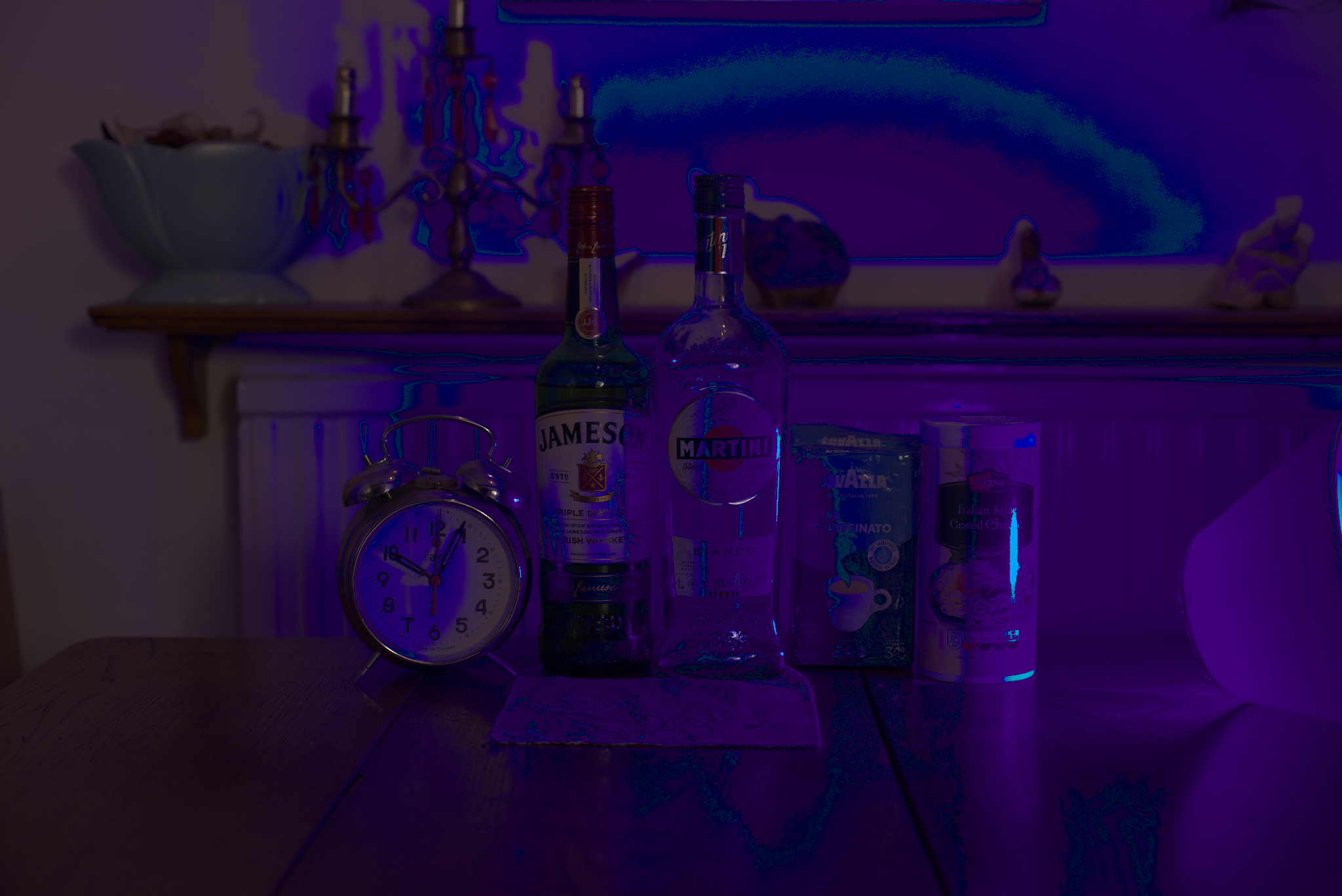
Subject: a scanned 120mm photograph of a sunset (taken on a 3d printed camera I made). It should be pretty easy to make some nasty and noisy out-of-gamut colors
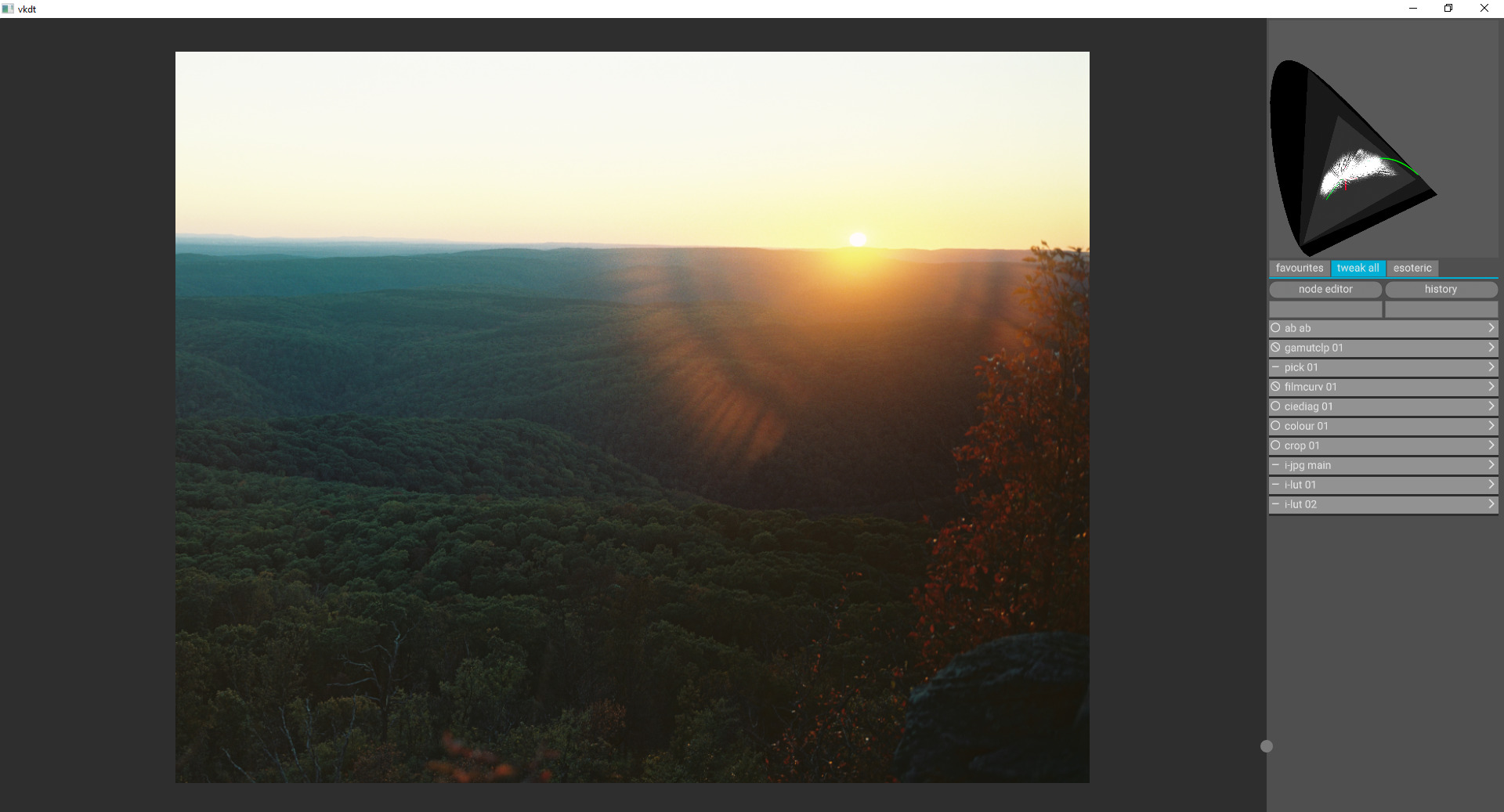
Setup:
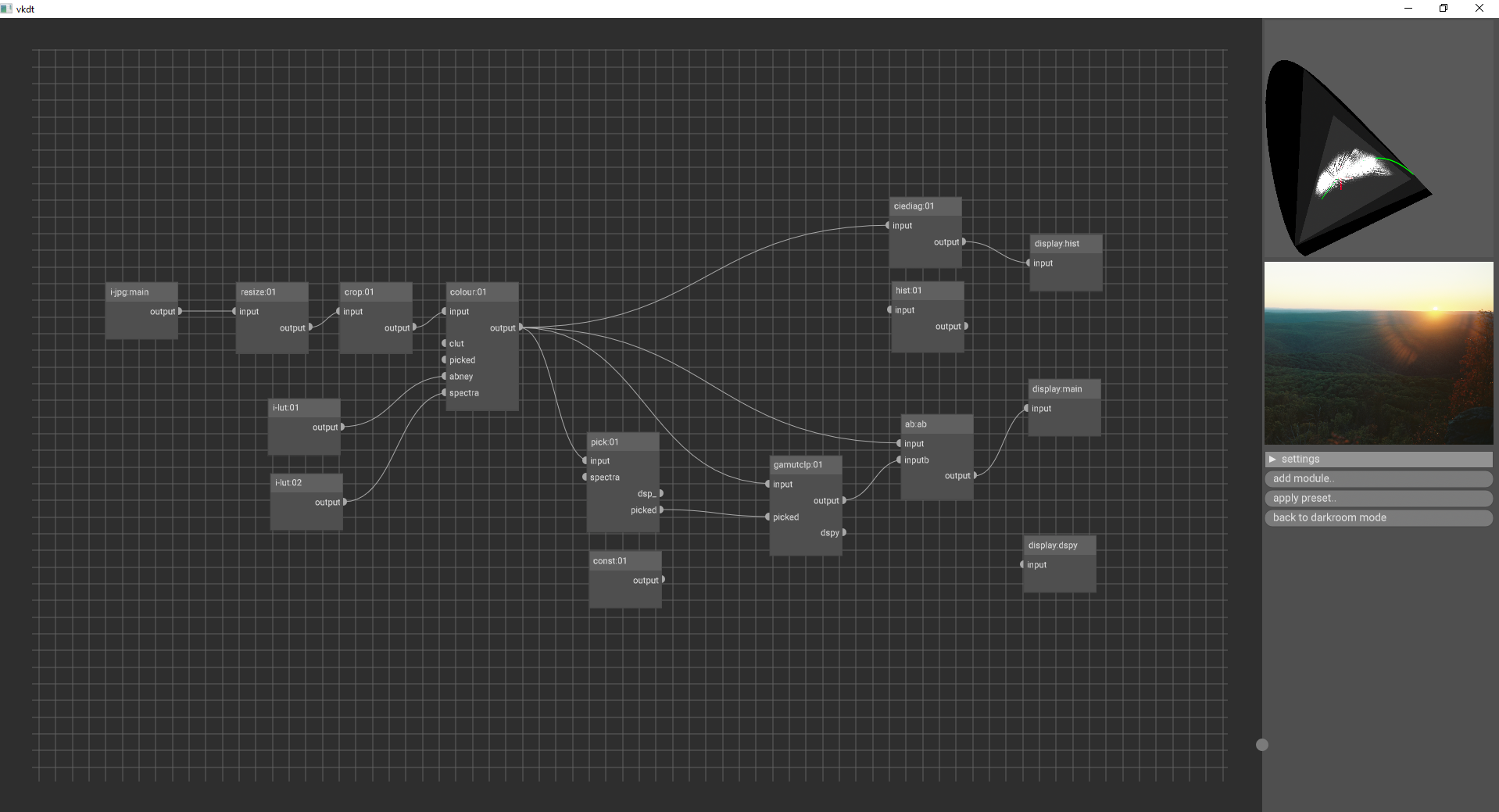

A simple raw import, into my new gamutclp module, then into ab to compare without, then main display.

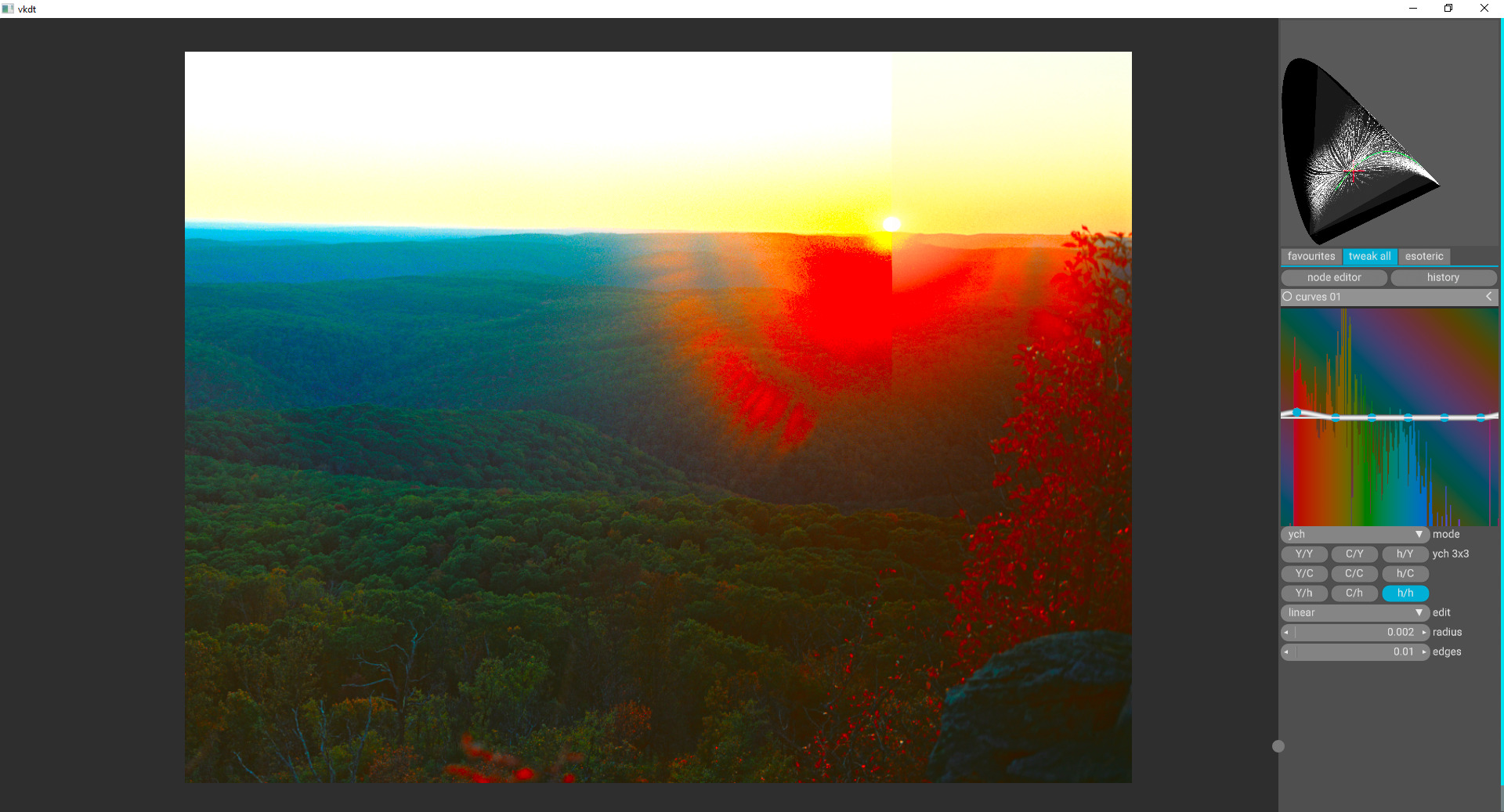
Lets crank up the saturation to an unholy amount, tell ab to split right through the sun so we can see the extreme with and without, and then enable the gamutclp
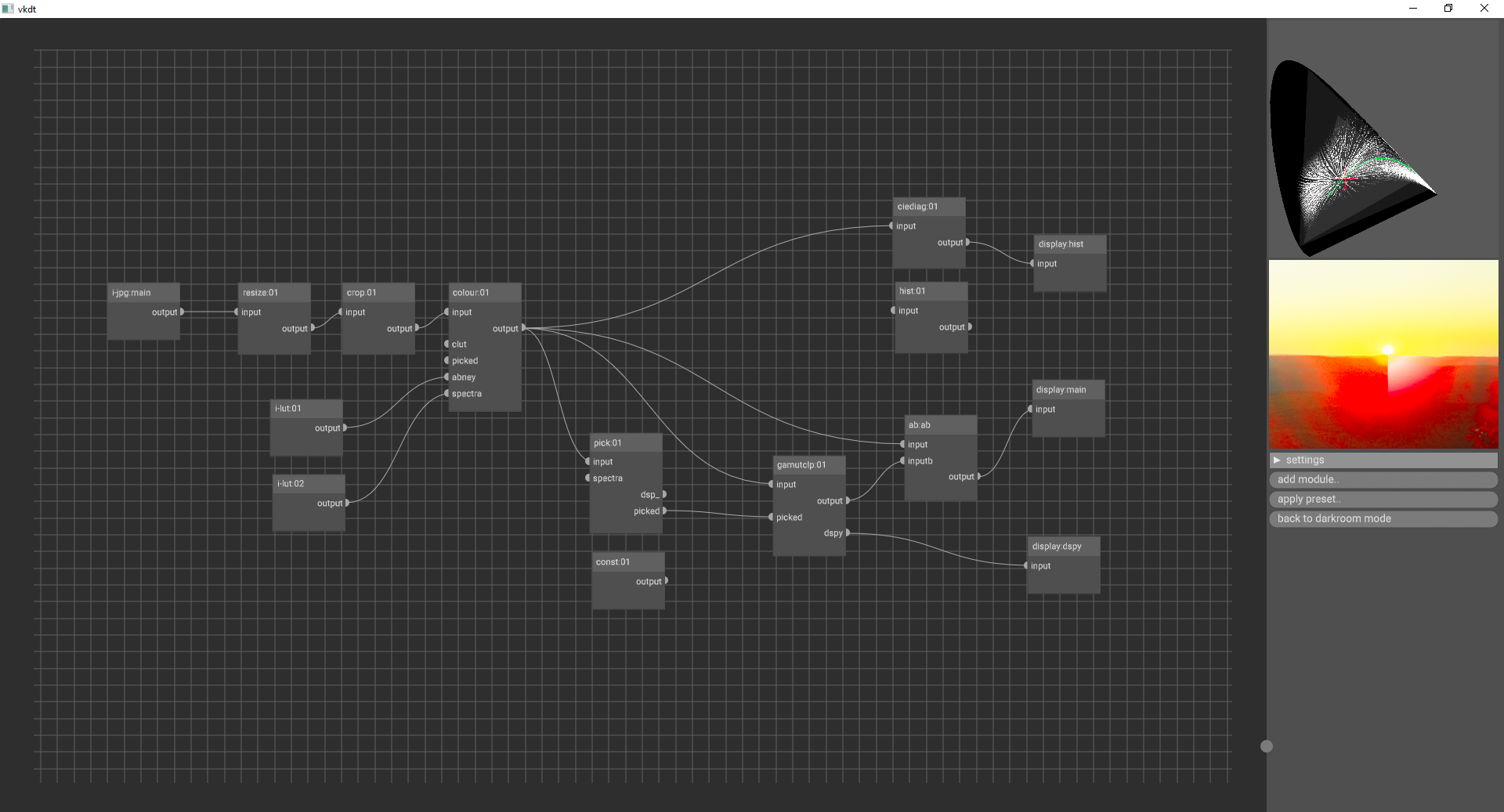
(left: without gamutclp, right: with gamutclp)

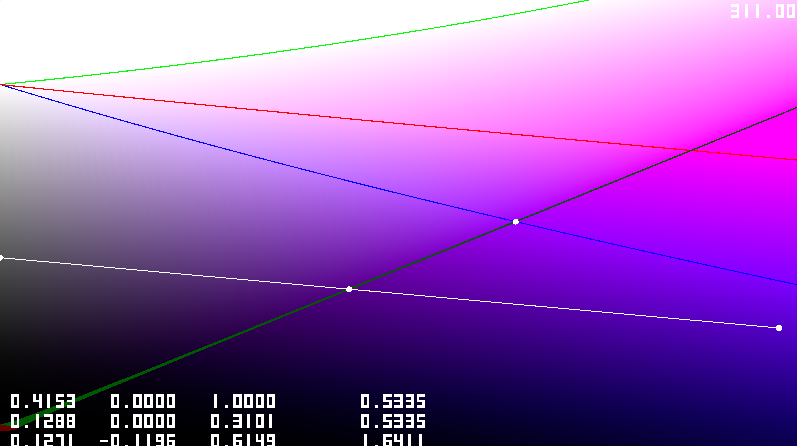
Hmm, it looks like our module is making smooth colors, but it is clipping the color into a whiter value. Why is that? If we use out color picker to pick somewhere near there, we can see what is going on
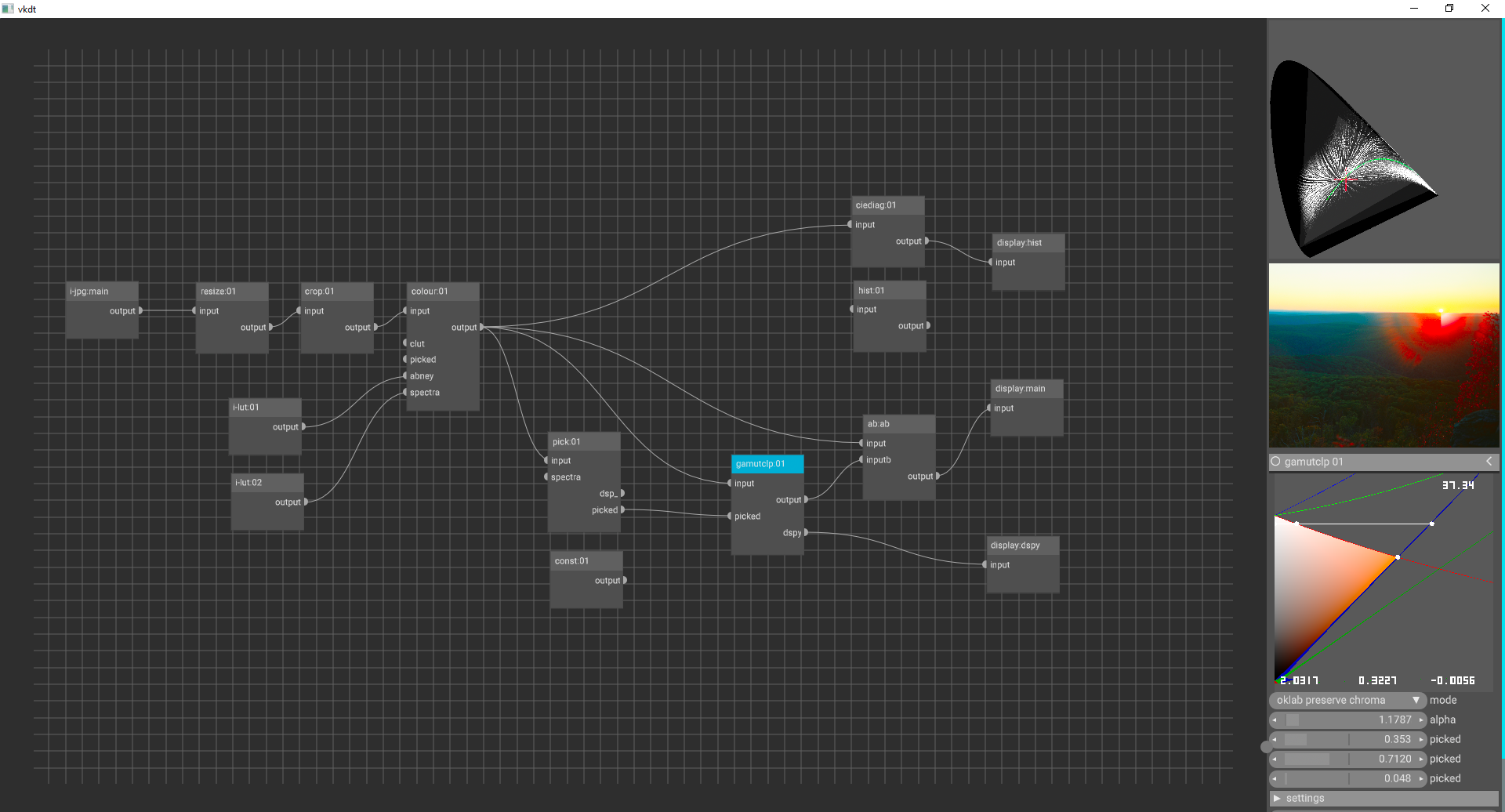
The module is clipping an out-of-gamut color directly while trying to preserve lightness. Luckily, since I added other clipping methods, we can change that. Let’s try a project mode that clips it towards a luminance of 0.5.
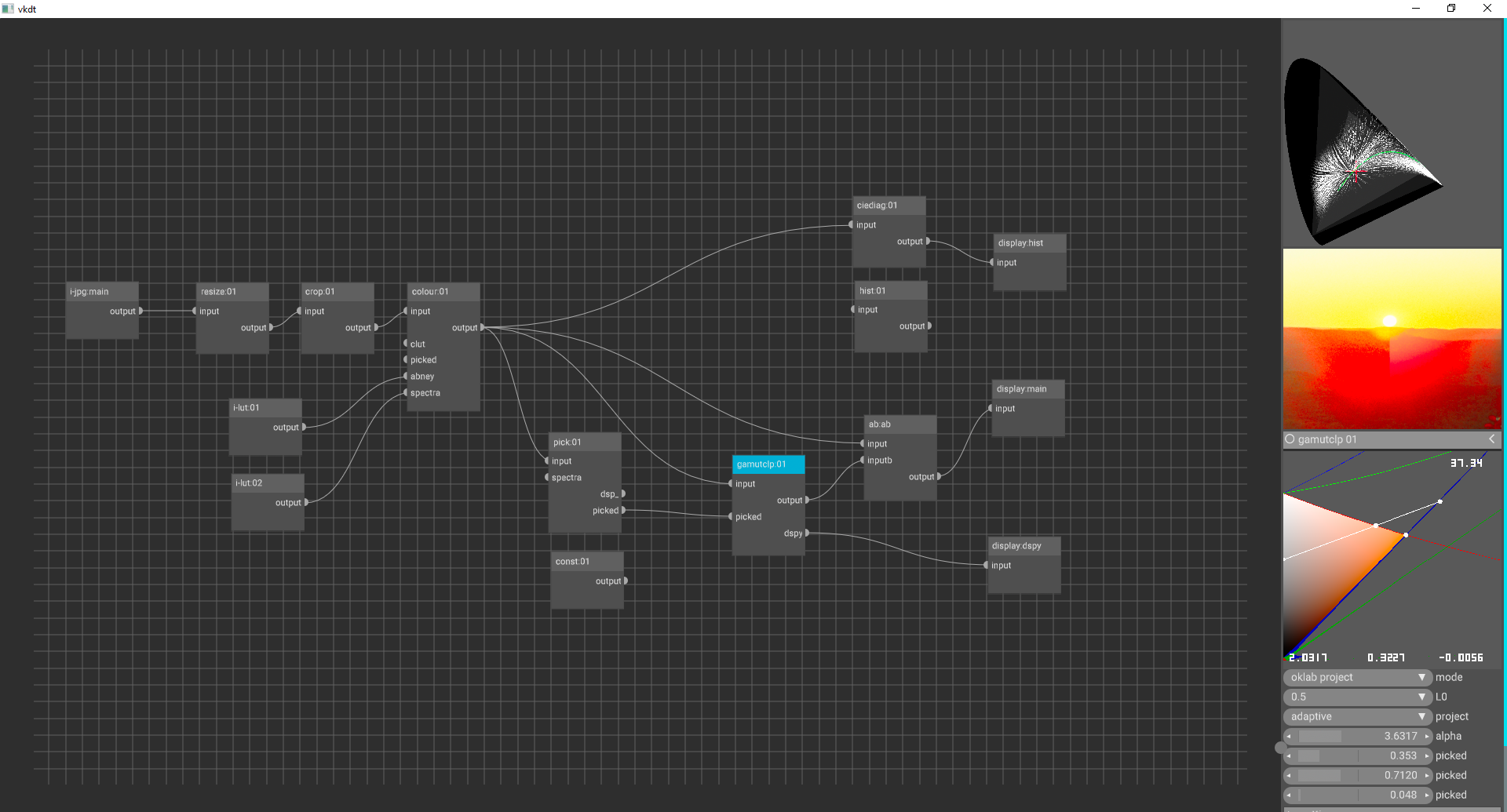
The color directly around the sun looks better, but I am not totally convice it is better than just telling the colour module to gamut limit to rec2020. Lets recompile the shader to show out-of-gamut color on our visualizer to see where C_0 and L_0 it pulling from.
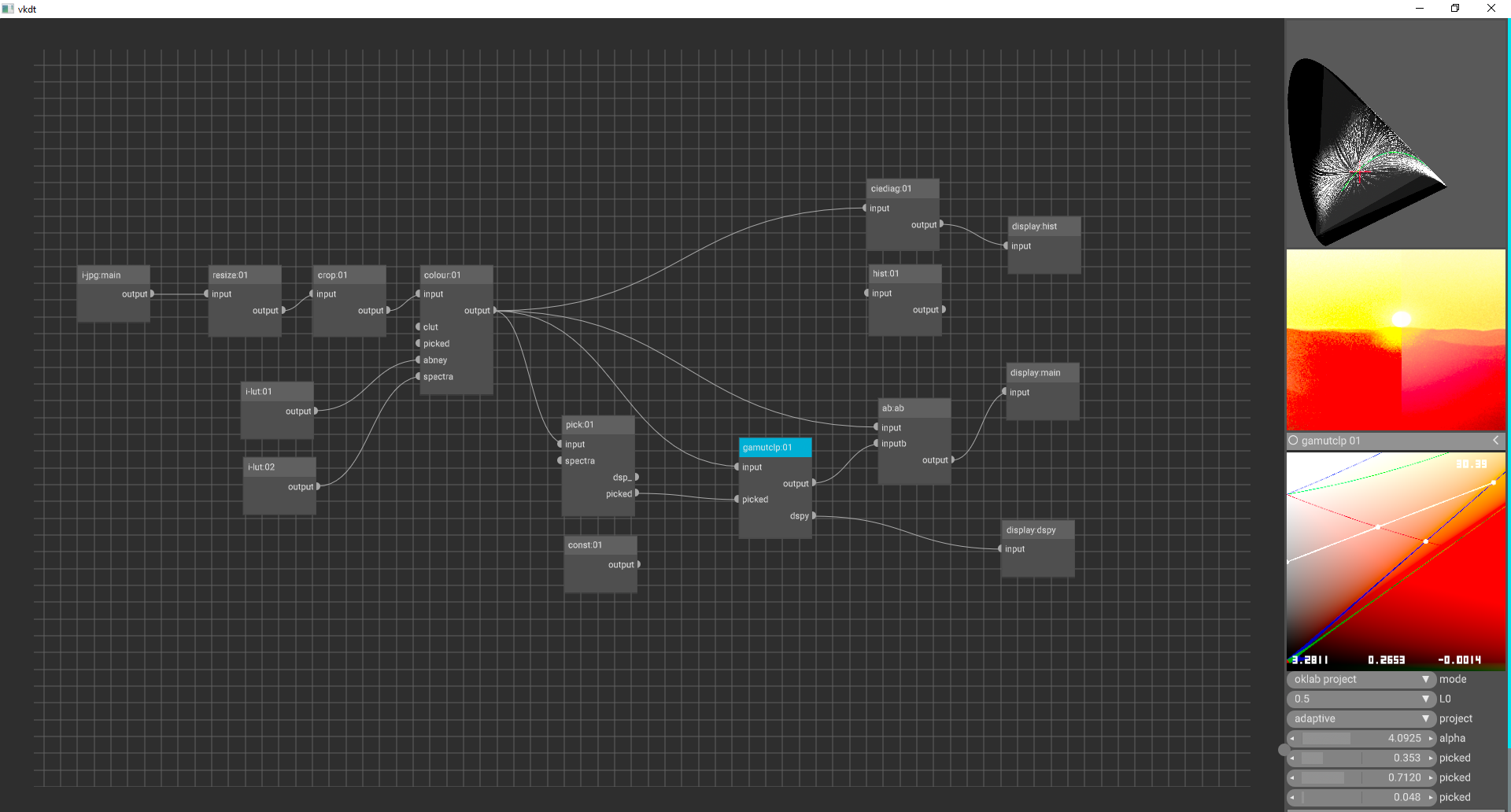
Oh, it is clipping from way out in right field…

If we tweak our red hue a tad in curves, it doesn’t look all that bad


(image split a sun: left without, right with gamutclp)

Conclusion

Though it was fun, this module is somewhat useful in the color-processing workflow but has some limitations. The colour module seems to handle gamut mapping pretty nicely already. Even the filmcurv module can help knock down extreme colors.

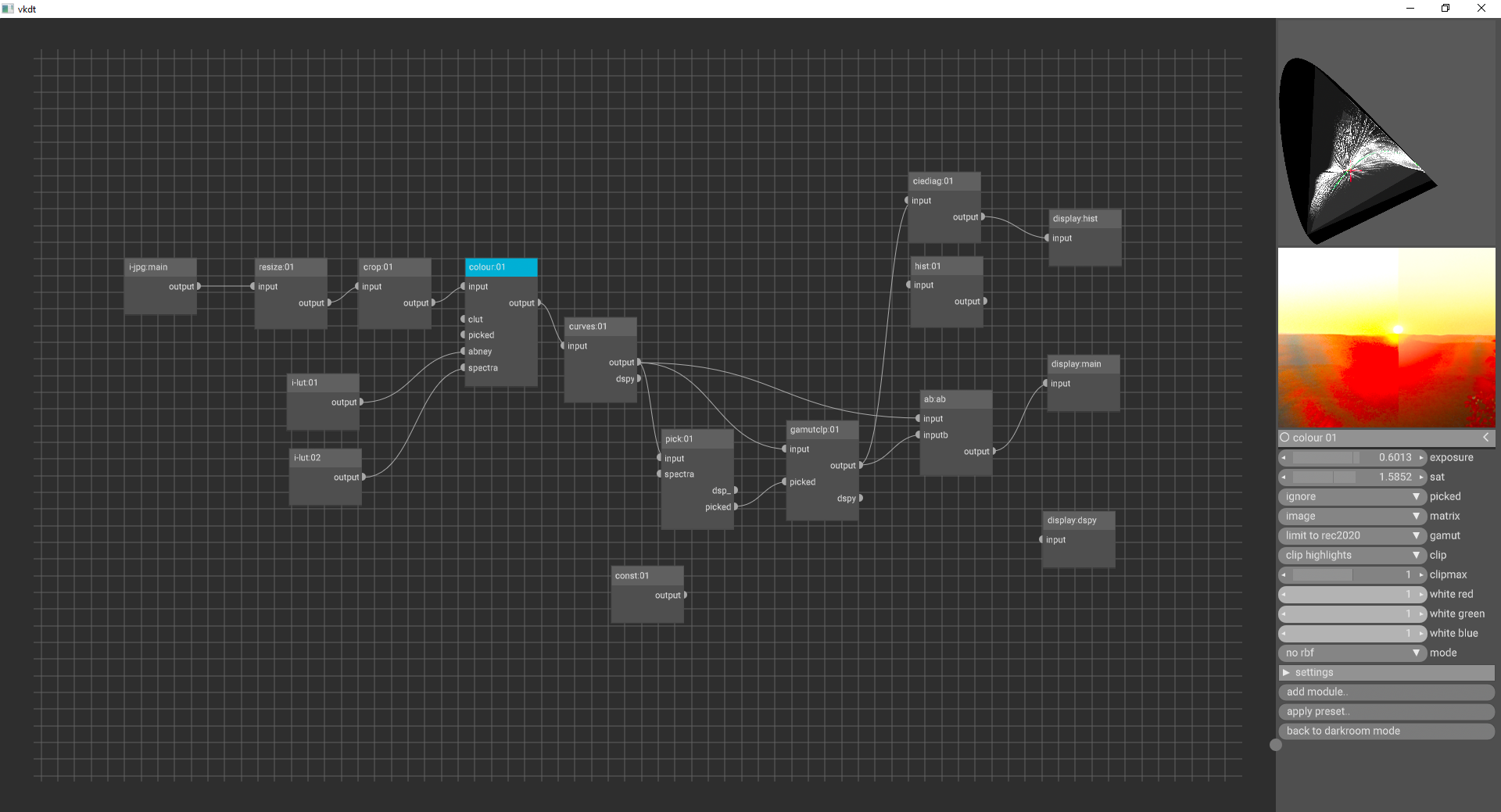
6 Likes

Source can currently be found on my branch: vkdt/src/pipe/modules/gamutclp at oklab_gamut_clip · phcreery/vkdt · GitHub

2 Likes

You might be interested in GitHub - jedypod/gamut-compress: Tools to compress out of gamut colors back into gamut.

RawTherapee already has it, I’m playing with it in darktable, though I also added a method based on scaling xy distance to the white point as a ratio to the gamut limit.

4 Likes

really cool, even with dspy output :slight_smile:

you might want to try the gamut.pst preset to make the saturation control in the colour module gamut aware (will try to follow lines of equal hue and know where the spectral locus ends).

a few notes about the code:

  • the params_t struct will be filled by whatever is in the params file. if you keep both empty i’m not sure the validation layers are happy (but of course in your module now you have something inside)
  • similar goes with the modify_roi_out callback. if you define the function please don’t leave the body empty :slight_smile:
  • the whole boilerplate main.c is not necessary if you don’t rely on any of the callbacks. the create_nodes boilerplate example in your listing is the default. i.e. if you only have a single main.comp with a single input and output, this is what you’d get without main.c.

for fast turnaround times during development, keep your cwd in the git repo checkout or the bin/ directory and bind make reload-shaders to a hotkey. darkroom mode has esoteric → settings → hotkeys, scroll about half way to find debug: reload shader code while running. it’s deassigned by default because who’s debugging. this way you can alter your code in a text editor on the side, then go back to the vkdt darkroom window, press, say, ctrl-r and the system will compile your shader, load it back in, and the code will be effective immediately.

I will give this a try and report back.

Oops, I forgot to expand on these in my discussion. Thanks for pointing them out.

I learned about a lot of the defaults by looking through ohter modules and traversing through the pipeline code but I did not notice this one!

This is huge! I have to try this.
I am away from my machine so I am trying to picture how this would work. Would I still run the bin from ./bin/vkdt.exe and the make reload-shaders automatically output to ./bin/modules?

1 Like

ah bin/modules is a symlink on linux. are you on a system without symlinks? running bin/vkdt sounds like exactly the right working directory, so far so good :slight_smile: i suppose i might have to re-issue the spv copy for this to work on windows.

Hello @Peyton_Creery

I am really glad to read your post especiallay since you are developing new interesting stuff for vkdt, on Windows: with open source softwares it is often not the case :slight_smile:
Just joking of course (even though I also run Windows 10-11 systems myself…)

I see, I am on windows so maybe it is not linking? Or maybe it was and I was just redundantly copying them over by hand. I saw the make install-mod command and thought it was necessary for each module recompile.

@hanatos took the effort to make vkdt on windows possible so that helped a bunch.
Yea, I rely too havily on some CAD software, plus, I made the decision to buy my main device, a MS Surface Book, while I was in college.

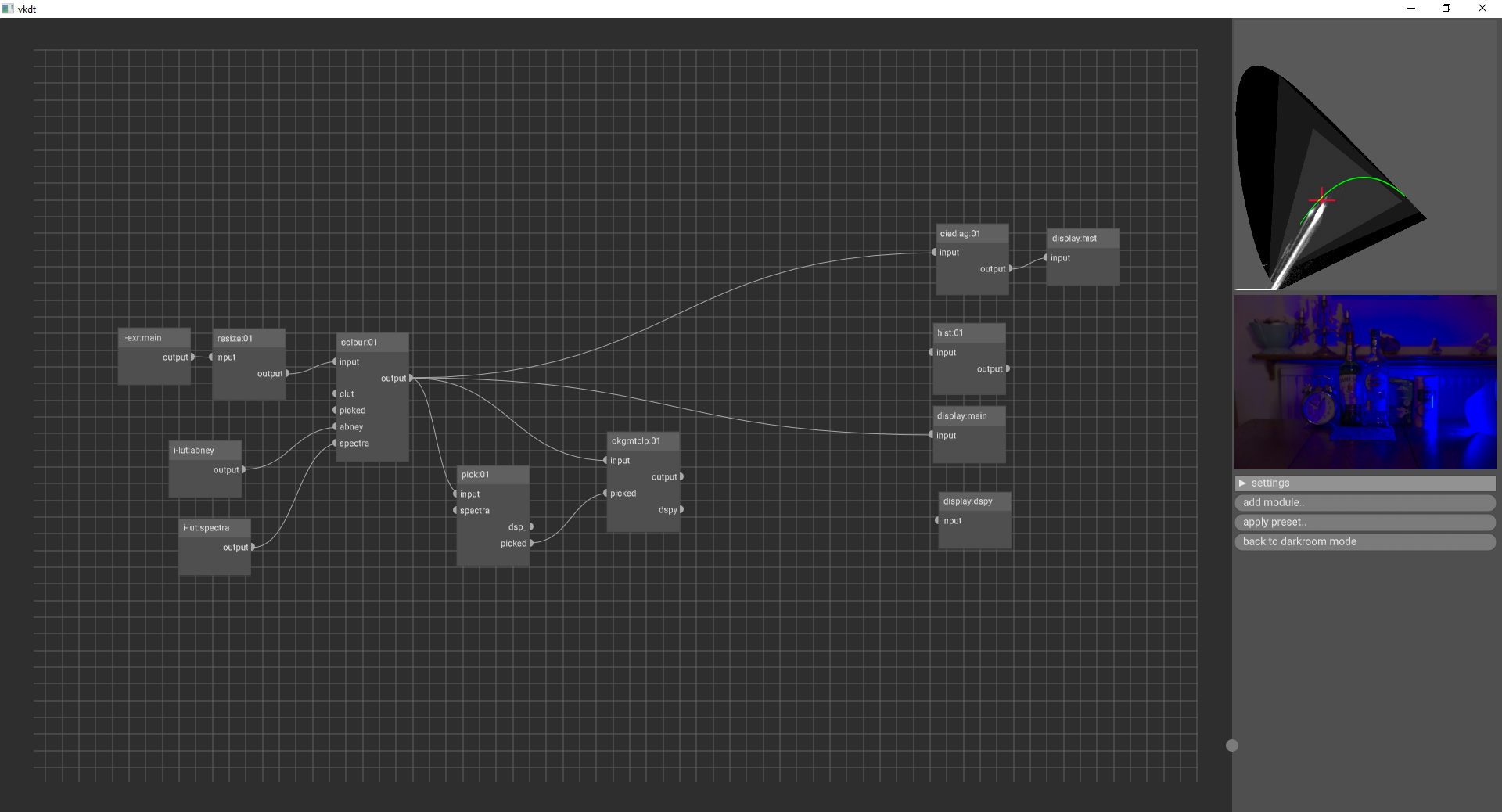
Looking at my setup, I do have the abney and spectra lut attached to the colour module. Is there another configuration needed?

I did some more testing. On the left is the colour module with a gamut limit to rec2020, and on the right is the colour module with no limit, but the gamutclp module right after clipping to rec2020 in the oklam colorspace.

setup looks good! the colour module with the gamut luts connected has different behaviour when moving the saturation slider only. instead of moving along in dtUCS, it will then move along a space of spectral distributions with the main peak wavelength in the same spot. these look much like what you’d find in literature when plotting the abney effect.

also, the luts contain bounds along these lines for srgb, bt2020, and the spectral locus.

with these limits, you can push saturation by silly amounts while compressing coordinates near the selected limit.

this mechanism doesn’t help you bring out-of-gamut coordinates back into sane range. in particular it can fail if you render extreme chroma (such as led) with a broken input device transform (matrix). in such scenarios your/ottoson’s approach will be more useful.

2 Likes

Ah, yes. it looks like it falls back to copying on windows.

vkdt/Makefile

...
bin: Makefile
	mkdir -p bin/data
ifeq ($(OS),Windows_NT)
	cp -rf src/pipe/modules bin/
else
	ln -sf ../src/pipe/modules bin/
endif
...

right. so in theory adding these ifeqcp -r lines somewhere in the make rule for reload-shaders would be a good idea. only that iirc windows can’t overwrite files that are currently open (the module dso probably), so i’m expecting this to fail while the program is running. selectively copying over only the .spv files would be better, but is harder to put down in one line of shell.

Does OkLab work in those cases? XYZ values from potentially problematic images (these are with darktable, so with a D50 pipeline illuminant):

1 Like

thanks for posting the list here! should be useful to test the new module.

oklab is a continuous mapping from xyz. i would expect even these completely bonkers numbers (due to broken input device transform, we discussed this before) to map smoothly to something that you can then bring back into numbers from this world. quite likely that there is no meaningful path (in the sense of Abney effect or similar), but not sure we can expect that. after broken IDT the game is really just mapping for visual taste. let’s see the practical experiment :slight_smile:

1 Like

I don’t think so.
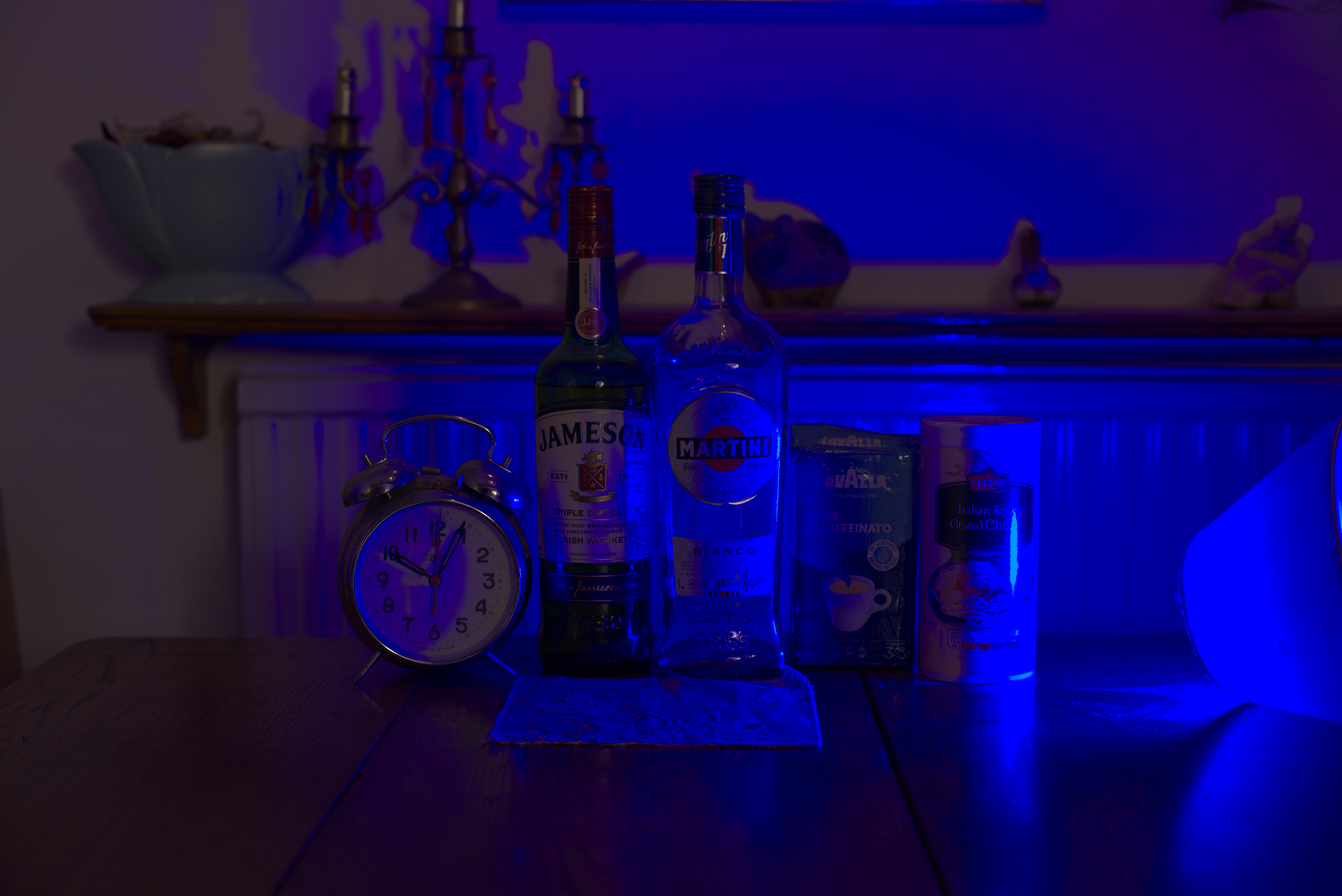
I went ahead and tried the first example anyways.

Barebones pipeline


Asking the colour module to clip to rec2020 (I think I might be doing something wrong here…)

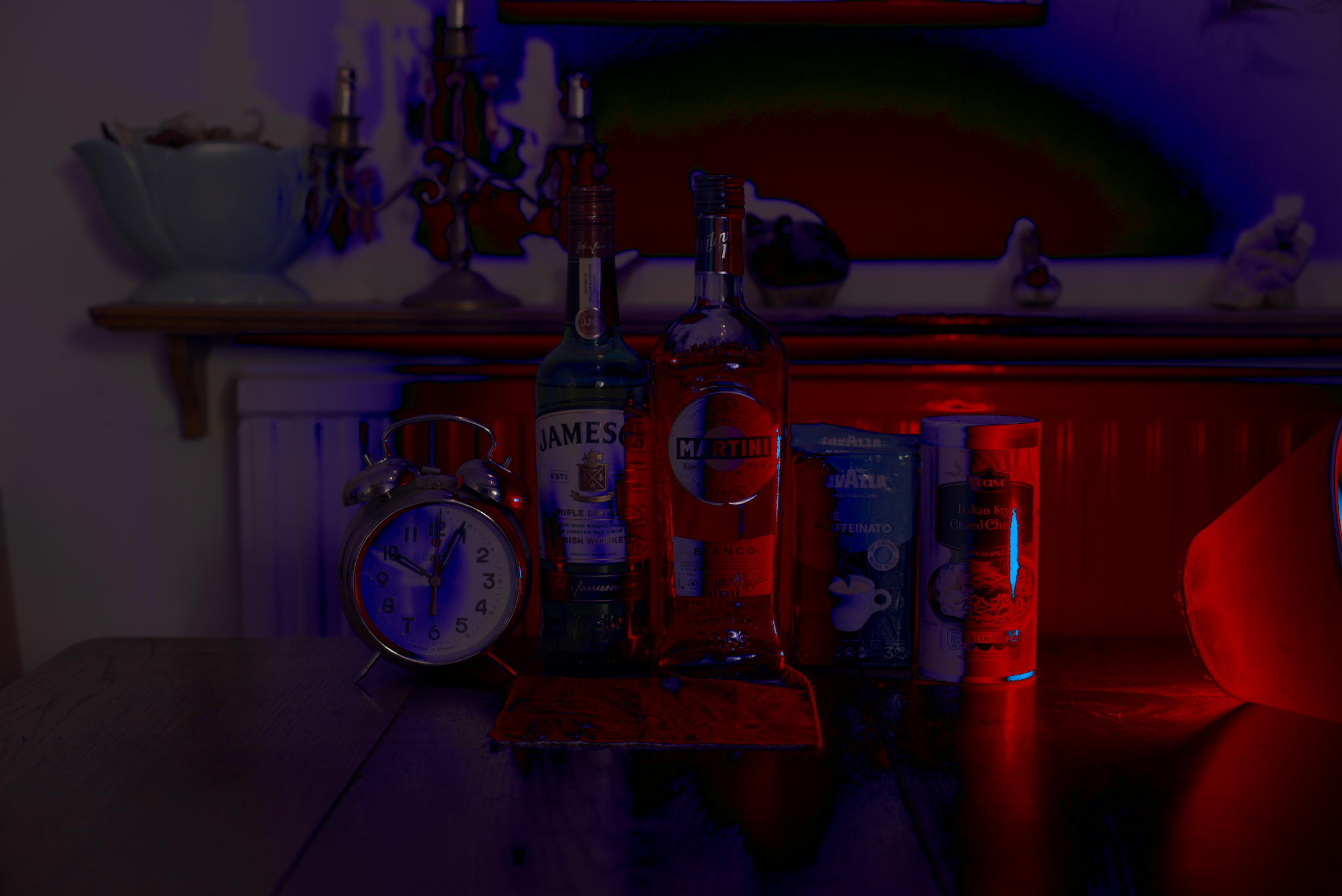
okgmtclp

I suppose this makes sense. Something (uv light) that would typically rendered as blue, gets clipped to a purple hue.

https://www.shadertoy.com/view/7tlGRS

Because of this, I assume Oklab does not accurately map colors outside the spectral bounds.

1 Like

Very interesting the part about calculating the compliment RGB and its luminance to avoid negative values in the luminance channel.

@Peyton_Creery what is the use of OKLab in the broader context of your workflow? I haven’t really seen it used so much in photography workflows, but have seen it used for color pickers and color palette generation and other such things.

Yes. Jed Smith does something similar in his method, part of RawTherapee and an experimental module for darktable. Mentioned it in my first post to this thread.

1 Like